






 See Compatible Printers
 Read more about our ink!
Hewlett Packard
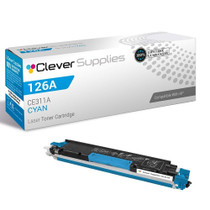
Compatible HP 126A (CE311A) Toner Cartridge Cyan
- Page Yield:
- Color: 1000
- Availability:
- In Stock
- Shipping:
- Calculated at Checkout

Amazon Price:

- Page Yield:
- Color: 1000
- Availability:
- In Stock
- Shipping:
- Calculated at Checkout
- Compatible Printers
- Color LaserJet 100 MFP M175a
- Color LaserJet 100 MFP M175nw
- Color LaserJet CP1025nw
- Color LaserJet TopShot Pro M275
- LaserJet 100 MFP M175a
- LaserJet 100 MFP M175nw
- LaserJet Pro 100 MFP M175a
- LaserJet Pro 100 MFP M175nw
- LaserJet Pro CP1025nw
- LaserJet Pro TopShot Pro M275i>
- Color CP1020
- Color CP1025
- Color CP1025NW
- Color LaserJet CP1020
- Color LaserJet CP1025
- Color LaserJet M175nw
- Color LaserJet M476
- Color LaserJet M476DN
- Color LaserJet M476DW
- Color LaserJet M476NW
- Color LaserJet Pro 100
- Color LaserJet Pro 100 Color MFP M175A
- Color LaserJet Pro 100 Color MFP M175NW
- Color LaserJet Pro 200 M275NW
- Color LaserJet Pro CP1025
- Color LaserJet Pro M175
- Color LaserJet Pro M175 MFP
- Color LaserJet Pro M175A
- Color LaserJet Pro M175nw
- Color LaserJet Pro M476
- Color LaserJet Pro M476DN
- Color LaserJet Pro M476DW
- Color LaserJet Pro M476NW
- Color LaserJet Pro MFP M476
- Color LaserJet Pro MFP M476dn
- Color LaserJet Pro MFP M476dw
- Color LaserJet Pro MFP M476nw
- Color LaserJet TopShot LaserJet Pro M275
- Color LaserJet TopShot LaserJet Pro M275NW
- Color MFP M175A
- HP 126A
- HP 312A & 312X
- LaserJet Pro 100 Color M175A
- LaserJet Pro 100 Color M175N
- LaserJet Pro 100 Color M175W
- LaserJet Pro 100 color MFP M175NW
- TopShot LaserJet Pro M275 MFP
- Specifications
- SKU:
- CS-HP-126A-C
- Printer Brand:
- Hewlett Packard
- OEM Number:
- CE311A
- Ink Color:
- Cyan
- Page Yield:
- Color: 1000
- Printer Type:
- Laser Cartridge
- Condition:
- New Compatible
- Description
- Reviews



The HP 126A Color LaserJet Series encompasses a range of printers designed to meet various printing needs, including the PRO 100 Color MFP M175A, PRO 100 Color MFP M175NW, CP1020, CP1025, CP1025NW, PRO 100, PRO M175, PRO M175A, PRO M175NW, PRO M175 MFP, TOPSHOT LASERJET PRO M275, TOPSHOT LASERJET PRO M275NW, LASERJET PRO 100 COLOR M175A, LASERJET PRO 100 COLOR M175N, and LASERJET PRO 100 COLOR M175W. Among the compatible cartridges are the CE310A Black, CE311A Cyan, CE313A Magenta, and CE312A Yellow, known collectively as the HP 126A toner cartridge or toner cartridge. These printers offer efficient printing solutions for both personal and professional use. The PRO 100 Color MFP M175A and M175NW models provide multifunction capabilities, including printing, scanning, and copying, while the CP1020 and CP1025 series deliver high-quality color printing for small office environments. The TOPSHOT LASERJET PRO M275 and M275NW models stand out with their innovative top shot scanning feature, ideal for capturing 3D objects and documents. With the HP 126A cartridges, users can expect reliable performance and vibrant color output for their printing tasks. The CE310A Black cartridge ensures crisp and sharp text, while the CE311A Cyan, CE313A Magenta, and CE312A Yellow cartridges deliver vivid hues and accurate color reproduction for graphics and images. Whether you're printing documents, presentations, or photos, the HP 126A Color LaserJet Series printers and cartridges provide the versatility and quality needed to produce professional results. Invest in these reliable printing solutions to streamline your workflow and achieve outstanding printouts with every use.
Frequently Asked Questions
Is this a full cartridge or a small starter size?
A full one. This CE311A — the cyan of the 126A family — is rated at the family's standard 1,000 pages and sells for $38.12. Printers often ship with introductory cartridges that hold less; a replacement bought under this code is the complete article.
Why did my printer's first cyan run out so quickly?
That is the starter-cartridge effect, and it catches many owners of compact color LaserJets: the supplied cartridge is a courtesy quantity. The 1,000-page rating of this replacement is the honest baseline for judging the ones after it.
Which machines does the 126A cyan serve?
The compact platform of its generation — Pro 100 and Pro 200 all-in-ones and the CP1025 line, the Color LaserJet CP1025nw among them. If your supplies page lists 126A, this is the cyan it is asking for.
How do I read the rating realistically?
1,000 pages at standard coverage. Photo pages spend several times the standard amount; letterhead pages with a blue masthead spend less. Most mixed home and office use lands somewhere honest in the middle.
Do I need to reset anything after fitting?
No. Seat the cartridge, let the machine run its own calibration, and print. The supplies gauge updates to full on its own.
What protection does it come with?
A 1-year warranty and 1-year free returns. If the cartridge disappoints within the year, returning it costs nothing.
Should I keep a spare CE311A on hand once this one is fitted?
For a printer you rely on daily, yes. Cyan is typically the hardest-worked color in this family — links, logos and charts all draw on it — so a sealed spare in the drawer turns the next fade into a two-minute swap instead of a delivery wait. Store it flat and sealed; it asks for nothing until its turn comes.
How do I make sure I order cyan and not a neighbouring color?
Check the last digits before you buy: CE311A is cyan, while CE312A is yellow and CE313A is magenta, and the three cartridges look near-identical on the shelf. Read the code off the cartridge you removed or off the supplies page, and match it character for character. Ten seconds of code-checking prevents the classic wrong-color delivery.
Blues still look weak right after fitting the new cyan. What now?
Give the machine its calibration cycle and print several real pages first — a fresh cartridge settles over its opening output. If blues stay weak after that, reseat the CE311A once, and then look sideways: tired magenta or yellow can distort a blend so it merely looks like a cyan problem. Judge each color with a page that uses it alone.
What should I do with the old cyan cartridge?
Place it straight into the new cartridge's carton as it comes out, which contains any residual toner dust, and pass it to an office-supply or electronics recycling point. Toner cartridges are routinely accepted by such programs. Keeping the spent CE311A out of general waste where a recycling route exists is the only rule that matters here.
About This 126A Cyan Cartridge (CE311A) — Full Size
There is a particular surprise in owning a compact color LaserJet: the first cyan vanishes fast, and owners suspect the printer. In truth the starter was small. This CE311A is the full-size renewal — 1,000 rated pages at $38.12 — the cartridge against which the machine's real appetite should be measured.
It ships from IL, PA, GA and CA warehouses; consult shipping & returns for delivery and returns. Support keeps Monday–Friday, 9 AM–5 PM CST hours, and the family catalog is filed under HP.
Related Items

Hewlett Packard
Compatible HP 126A (CE311A) Toner Cartridge Cyan



Hewlett Packard
Compatible HP 126A (CE311A) Toner Cartridge Cyan

Hewlett Packard
Compatible HP 126A (CE311A) Toner Cartridge Cyan

Hewlett Packard
CS Compatible Replacement for HP CE311A Toner/ HP 126A Toner Cartridge Cyan
/>