






 See Compatible Printers
 Read more about our ink!
Hewlett Packard
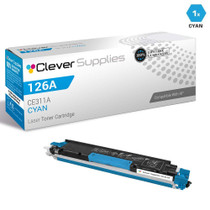
Compatible HP TOPSHOT LASERJET PRO M275NW (CE311A) Toner Cartridge Cyan

Amazon Price:

- Page Yield:
- Color: 1000
- Availability:
- In Stock
- Shipping:
- Calculated at Checkout
- Compatible Printers
- Color LaserJet 100 MFP M175a
- Color LaserJet 100 MFP M175nw
- Color LaserJet CP1025nw
- Color LaserJet TopShot Pro M275
- LaserJet 100 MFP M175a
- LaserJet 100 MFP M175nw
- LaserJet Pro 100 MFP M175a
- LaserJet Pro 100 MFP M175nw
- LaserJet Pro CP1025nw
- LaserJet Pro TopShot Pro M275i>
- Color CP1020
- Color CP1025
- Color CP1025NW
- Color LaserJet CP1020
- Color LaserJet CP1025
- Color LaserJet M175nw
- Color LaserJet M476
- Color LaserJet M476DN
- Color LaserJet M476DW
- Color LaserJet M476NW
- Color LaserJet Pro 100
- Color LaserJet Pro 100 Color MFP M175A
- Color LaserJet Pro 100 Color MFP M175NW
- Color LaserJet Pro 200 M275NW
- Color LaserJet Pro CP1025
- Color LaserJet Pro M175
- Color LaserJet Pro M175 MFP
- Color LaserJet Pro M175A
- Color LaserJet Pro M175nw
- Color LaserJet Pro M476
- Color LaserJet Pro M476DN
- Color LaserJet Pro M476DW
- Color LaserJet Pro M476NW
- Color LaserJet Pro MFP M476
- Color LaserJet Pro MFP M476dn
- Color LaserJet Pro MFP M476dw
- Color LaserJet Pro MFP M476nw
- Color LaserJet TopShot LaserJet Pro M275
- Color LaserJet TopShot LaserJet Pro M275NW
- Color MFP M175A
- HP 126A
- HP 312A & 312X
- LaserJet Pro 100 Color M175A
- LaserJet Pro 100 Color M175N
- LaserJet Pro 100 Color M175W
- LaserJet Pro 100 color MFP M175NW
- TopShot LaserJet Pro M275 MFP
- Specifications
- SKU:
- CS-HP-TOPSHOT LASERJET PRO M275NW-C-1
- Printer Brand:
- Hewlett Packard
- OEM Number:
- CE311A
- Ink Color:
- Cyan
- Page Yield:
- Color: 1000
- Printer Type:
- Laser Cartridge
- Condition:
- New Compatible
- Description
- Reviews



The HP 126A Color LaserJet Series encompasses a range of printers designed to meet various printing needs, including the PRO 100 Color MFP M175A, PRO 100 Color MFP M175NW, CP1020, CP1025, CP1025NW, PRO 100, PRO M175, PRO M175A, PRO M175NW, PRO M175 MFP, TOPSHOT LASERJET PRO M275, TOPSHOT LASERJET PRO M275NW, LASERJET PRO 100 COLOR M175A, LASERJET PRO 100 COLOR M175N, and LASERJET PRO 100 COLOR M175W. Among the compatible cartridges are the CE310A Black, CE311A Cyan, CE313A Magenta, and CE312A Yellow, known collectively as the HP 126A toner cartridge or toner cartridge. These printers offer efficient printing solutions for both personal and professional use. The PRO 100 Color MFP M175A and M175NW models provide multifunction capabilities, including printing, scanning, and copying, while the CP1020 and CP1025 series deliver high-quality color printing for small office environments. The TOPSHOT LASERJET PRO M275 and M275NW models stand out with their innovative top shot scanning feature, ideal for capturing 3D objects and documents. With the HP 126A cartridges, users can expect reliable performance and vibrant color output for their printing tasks. The CE310A Black cartridge ensures crisp and sharp text, while the CE311A Cyan, CE313A Magenta, and CE312A Yellow cartridges deliver vivid hues and accurate color reproduction for graphics and images. Whether you're printing documents, presentations, or photos, the HP 126A Color LaserJet Series printers and cartridges provide the versatility and quality needed to produce professional results. Invest in these reliable printing solutions to streamline your workflow and achieve outstanding printouts with every use.
Frequently Asked Questions
What is this listing for the TopShot Pro M275nw?
The printer's cyan cartridge: CE311A, cyan of the 126A family, one unit at $38.12 with a 1,000-page rating, made for the Color LaserJet Pro 200 M275nw.
We print photos of stock to include in parcels. The blues look dull next to the items. Why?
Because the comparison is unforgiving: the physical product sits beside its photograph, and a fading cyan quietly drains the photograph's blues and greens. Fit this CE311A and the print closes the gap — the toner, not the camera, was the weak link.
How do we keep parcel prints matching the goods week after week?
Print from a cartridge with life in it and recalibrate after every change. Consistency work is mostly supplies work: the same file, the same paper and a healthy cyan produce the same photograph.
Does the overhead scanner affect this at all?
The scanner captures; the cartridges print. Scanning your products for listings spends no toner — it is the printed enclosures, labels and thank-you cards that draw the CE311A down.
When is the right moment to swap during a packing day?
Between batches, never inside one. A mid-batch change can shift the color just enough to make two halves of one dispatch look like two print shops.
What guarantee comes with the cartridge?
A 1-year warranty and 1-year free returns protect it from delivery, fitted at once or held for the next print day.
How do we know a freshly fitted cyan is printing as it should?
Judge it on the third or fourth page, not the first. A new CE311A settles over its opening prints, so run a few of your ordinary parcel pieces and look for even, saturated blues across the whole sheet. If the color is consistent edge to edge by then, the cartridge has proven itself; keep one of those pages as the reference copy for later batches.
Does the paper we print parcel photos on change the result?
Noticeably. The same file printed on thin copy paper looks flatter than on a heavier, smoother sheet, because the surface decides how the toner sits and how light comes back off it. Matching the paper to the job — and telling the driver which stock is loaded — does as much for believable blues as the cartridge does, and it costs nothing to check before a photo run.
A new cartridge has printed streaky pages. What should we try before returning it?
Two simple things. First, take the unit out and confirm the sealing tape came away completely — a torn remnant is the classic cause of streaks blamed on a cartridge. Second, reseat it firmly and rock it gently to redistribute the toner, then print again. Many first-day faults end there; if streaks persist in the same place afterward, the unit itself is suspect and the returns route applies.
Is there a low-effort way to see the next change coming?
Keep a note — a line in the packing diary or a dated sticker on the box — each time this cartridge is fitted. On a seller's machine, cyan consumption follows the order book, so two or three dated changes reveal the household's real interval. Once the rhythm is known, the next CE311A can be ordered a week ahead of the fade instead of during it.
About This CE311A Cyan for the TopShot LaserJet Pro M275nw — Prints That Match the Product
Sellers buy the TopShot for its scanner, then lean on its printer for the paper that travels with each order. That paper has to tell the truth about color, and truth starts with a healthy cyan. This CE311A — $38.12, 1,000 pages — is the cartridge that keeps the M275nw's printed blues honest.
It is sent from warehouses in IL, PA, GA and CA; see shipping & returns for delivery and the returns path. Support runs Monday–Friday, 9 AM–5 PM CST, and the wider range lives under HP.
This cartridge is not tied to a single machine: it also fits Color LaserJet CP1025nw, LaserJet Pro CP1025nw, Color LaserJet M175nw, LaserJet Pro 100 Color MFP M175nw, Color LaserJet CP1020, Color LaserJet CP1025, Color LaserJet Pro CP1025 and Color LaserJet Pro 200 M275nw. Color printing needs its partners alongside: the CE313A magenta (126A), the CE312A yellow (126A) and the CE310A black (126A).
Related Items
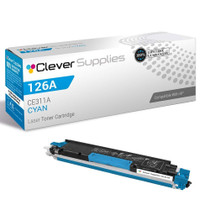

Hewlett Packard
Compatible HP TOPSHOT LASERJET PRO M275NW (CE311A) Toner Cartridge Cyan


Hewlett Packard
Compatible HP PRO 200 M275NW (CE311A) Toner Cartridge Cyan

Hewlett Packard
Compatible HP PRO 200 M275NW (CE311A) Toner Cartridge Cyan
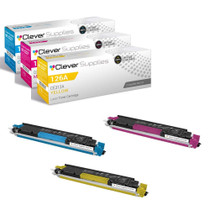
Hewlett Packard
Compatible HP TOPSHOT LASERJET PRO M275NW (CE311A CE312A CE313A) Toner Cartridge 3 Color Set