






 See Compatible Printers
 Read more about our ink!
Hewlett Packard
Compatible HP PRO 100 COLOR M175N (CE310A) Toner Cartridge Black

Amazon Price:

- Page Yield:
- Black: 1200
- Availability:
- In Stock
- Shipping:
- Calculated at Checkout
- Compatible Printers
- Color LaserJet 100 MFP M175a
- Color LaserJet 100 MFP M175nw
- Color LaserJet CP1025nw
- Color LaserJet TopShot Pro M275
- LaserJet 100 MFP M175a
- LaserJet 100 MFP M175nw
- LaserJet Pro 100 MFP M175a
- LaserJet Pro 100 MFP M175nw
- LaserJet Pro CP1025nw
- LaserJet Pro TopShot Pro M275i>
- Color CP1020
- Color CP1025
- Color CP1025NW
- Color LaserJet CP1020
- Color LaserJet CP1025
- Color LaserJet M175nw
- Color LaserJet M476
- Color LaserJet M476DN
- Color LaserJet M476DW
- Color LaserJet M476NW
- Color LaserJet Pro 100
- Color LaserJet Pro 100 Color MFP M175A
- Color LaserJet Pro 100 Color MFP M175NW
- Color LaserJet Pro 200 M275NW
- Color LaserJet Pro CP1025
- Color LaserJet Pro M175
- Color LaserJet Pro M175 MFP
- Color LaserJet Pro M175A
- Color LaserJet Pro M175nw
- Color LaserJet Pro M476
- Color LaserJet Pro M476DN
- Color LaserJet Pro M476DW
- Color LaserJet Pro M476NW
- Color LaserJet Pro MFP M476
- Color LaserJet Pro MFP M476dn
- Color LaserJet Pro MFP M476dw
- Color LaserJet Pro MFP M476nw
- Color LaserJet TopShot LaserJet Pro M275
- Color LaserJet TopShot LaserJet Pro M275NW
- Color MFP M175A
- HP 126A
- HP 312A & 312X
- LaserJet Pro 100 Color M175A
- LaserJet Pro 100 Color M175N
- LaserJet Pro 100 Color M175W
- LaserJet Pro 100 color MFP M175NW
- TopShot LaserJet Pro M275 MFP
- Specifications
- SKU:
- CLS-HP-PRO 100 COLOR M175N-BK
- Printer Brand:
- Hewlett Packard
- OEM Number:
- CE310A
- Ink Color:
- Black
- Page Yield:
- Black: 1200
- Printer Type:
- Laser Cartridge
- Condition:
- New Compatible
- Description
- Reviews



The HP 126A Color LaserJet Series encompasses a range of printers designed to meet various printing needs, including the PRO 100 Color MFP M175A, PRO 100 Color MFP M175NW, CP1020, CP1025, CP1025NW, PRO 100, PRO M175, PRO M175A, PRO M175NW, PRO M175 MFP, TOPSHOT LASERJET PRO M275, TOPSHOT LASERJET PRO M275NW, LASERJET PRO 100 COLOR M175A, LASERJET PRO 100 COLOR M175N, and LASERJET PRO 100 COLOR M175W. Among the compatible cartridges are the CE310A Black, CE311A Cyan, CE313A Magenta, and CE312A Yellow, known collectively as the HP 126A toner cartridge or toner cartridge. These printers offer efficient printing solutions for both personal and professional use. The PRO 100 Color MFP M175A and M175NW models provide multifunction capabilities, including printing, scanning, and copying, while the CP1020 and CP1025 series deliver high-quality color printing for small office environments. The TOPSHOT LASERJET PRO M275 and M275NW models stand out with their innovative top shot scanning feature, ideal for capturing 3D objects and documents. With the HP 126A cartridges, users can expect reliable performance and vibrant color output for their printing tasks. The CE310A Black cartridge ensures crisp and sharp text, while the CE311A Cyan, CE313A Magenta, and CE312A Yellow cartridges deliver vivid hues and accurate color reproduction for graphics and images. Whether you're printing documents, presentations, or photos, the HP 126A Color LaserJet Series printers and cartridges provide the versatility and quality needed to produce professional results. Invest in these reliable printing solutions to streamline your workflow and achieve outstanding printouts with every use.
Frequently Asked Questions
I need one black cartridge for our M175n — is this the right single?
Yes. This is a single CE310A black cartridge at $38.66, the standard 1,200-page unit for the Pro 100 Color M175n and its 126A family. Confirm against the cartridge you remove — its label reads CE310A — and the match is certain.
Our M175n is shared — how do I check the level without printing a test?
Any computer on the network can read the printer's supplies status, which lists the black cartridge separately. That is the cleanest way to verify the need: if black shows low while the physical output has started to gray, the two signals agree and it is time.
Does a single replacement interrupt the workgroup for long?
Barely. The change is a lift-out, drop-in of about two minutes, and the network queue holds everyone's jobs in the meantime. Most colleagues will notice only that the document they collect is properly dark again.
Why did our black fade faster than expected this cycle?
Shared machines hide heavy users: one person's month of reports draws the same cartridge as everyone else's memos. Dense pages also count harder against the 5%-coverage rating. The cartridge is honest — the workload was simply bigger than the average the rating assumes.
Should a shared office really buy singles?
Singles suit a machine with a keeper — one person who watches the level and orders in time. If nobody owns that job, the multi-packs exist for a reason. But as a straightforward replacement, this single is exactly the part the M175n wants.
First pages after the swap look slightly light — problem?
Usually just settling. Print a handful of pages and judge the fourth or fifth: a correctly seated CE310A, seal fully removed, delivers uniformly dark text by then. Persistent streaks mean reseat it once and check the seal came out whole.
The new cartridge arrived before the old one quite finished. Where should it wait?
Sealed in its carton, flat, in the supplies cupboard — not on top of the printer, where heat and dust collect, and not loose on a desk. A CE310A waiting a few weeks loses nothing; toner keeps patiently in its sealed box at room temperature, away from sunlight. Date the carton when it arrives, and when the installed unit finally grays out, the swap is a two-minute job with the replacement already in the building.
Why did this cartridge last noticeably longer than the previous one?
Because the workload changed, not the cartridge. The 1,200-page rating assumes standard coverage; a cycle of light memos and short emails can stretch a CE310A well past it, while a cycle of dense reports pulls the same cartridge short. On a shared M175n, one colleague's heavy month hides inside the average. Judge a cartridge against the mix it actually printed — a long life usually just means the pages were kind.
The color codes look almost identical to this one. How do I be sure I am holding the black?
Read the full code on the carton: CE310A is the black, while CE311A, CE312A and CE313A are cyan, yellow and magenta — a single digit apart, which is precisely why the check is worth doing out loud. Compare it against the label of the cartridge you removed; the two should match exactly. Buying and fitting by the printed code, rather than by the color word on a shelf label, eliminates the only mix-up this family really offers.
What do I do with the cartridge I removed?
Drop it into the carton the new CE310A came in, mark the box spent, and set it aside for the office recycling run. Keeping it boxed keeps the cupboard honest — no one refits a dead cartridge during a busy morning — and it keeps the old unit identifiable for a day or two if the new one misbehaves and support asks what was taken out. Empties left loose by shared machines have a way of being fitted twice.
About This CE310A Black Cartridge for the Pro 100 Color M175n
The Pro 100 Color M175n puts a color MFP on the office network, and its black cartridge — the CE310A, 126A family — is the unit that workgroup's documents all pass through. This listing is that cartridge on its own: one standard 1,200-page black unit at $38.66, for the office that replaces as it goes. The swap is quick enough that a shared machine barely notices it happened.
It is covered by a 1-year warranty, with 1-year free returns. We send stock from warehouses in IL, PA, GA and CA; the shipping & returns page covers delivery times and returns. Support is available Monday–Friday, 9 AM–5 PM CST. The same black fits the whole compact family, the Color LaserJet CP1025nw included, and the rest of the range sits under HP.
Related Items
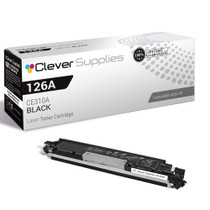

Hewlett Packard
Compatible HP PRO 100 COLOR M175N (CE310A) Toner Cartridge Black

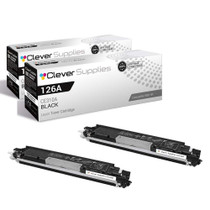

Hewlett Packard
Compatible HP PRO 100 COLOR M175N (CE310A) Toner Cartridge 2 Black

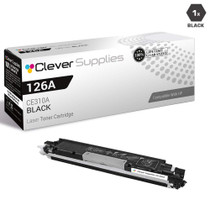
Hewlett Packard
Compatible HP PRO 100 COLOR M175N (CE310A) Toner Cartridge 3 Black
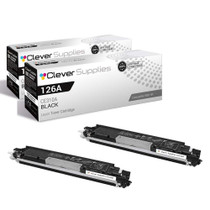

Hewlett Packard
Compatible HP PRO 100 COLOR M175N (CE310A) Toner Cartridge 2 Black