






 See Compatible Printers
 Read more about our ink!
Hewlett Packard
Compatible HP PRO 100 COLOR M175N (CE310A) Toner Cartridge Black

Amazon Price:

- Page Yield:
- Black: 1200
- Availability:
- In Stock
- Shipping:
- Calculated at Checkout
- Compatible Printers
- Color LaserJet 100 MFP M175a
- Color LaserJet 100 MFP M175nw
- Color LaserJet CP1025nw
- Color LaserJet TopShot Pro M275
- LaserJet 100 MFP M175a
- LaserJet 100 MFP M175nw
- LaserJet Pro 100 MFP M175a
- LaserJet Pro 100 MFP M175nw
- LaserJet Pro CP1025nw
- LaserJet Pro TopShot Pro M275i>
- Color CP1020
- Color CP1025
- Color CP1025NW
- Color LaserJet CP1020
- Color LaserJet CP1025
- Color LaserJet M175nw
- Color LaserJet M476
- Color LaserJet M476DN
- Color LaserJet M476DW
- Color LaserJet M476NW
- Color LaserJet Pro 100
- Color LaserJet Pro 100 Color MFP M175A
- Color LaserJet Pro 100 Color MFP M175NW
- Color LaserJet Pro 200 M275NW
- Color LaserJet Pro CP1025
- Color LaserJet Pro M175
- Color LaserJet Pro M175 MFP
- Color LaserJet Pro M175A
- Color LaserJet Pro M175nw
- Color LaserJet Pro M476
- Color LaserJet Pro M476DN
- Color LaserJet Pro M476DW
- Color LaserJet Pro M476NW
- Color LaserJet Pro MFP M476
- Color LaserJet Pro MFP M476dn
- Color LaserJet Pro MFP M476dw
- Color LaserJet Pro MFP M476nw
- Color LaserJet TopShot LaserJet Pro M275
- Color LaserJet TopShot LaserJet Pro M275NW
- Color MFP M175A
- HP 126A
- HP 312A & 312X
- LaserJet Pro 100 Color M175A
- LaserJet Pro 100 Color M175N
- LaserJet Pro 100 Color M175W
- LaserJet Pro 100 color MFP M175NW
- TopShot LaserJet Pro M275 MFP
- Specifications
- SKU:
- CS-HP-PRO 100 COLOR M175N-BK-1
- Printer Brand:
- Hewlett Packard
- OEM Number:
- CE310A
- Ink Color:
- Black
- Page Yield:
- Black: 1200
- Printer Type:
- Laser Cartridge
- Condition:
- New Compatible
- Description
- Reviews



The HP 126A Color LaserJet Series encompasses a range of printers designed to meet various printing needs, including the PRO 100 Color MFP M175A, PRO 100 Color MFP M175NW, CP1020, CP1025, CP1025NW, PRO 100, PRO M175, PRO M175A, PRO M175NW, PRO M175 MFP, TOPSHOT LASERJET PRO M275, TOPSHOT LASERJET PRO M275NW, LASERJET PRO 100 COLOR M175A, LASERJET PRO 100 COLOR M175N, and LASERJET PRO 100 COLOR M175W. Among the compatible cartridges are the CE310A Black, CE311A Cyan, CE313A Magenta, and CE312A Yellow, known collectively as the HP 126A toner cartridge or toner cartridge. These printers offer efficient printing solutions for both personal and professional use. The PRO 100 Color MFP M175A and M175NW models provide multifunction capabilities, including printing, scanning, and copying, while the CP1020 and CP1025 series deliver high-quality color printing for small office environments. The TOPSHOT LASERJET PRO M275 and M275NW models stand out with their innovative top shot scanning feature, ideal for capturing 3D objects and documents. With the HP 126A cartridges, users can expect reliable performance and vibrant color output for their printing tasks. The CE310A Black cartridge ensures crisp and sharp text, while the CE311A Cyan, CE313A Magenta, and CE312A Yellow cartridges deliver vivid hues and accurate color reproduction for graphics and images. Whether you're printing documents, presentations, or photos, the HP 126A Color LaserJet Series printers and cartridges provide the versatility and quality needed to produce professional results. Invest in these reliable printing solutions to streamline your workflow and achieve outstanding printouts with every use.
Frequently Asked Questions
What is the correct black cartridge number for the M175n?
CE310A. It is the black member of the 126A family and the only number you need when reordering for the LaserJet Pro 100 Color MFP M175n — the same number is printed on the cartridge you will pull out. This listing is a single CE310A at $38.66, rated at 1,200 pages.
Which of the MFP's jobs actually spend this cartridge?
Printing and copying. Every printed document and every photocopy draws black toner from the CE310A; scanning and scan-to-email spend none of it. If your M175n mostly scans, this cartridge lasts and lasts; if it copies all day, it turns over quickly.
How do you read the black level on this machine?
Through the supplies status in the printer software, or a status page printed from the control panel. Compare the four bars: on an MFP the black bar typically dives first, because documents and copies both feed from it while color work is occasional.
What is the fitting routine on the M175n?
Open the cartridge access, remove the spent black, give the new CE310A a gentle rock to loosen its toner, strip the seal out completely, and seat it in the black position. The machine calibrates briefly and is ready — copies and prints alike come back to full depth.
Can a worn black cartridge affect copies even when prints look fine?
The two share one supply, so a tired cartridge shows in both. If copies look gray but a printed test page looks acceptable, suspect a dirty scanner glass first; if both are pale, the CE310A is the common denominator and this is its replacement.
What if the new cartridge misbehaves in the first week?
It is covered by a 1-year warranty, and returns run free for a year. Early streaking or leaking from a fresh unit is precisely what that coverage exists for — an exchange, handled without drama.
What does the 1,200-page rating assume about our pages?
Standard text coverage — ordinary letters, forms and reports. Pages denser than that, with solid headings, shaded form fields or heavy copy work, spend the CE310A faster, and a copy-heavy M175n can finish one noticeably early. Light correspondence runs the other way. Treat the rating as the planning figure and the machine's own supplies bar as the truth as the cartridge ages.
Text has gone evenly gray before the gauge says empty. What should we try first?
Redistribute the toner. Take the CE310A out and rock it gently side to side a few times, which levels powder that has settled away from the feed side, then print the document again. Even, dark text means the cartridge had more to give. If the gray returns within a short run, the powder really is nearly gone and this listing is the replacement.
For an MFP whose black stops two jobs at once, is a shelf spare justified?
Yes, and the M175n is the clearest case for it: when the CE310A empties, printing and copying pause together, while scanning carries on needing the machine everyone is standing at. A sealed spare waits indefinitely at room conditions and fits in minutes, so the office's most-used functions are restored before the queue of people at the glass has time to form.
How do we avoid being sent a color cartridge by mistake?
Quote the full code — CE310A — rather than describing the cartridge as the black one for an M175n. The family's endings are close enough to misread at a glance: 310A is black, while 311A, 312A and 313A are the cyan, yellow and magenta. Checking the delivered box against the code on the cartridge you removed closes the loop before anything is unsealed.
About This CE310A Black Cartridge for the LaserJet Pro 100 Color MFP M175n
On the LaserJet Pro 100 Color MFP M175n, one cartridge quietly underwrites two of the machine's three jobs: the CE310A, black unit of the 126A family, offered here as a single at $38.66 and rated at 1,200 pages. Letters print from it, forms are copied from it, and when it empties the MFP's most-used functions pause together — which is why this single is the family's essential spare part.
We dispatch from warehouses in IL, PA, GA and CA; the shipping & returns page explains the delivery and returns arrangements. You can reach support Monday–Friday, 9 AM–5 PM CST. The same cartridge also feeds relatives like the Color LaserJet CP1025nw; the broader catalog sits under HP.
Related Items
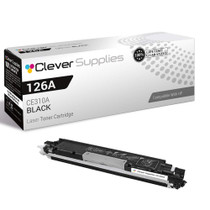

Hewlett Packard
Compatible HP PRO 100 COLOR M175N (CE310A) Toner Cartridge Black

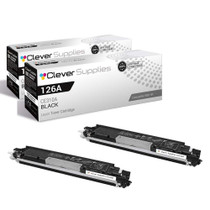

Hewlett Packard
Compatible HP PRO 100 COLOR M175N (CE310A) Toner Cartridge 2 Black

Hewlett Packard
Compatible HP PRO 100 COLOR M175N (CE310A) Toner Cartridge 3 Black

Hewlett Packard
Compatible HP PRO 100 COLOR M175N (CE310A) Toner Cartridge 2 Black