






 See Compatible Printers
 Read more about our ink!
Hewlett Packard
Compatible HP 100 COLOR MFP M175A (CE310A) Toner Cartridge 2 Black

Amazon Price:

- Page Yield:
- Black: 1200
- Availability:
- In Stock
- Shipping:
- Free Shipping
- Compatible Printers
- Color LaserJet 100 MFP M175a
- Color LaserJet 100 MFP M175nw
- Color LaserJet CP1025nw
- Color LaserJet TopShot Pro M275
- LaserJet 100 MFP M175a
- LaserJet 100 MFP M175nw
- LaserJet Pro 100 MFP M175a
- LaserJet Pro 100 MFP M175nw
- LaserJet Pro CP1025nw
- LaserJet Pro TopShot Pro M275i>
- Color CP1020
- Color CP1025
- Color CP1025NW
- Color LaserJet CP1020
- Color LaserJet CP1025
- Color LaserJet M175nw
- Color LaserJet M476
- Color LaserJet M476DN
- Color LaserJet M476DW
- Color LaserJet M476NW
- Color LaserJet Pro 100
- Color LaserJet Pro 100 Color MFP M175A
- Color LaserJet Pro 100 Color MFP M175NW
- Color LaserJet Pro 200 M275NW
- Color LaserJet Pro CP1025
- Color LaserJet Pro M175
- Color LaserJet Pro M175 MFP
- Color LaserJet Pro M175A
- Color LaserJet Pro M175nw
- Color LaserJet Pro M476
- Color LaserJet Pro M476DN
- Color LaserJet Pro M476DW
- Color LaserJet Pro M476NW
- Color LaserJet Pro MFP M476
- Color LaserJet Pro MFP M476dn
- Color LaserJet Pro MFP M476dw
- Color LaserJet Pro MFP M476nw
- Color LaserJet TopShot LaserJet Pro M275
- Color LaserJet TopShot LaserJet Pro M275NW
- Color MFP M175A
- HP 126A
- HP 312A & 312X
- LaserJet Pro 100 Color M175A
- LaserJet Pro 100 Color M175N
- LaserJet Pro 100 Color M175W
- LaserJet Pro 100 color MFP M175NW
- TopShot LaserJet Pro M275 MFP
- Specifications
- SKU:
- CLS-HP-100 COLOR MFP M175A-2BK-1
- Printer Brand:
- Hewlett Packard
- OEM Number:
- CE310A
- Ink Color:
- Black
- Page Yield:
- Black: 1200
- Printer Type:
- Laser Cartridge
- Condition:
- New Compatible
- Description
- Reviews



The HP 126A Color LaserJet Series encompasses a range of printers designed to meet various printing needs, including the PRO 100 Color MFP M175A, PRO 100 Color MFP M175NW, CP1020, CP1025, CP1025NW, PRO 100, PRO M175, PRO M175A, PRO M175NW, PRO M175 MFP, TOPSHOT LASERJET PRO M275, TOPSHOT LASERJET PRO M275NW, LASERJET PRO 100 COLOR M175A, LASERJET PRO 100 COLOR M175N, and LASERJET PRO 100 COLOR M175W. Among the compatible cartridges are the CE310A Black, CE311A Cyan, CE313A Magenta, and CE312A Yellow, known collectively as the HP 126A toner cartridge or toner cartridge. These printers offer efficient printing solutions for both personal and professional use. The PRO 100 Color MFP M175A and M175NW models provide multifunction capabilities, including printing, scanning, and copying, while the CP1020 and CP1025 series deliver high-quality color printing for small office environments. The TOPSHOT LASERJET PRO M275 and M275NW models stand out with their innovative top shot scanning feature, ideal for capturing 3D objects and documents. With the HP 126A cartridges, users can expect reliable performance and vibrant color output for their printing tasks. The CE310A Black cartridge ensures crisp and sharp text, while the CE311A Cyan, CE313A Magenta, and CE312A Yellow cartridges deliver vivid hues and accurate color reproduction for graphics and images. Whether you're printing documents, presentations, or photos, the HP 126A Color LaserJet Series printers and cartridges provide the versatility and quality needed to produce professional results. Invest in these reliable printing solutions to streamline your workflow and achieve outstanding printouts with every use.
Frequently Asked Questions
Why would I buy two black cartridges at once for an M175a?
Because the black unit is the one that stops the machine. Color cartridges fade in graphics first, but an empty black means no documents at all. With this 2-pack at $58.82, one CE310A goes in today and the second waits sealed in a drawer — the next low-toner warning becomes a two-minute swap instead of a wait for delivery.
Is each cartridge in the pair a full 1,200-page unit?
Yes — both are standard CE310A cartridges rated at 1,200 pages apiece. Nothing about the pair is a reduced fill or a split cartridge; it is simply two of the same black unit in one order.
Does a sealed spare go stale sitting in a drawer?
Not in any timeframe that matters here. Kept sealed, flat and away from heat and sunlight, a toner cartridge waits patiently for a year or more. The enemy is a hot windowsill or a garage shelf in summer, not the calendar.
How do I keep the rotation straight?
Fit the first cartridge and write the month on the second one's box before it goes in the drawer. When the printer eventually asks for black again, the dated spare goes in — and that is your cue to think about ordering the next pair.
My M175a mostly copies — does that change anything?
Only the pace. Copies draw on the black cartridge exactly like prints do, so a copy-heavy desk will reach the second cartridge sooner. Scanning, by contrast, uses no toner whatsoever.
Can I split the pair between two machines?
If both machines take the CE310A — the M175 family and its CP1025 siblings do — yes. There is nothing machine-specific about a cartridge in the box; it simply becomes whichever printer's black is empty first.
How many pages does the pair give us in total?
Two CE310A cartridges at 1,200 rated pages apiece make a 2,400-page pool for the M175a. Planning against the pool is more useful than watching one cartridge: a desk that prints and copies a few hundred pages a month is looking at the better part of a year before the second unit runs low, while a copy-heavy desk will move through the same pool noticeably sooner.
Should I open the spare's bag to check it when the order arrives?
There is no need, and the spare is better left sealed. Check the code printed on the outside of the box — it should read CE310A — and confirm the packaging is intact. The inner bag keeps dust and knocks away from the cartridge for the whole time it waits, so opening it early only removes that protection without telling you anything new.
How do I judge the first pages after fitting the spare?
Print something familiar — a document you have printed before and know well. Text should come out full and even from the first pages, and the printer's status page will show the fresh level for the black station. Judging against a known page is more reliable than studying a test pattern, because you already know exactly how that document is supposed to look.
What do I do with the empty CE310A?
Put it in the bag and box the spare just vacated and recycle it through an office-supply or municipal toner program. Boxing the spent unit straight away keeps any residual toner contained, keeps the desk tidy while you work, and means the empty is not left rolling around a drawer next to the fresh stock. All twelve ways this store sells the four 126A cartridges — the sets, the four singles and the black packs, each priced on HP's own per-color ratings — are compared side by side in our Best HP 126A (CE310–CE313) Toner Cartridges guide.
About This CE310A 2-Pack for the LaserJet Pro 100 M175a
On an MFP like the LaserJet Pro 100 M175a, the black cartridge is a working part, not an accessory: every report printed and every page copied runs through it. This two-cartridge pack exists for owners who would rather never plan around an empty printer. One CE310A — the black of the 126A family — installs now, the other stays sealed as insurance, and because the a-model M175 is a single-desk USB machine, the spare usually lives within arm's reach of it.
Both cartridges carry our 1-year warranty, and returns are free for 1 year if anything arrives wrong. We ship from warehouses in IL, PA, GA and CA — see the shipping & returns page for how delivery and returns work in practice. Our support desk is available Monday–Friday, 9 AM–5 PM CST. The CE310A also covers the family's other machines, including the Color LaserJet CP1025nw, with the full line gathered under HP.
Related Items

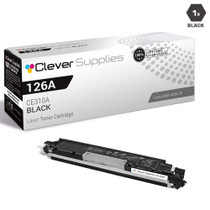
Hewlett Packard
Compatible HP 100 COLOR MFP M175A (CE310A) Toner Cartridge Black


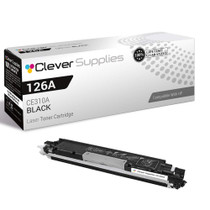
Hewlett Packard
Compatible HP 100 COLOR MFP M175A (CE310A) Toner Cartridge 2 Black

Hewlett Packard
Compatible HP 100 COLOR MFP M175A (CE310A) Toner Cartridge Black
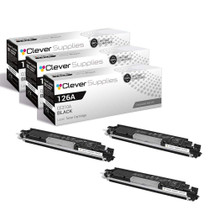

Hewlett Packard
Compatible HP 100 COLOR MFP M175A (CE310A) Toner Cartridge 3 Black