






 See Compatible Printers
 Read more about our ink!
Hewlett Packard
Compatible HP PRO M175 MFP (CE312A) Toner Cartridge Yellow

Amazon Price:

- Page Yield:
- Color: 1000
- Availability:
- In Stock
- Shipping:
- Calculated at Checkout
- Compatible Printers
- Color LaserJet 100 MFP M175a
- Color LaserJet 100 MFP M175nw
- Color LaserJet CP1025nw
- Color LaserJet TopShot Pro M275
- LaserJet 100 MFP M175a
- LaserJet 100 MFP M175nw
- LaserJet Pro 100 MFP M175a
- LaserJet Pro 100 MFP M175nw
- LaserJet Pro CP1025nw
- LaserJet Pro TopShot Pro M275i>
- Color CP1020
- Color CP1025
- Color CP1025NW
- Color LaserJet CP1020
- Color LaserJet CP1025
- Color LaserJet M175nw
- Color LaserJet M476
- Color LaserJet M476DN
- Color LaserJet M476DW
- Color LaserJet M476NW
- Color LaserJet Pro 100
- Color LaserJet Pro 100 Color MFP M175A
- Color LaserJet Pro 100 Color MFP M175NW
- Color LaserJet Pro 200 M275NW
- Color LaserJet Pro CP1025
- Color LaserJet Pro M175
- Color LaserJet Pro M175 MFP
- Color LaserJet Pro M175A
- Color LaserJet Pro M175nw
- Color LaserJet Pro M476
- Color LaserJet Pro M476DN
- Color LaserJet Pro M476DW
- Color LaserJet Pro M476NW
- Color LaserJet Pro MFP M476
- Color LaserJet Pro MFP M476dn
- Color LaserJet Pro MFP M476dw
- Color LaserJet Pro MFP M476nw
- Color LaserJet TopShot LaserJet Pro M275
- Color LaserJet TopShot LaserJet Pro M275NW
- Color MFP M175A
- HP 126A
- HP 312A & 312X
- LaserJet Pro 100 Color M175A
- LaserJet Pro 100 Color M175N
- LaserJet Pro 100 Color M175W
- LaserJet Pro 100 color MFP M175NW
- TopShot LaserJet Pro M275 MFP
- Specifications
- SKU:
- CLS-HP-PRO M175 MFP-Y-1
- Printer Brand:
- Hewlett Packard
- OEM Number:
- CE312A
- Ink Color:
- Yellow
- Page Yield:
- Color: 1000
- Printer Type:
- Laser Cartridge
- Condition:
- New Compatible
- Description
- Reviews



The HP 126A Color LaserJet Series encompasses a range of printers designed to meet various printing needs, including the PRO 100 Color MFP M175A, PRO 100 Color MFP M175NW, CP1020, CP1025, CP1025NW, PRO 100, PRO M175, PRO M175A, PRO M175NW, PRO M175 MFP, TOPSHOT LASERJET PRO M275, TOPSHOT LASERJET PRO M275NW, LASERJET PRO 100 COLOR M175A, LASERJET PRO 100 COLOR M175N, and LASERJET PRO 100 COLOR M175W. Among the compatible cartridges are the CE310A Black, CE311A Cyan, CE313A Magenta, and CE312A Yellow, known collectively as the HP 126A toner cartridge or toner cartridge. These printers offer efficient printing solutions for both personal and professional use. The PRO 100 Color MFP M175A and M175NW models provide multifunction capabilities, including printing, scanning, and copying, while the CP1020 and CP1025 series deliver high-quality color printing for small office environments. The TOPSHOT LASERJET PRO M275 and M275NW models stand out with their innovative top shot scanning feature, ideal for capturing 3D objects and documents. With the HP 126A cartridges, users can expect reliable performance and vibrant color output for their printing tasks. The CE310A Black cartridge ensures crisp and sharp text, while the CE311A Cyan, CE313A Magenta, and CE312A Yellow cartridges deliver vivid hues and accurate color reproduction for graphics and images. Whether you're printing documents, presentations, or photos, the HP 126A Color LaserJet Series printers and cartridges provide the versatility and quality needed to produce professional results. Invest in these reliable printing solutions to streamline your workflow and achieve outstanding printouts with every use.
Frequently Asked Questions
What cartridge does this listing put in my Pro M175 MFP?
The yellow one: a CE312A from the HP 126A family, sold singly at $38.12. It drops into the yellow slot of the LaserJet Pro M175 MFP and nowhere else in the machine.
Walk-up copies at our front desk look washed out in the warm colors. Is this the fix?
Very likely the yellow supply. Color copies lean on the same cartridges as prints, and when yellow runs down, copies lose their warmth first — skin tones flatten and highlighted forms stop glowing. Check the supplies gauge on the machine; a low yellow bar points straight at this cartridge.
How long should one CE312A last a reception desk?
It is rated at 1,000 pages, and a desk that copies mostly black-and-white forms while printing the occasional color letter will take a long time to spend it. Color-heavy copying shortens the run proportionally.
Can I swap just the yellow in the middle of a workday?
Yes, and it takes about a minute: pause between jobs, open the cartridge door, exchange the units, close up. The M175 registers the fresh CE312A and the queue carries on.
Does a spare keep well in the supply cabinet?
Sealed, flat and away from heat, yes — toner cartridges are patient stock. Many small offices keep one yellow on hand precisely because its fading is easy to miss until a job looks wrong.
What warranty and returns cover apply?
The cartridge is backed by a 1-year warranty and 1-year free returns; a defective unit can be returned within the year at no cost.
Can I coax a fading yellow through to the end of the workday?
Usually, for a short run. Lift the old cartridge out, rock it gently from side to side several times and refit it — the remaining toner redistributes and often yields a handful of acceptable copies. Treat that strictly as a bridge to this replacement: the warmth comes back unevenly, and color balance does not truly recover until the fresh CE312A is in.
How do I keep a re-order from landing on the wrong color?
The three color codes sit one digit apart — CE311A cyan, CE312A yellow, CE313A magenta — and the cartridges share one shape. When you order, quote the code stamped on the unit you removed, not the color you remember. Ten seconds with the empty cartridge in hand is what guarantees the box that arrives is the yellow the M175 is asking for.
After a mid-day swap, when can I trust the colors again?
Almost immediately, with a small allowance. The machine registers the fresh CE312A as soon as the door closes, and the first copy or two may look slightly unsettled while the new supply beds in. Check one page with warm tones — a copied flyer or a highlighted form — and by the next few pages the output should be even and full.
How should the spent unit leave a reception desk?
Into the new cartridge's carton, sealed in its bag, and out with a recycling collection rather than the office waste bin. Bagging it at the machine keeps stray toner off the counter and paperwork, and parking the boxed empty by the door means it actually leaves on the next run instead of gathering dust beside the copier.
About This CE312A for the Pro M175 MFP — the Front Desk's Yellow
A Pro M175 at reception lives two lives: quiet black-and-white forms most of the day, then sudden color — a visitor's map, a copied flyer, a highlighted contract page. This CE312A (126A family, rated 1,000 pages, $38.12) is what keeps the second life convincing. Machines like the Color LaserJet CP1025nw share the same 126A supply family, so the code on this box is the reference to match whenever the yellow gauge on any of them runs low.
Deliveries leave warehouses in IL, PA, GA and CA; the shipping & returns page documents the rest. Support runs Monday–Friday, 9 AM–5 PM CST, and the store's HP pages hold the remaining supplies for the platform.
Related Items


Hewlett Packard
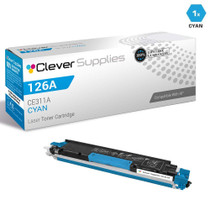
Compatible HP PRO M175 (CE312A) Toner Cartridge Yellow


Hewlett Packard
Compatible HP PRO M175 (CE312A) Toner Cartridge Yellow


Hewlett Packard
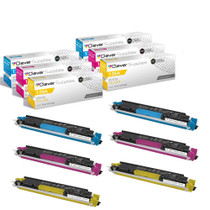
Compatible HP PRO M175 MFP (CE311A CE312A CE313A) Toner Cartridge 3 Color Set
Hewlett Packard
Compatible HP PRO M175 MFP (CE311A CE312A CE313A) Toner Cartridge 6 Color Set