




Color LaserJet Enterprise M651XH
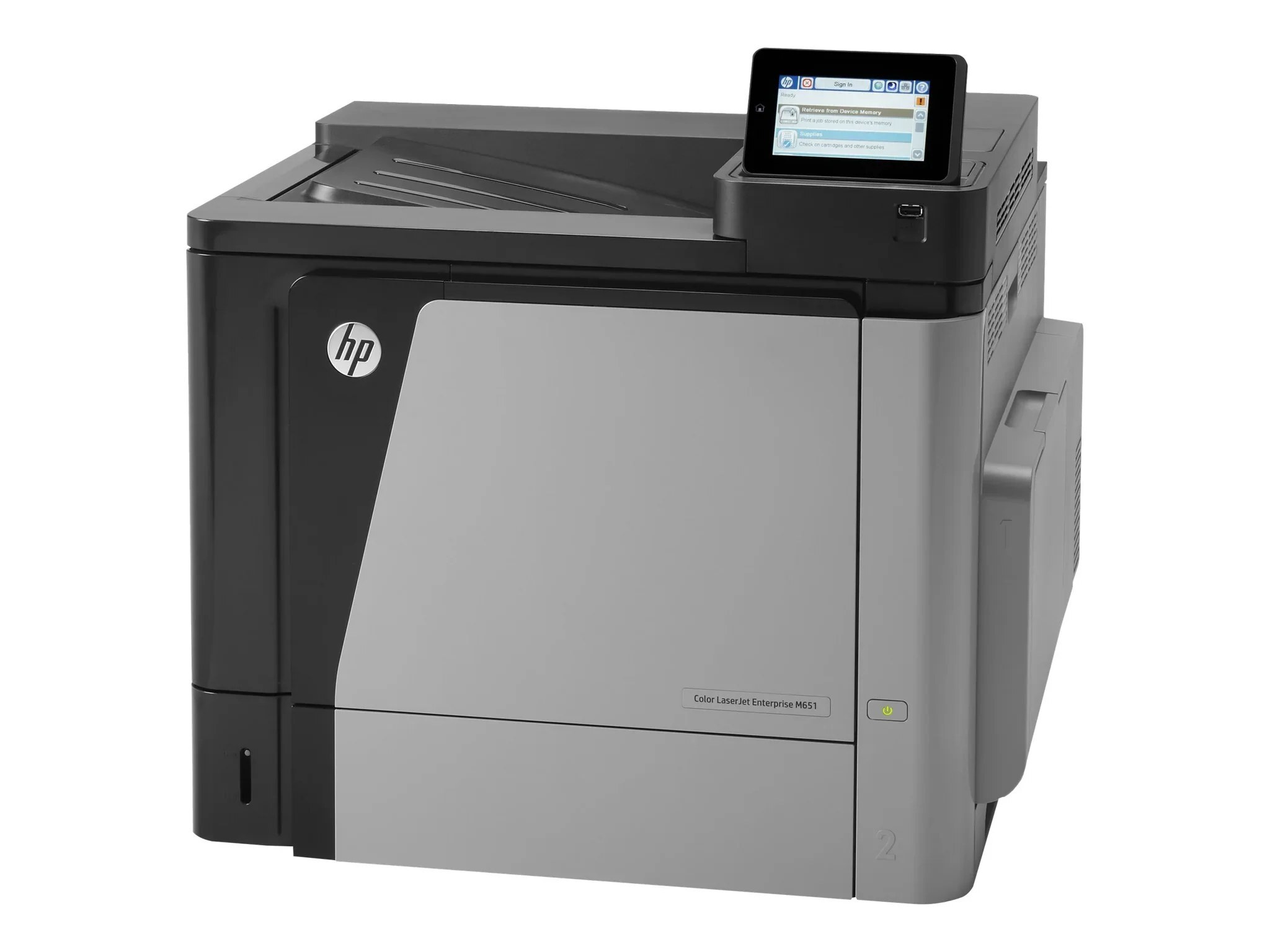
The XH build of the Enterprise M651 is the endurance configuration — extra paper capacity for mid-size workgroups with heavy color workloads, so long jobs run without tray stops. Its blacks are standard CF320A (652A) and high-yield CF330X (654X); colors are CF331A (654A) cyan, CF332A yellow and CF333A magenta.
Tray capacity is a statement about trust: the XH is loaded in the morning and expected to still be printing at the end of the day. Heavy color workloads punish any weak point in that chain, and toner is the weak point owners control. A high-yield black as the default, colors stocked as singles, and a reserve on the shelf are what turn a big-capacity printer into a genuinely unattended one.
Toner Cartridges for Color LaserJet Enterprise M651XH
Also stocked, under the names of the sister DN and N builds of the same machine:
- CS Compatible Replacement for HP M651dn Toner Cartridges 4 Color Set (CF330X, CF331A, CF333A, CF332A)
- CS Compatible Replacement for HP M651dn Toner Cartridges Black (CF330X)
- CS Compatible Replacement for HP M651dn Toner Cartridges Cyan (CF331A)
- CS Compatible Replacement for HP M651dn Toner Cartridges Magenta (CF333A)
- CS Compatible Replacement for HP M651dn Toner Cartridges Yellow (CF332A)
- CS Compatible Replacement for HP M651n Toner Cartridges 4 Color Set (CF330X, CF331A, CF333A, CF332A)
- CS Compatible Replacement for HP M651n Toner Cartridges Black (CF330X)
- CS Compatible Replacement for HP M651n Toner Cartridges Cyan (CF331A)
- CS Compatible Replacement for HP M651n Toner Cartridges Magenta (CF333A)
- CS Compatible Replacement for HP M651n Toner Cartridges Yellow (CF332A)
- CS Compatible Replacement for HP MFP M680z Toner Cartridges 4 Color Set (CF330X, CF331A, CF333A, CF332A)
- CS Compatible Replacement for HP MFP M680z Toner Cartridges Black (CF330X)
- CS Compatible Replacement for HP MFP M680z Toner Cartridges Cyan (CF331A)
- CS Compatible Replacement for HP MFP M680z Toner Cartridges Magenta (CF333A)
- CS Compatible Replacement for HP MFP M680z Toner Cartridges Yellow (CF332A)
Which cartridge should you buy?
For this build, capacity thinking should extend from paper to toner. The high-yield black is the natural default — an XH that stops for a cartridge swap wastes the very tray capacity it was bought for. Color volume decides the rest: heavy color sites should hold a full spare set, because big color jobs draw the three colors down together, while mixed offices can top colors up as singles and keep only the black in reserve. Ordering on the low warning, not the empty message, keeps the long runs uninterrupted. Every compatible cartridge here is covered by a 1-year warranty with 1-year returns.
Chip, toner and everyday use
Before a long run, make the supply screen part of the loading ritual — paper in the trays, eyes on the four gauges, spare within reach if any gauge is low. Cartridges changed under time pressure get seated badly, so push each new unit home in one deliberate motion. Yield ratings assume five percent coverage and heavy color work runs far denser than that, which is why an XH empties cartridges on a rhythm the ratings alone would not predict. Judge replacement by the gauge and the output, never by the calendar.
Frequently Asked Questions
What toner does the Color LaserJet Enterprise M651XH use?
Standard CF320A or high-yield CF330X black, with CF331A cyan, CF332A yellow and CF333A magenta — the same family as the rest of the M651 range.
What does the XH add over the standard M651 builds?
Paper capacity. The XH configuration carries extra trays for long, lightly supervised runs; the print engine and the cartridge codes are unchanged across the range.
Why does my XH seem to eat color cartridges?
Coverage. Heavy color workloads lay down far more toner per page than the five percent the yield ratings assume, so real cartridge life is shorter. It is the workload talking, not a faulty cartridge.
Should an XH site keep a full spare set?
If the machine runs long color jobs, yes — the three colors tend to fall together under that workload, and a set on the shelf turns a mid-run stop into a two-minute swap.
More printers that use the same cartridges
The cartridge family is shared with the wider Enterprise line — first the M651 builds and their 600-series twins, then the M680 machines:
Color LASERJET ENTERPRISE M675 MFP, Color LASERJET ENTERPRISE M680 FLOW, Color LASERJET ENTERPRISE M680 MFP, Color LASERJET ENTERPRISE M680DN MFP, Color LASERJET ENTERPRISE M680Z FLOW, Color LASERJET ENTERPRISE M680Z MFP, Color LaserJet Enterprise Flow M680, Color LaserJet Enterprise Flow M680Z, Color LaserJet Enterprise M651, Color LaserJet Enterprise M651DN, Color LaserJet Enterprise M651N, Color LaserJet Enterprise M680DN, Color LaserJet Enterprise M680F, Color LaserJet Enterprise M680Z, Color LaserJet Enterprise MFP M675, Color LaserJet Enterprise MFP M680, Color LaserJet Enterprise MFP M680DN, Color LaserJet Enterprise MFP M680F, Color LaserJet Enterprise MFP M680z, Color LaserJet M651, Color LaserJet M651DN, Color LaserJet M651N, Color LaserJet M651XH.
Color LaserJet M675, Color LaserJet M680, Color LaserJet M680DN, Color LaserJet M680F, Color LaserJet M680Z, HP 652A & 654A, LaserJet ENTERPRISE 600 COLOR M651, LaserJet ENTERPRISE 600 COLOR M651DN, LaserJet ENTERPRISE 600 COLOR M651N, LaserJet ENTERPRISE 600 COLOR M651XH, LaserJet Enterprise 600 Color M651, LaserJet Enterprise 600 Color M651DN, LaserJet Enterprise 600 Color M651N, LaserJet Enterprise 600 Color M651XH, LaserJet Enterprise 600 Flow M680, LaserJet Enterprise 600 Flow M680Z, LaserJet Enterprise 600 MFP Color M675, LaserJet Enterprise 600 MFP Color M680, LaserJet Enterprise 600 MFP Color M680DN, LaserJet Enterprise 600 MFP Color M680F, LaserJet Enterprise M651dn, LaserJet Enterprise M651n, LaserJet Enterprise M651xh.