




Color LaserJet M675
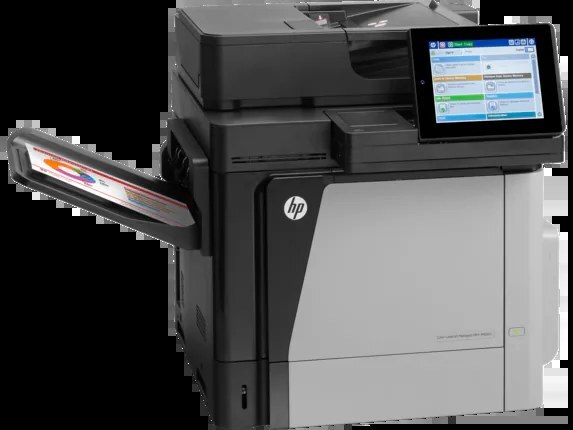
The Color LaserJet M675 is the straightforward enterprise color workhorse of the 2013-era line — a single-function printer for departments that value reliability over extras. Its toner set is small and stable: CF320A (652A) black in standard yield, CF320X (652X) when the same slot should run longer, and the color set of CF321A cyan (653A), CF322A yellow and CF323A magenta. Everything on this page is a compatible cartridge made for those codes.
There is no scanner, no fax modem, no feeder to jam — the M675 does one job, and departments kept it because that job never became a help-desk ticket. Its consumables follow the same philosophy: a small, stable set of part numbers that has been in circulation for years, available from stock instead of special order.
Toner Cartridges for Color LaserJet M675
| Cartridge | Color | Page Yield |
|---|---|---|
| CF323A | Magenta | See product page |
| CF322A | Yellow | See product page |
| CF321A | Cyan | See product page |
| CF320X | Black (high yield) | See product page |
| CF320A | Black (standard yield) | See product page |
For a complete change in one box, start with M675 4 Color Set. The two family sets, HP 652A & 653A 4 Color Set (CF320A/ CF321A/ CF322A/ CF323A) and HP 653A & 653X 4 Color Set (CF320X/ CF321A/ CF322A/ CF323A), cover the same four slots around the standard and high-yield blacks respectively. One caution on this shelf: HP 652A & 654A 4 Color Set (CF320A/ CF331A/ CF333A/ CF332A) is also listed, and while its black is this machine's CF320A, its CF331A, CF332A and CF333A colors come from the 654A line of the M651 models — check codes carefully before treating it as a set for this printer.
Which cartridge should you buy?
On a print-only departmental machine, volume is the whole question. A floor that pushes reports through all week should run the CF320X black and stop thinking about it; the standard CF320A is the honest pick for a printer that sees a few jobs a day. Color buying is event-driven — the panel names the empty slot, and you order that single cartridge, whether it is CF321A, CF322A or CF323A. Keep a four-color set only if downtime on this printer blocks other people's work; otherwise singles match spend to actual consumption, one cartridge at a time.
Chip, toner and everyday use
The chip on each cartridge reports its code and remaining toner to the M675, and the printer expects the cartridge to be seated all the way home before it will trust the reading. If a new cartridge shows as unrecognized, the usual fix is mundane: pull it, confirm the seal strip came off completely, and refit it squarely. Estimates for this family assume five percent coverage, so graphics-heavy pages land well below the headline figure. A cartridge near empty can be rocked gently end to end to level the toner that remains — a short reprieve, not a refill.
Frequently Asked Questions
Is the M675 a printer only, with no scanning?
Correct — this is the single-function member of the family. Departments that need scan and copy use the MFP variants; the M675 concentrates on printed output, which is also why its running gear tends to last.
Do the standard and high-yield blacks really fit the same slot?
Yes. CF320A and CF320X are the same physical fit; the X cartridge simply holds more toner. You can even start a standard cartridge and switch to high-yield at the next change with no settings to adjust.
Will compatible cartridges work properly in the M675?
Compatibles built to these exact codes are designed to fit and be recognized like the originals. Match the code on the cartridge you remove rather than a similar-looking number, and the swap takes a minute.
What happens when only one color is empty?
Replace just that color. The printer tracks CF321A, CF322A and CF323A separately, and the remaining cartridges keep their toner for when it is actually needed.
More printers that use the same cartridges
These models take the same cartridges as the M675:
Color LASERJET ENTERPRISE M675 MFP, Color LASERJET ENTERPRISE M680 FLOW, Color LASERJET ENTERPRISE M680 MFP, Color LASERJET ENTERPRISE M680DN MFP, Color LASERJET ENTERPRISE M680Z FLOW, Color LASERJET ENTERPRISE M680Z MFP, Color LaserJet Enterprise Flow M680, Color LaserJet Enterprise Flow M680Z, Color LaserJet Enterprise M651, Color LaserJet Enterprise M651DN, Color LaserJet Enterprise M651N, Color LaserJet Enterprise M651XH, Color LaserJet Enterprise M680DN, Color LaserJet Enterprise M680F, Color LaserJet Enterprise M680Z, Color LaserJet Enterprise MFP M675, Color LaserJet Enterprise MFP M680, Color LaserJet Enterprise MFP M680DN, Color LaserJet Enterprise MFP M680F, Color LaserJet Enterprise MFP M680z, Color LaserJet M651, Color LaserJet M651DN, Color LaserJet M651N
Color LaserJet M651XH, Color LaserJet M680, Color LaserJet M680DN, Color LaserJet M680F, Color LaserJet M680Z, HP 652A & 654A, LaserJet ENTERPRISE 600 COLOR M651, LaserJet ENTERPRISE 600 COLOR M651DN, LaserJet ENTERPRISE 600 COLOR M651N, LaserJet ENTERPRISE 600 COLOR M651XH, LaserJet Enterprise 600 Color M651, LaserJet Enterprise 600 Color M651DN, LaserJet Enterprise 600 Color M651N, LaserJet Enterprise 600 Color M651XH, LaserJet Enterprise 600 Flow M680, LaserJet Enterprise 600 Flow M680Z, LaserJet Enterprise 600 MFP Color M675, LaserJet Enterprise 600 MFP Color M680, LaserJet Enterprise 600 MFP Color M680DN, LaserJet Enterprise 600 MFP Color M680F, LaserJet Enterprise M651dn, LaserJet Enterprise M651n, LaserJet Enterprise M651xh