




LaserJet Enterprise 600 Color M651
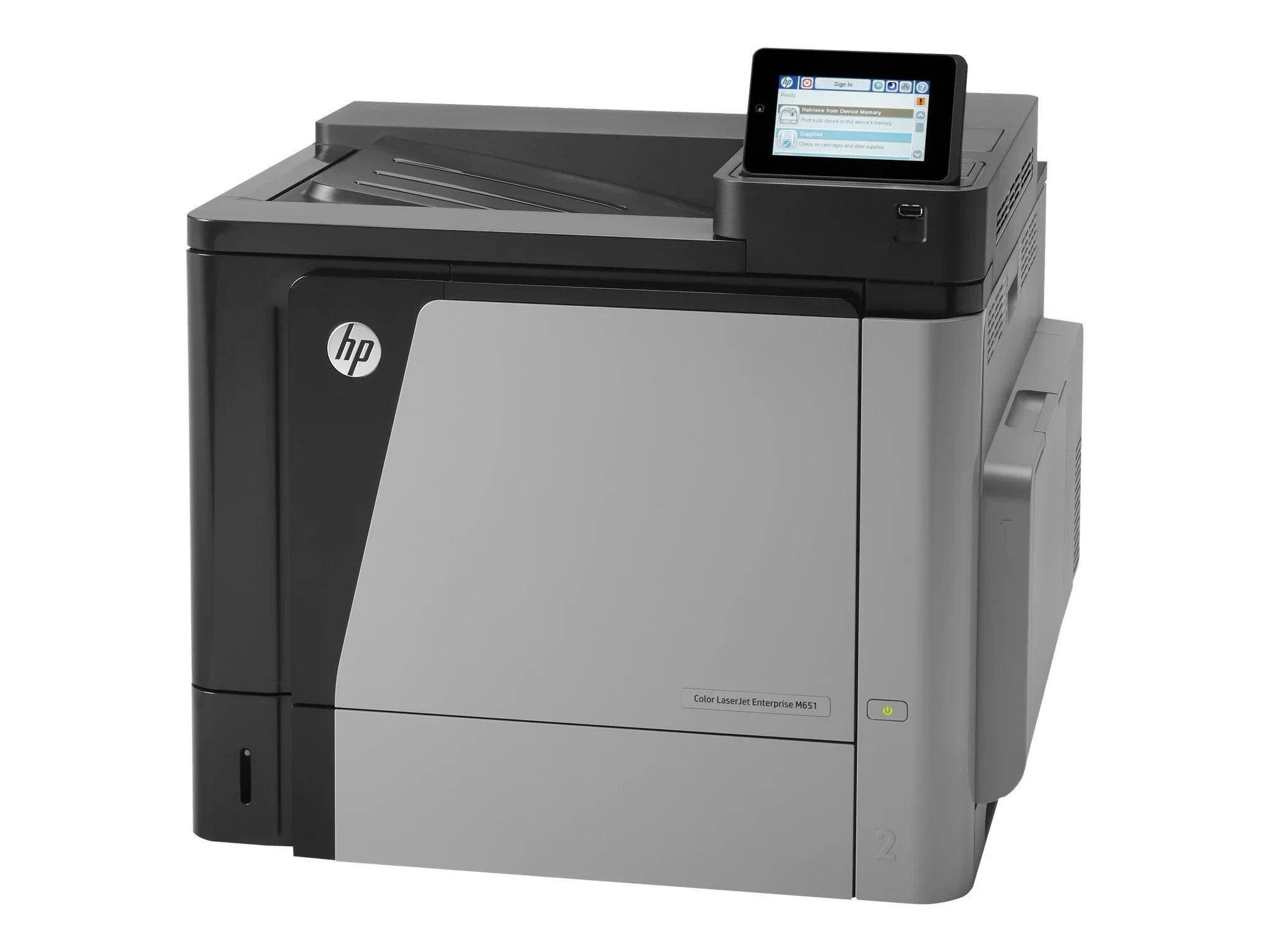
Practicality built this printer's reputation: the LaserJet Enterprise 600 Color M651 is a 2013-era color workgroup machine that gives mid-size teams solid output at a sensible running cost, and its toner shelf is just as straightforward. Black comes two ways — the high-yield CF330X, the HP 654X loading, or the standard CF320A, sold as the HP 652A cartridge — while color is the HP 654A trio of CF331A cyan, CF332A yellow and CF333A magenta.
Mid-size workgroups ask two things of a shared color printer: that it be there every morning, and that running it not become somebody's second job. The M651's cartridge system answers the second point — four separate slots, each replaced on its own schedule, with two black yields so the busiest slot can be stretched. Keep one sealed spare of each code near the machine and toner stops being an event.
Toner Cartridges for LaserJet Enterprise 600 Color M651
| Cartridge | Color | Page Yield |
|---|---|---|
| CF320A | Black (standard yield) | See product page |
| CF330X (ColorSphere listing) | Black (high yield) | See product page |
| CF330X | Black (high yield) | See product page |
| CF331A | Cyan | See product page |
| CF332A | Yellow | See product page |
| CF333A | Magenta | See product page |
| 654A & 654X 4 Color Set (CF330X/ CF331A/ CF333A/ CF332A) | Four-cartridge set | See product page |
| 652A & 654A 4 Color Set (CF320A/ CF331A/ CF333A/ CF332A) | Four-cartridge set | See product page |
| Enterprise 600 Color M651 4 Color Set | Four-cartridge set | See product page |
Which cartridge should you buy?
The black decision drives everything. Teams printing color documents all day should standardize on the CF330X high-yield black — it simply lasts, and the cost per page drops with it. The CF320A standard black suits lighter queues and doubles as the shelf spare. Colors are replaced individually as they report low; a four-color set is the tidy choice when the whole machine is due a refresh at once. All compatible cartridges on this page carry a 1-year warranty and 1-year returns.
Chip, toner and everyday use
Seat each cartridge until it clicks and let the M651 read its chip before sending work; a half-seated cartridge is the usual reason a new one is not recognized. When colors look wrong, run the calibration or cleaning page from the control panel before replacing anything — a nearly empty color cartridge is the most common cause, and the status page will tell you which one. Store spares sealed, flat and away from heat, and rock a fading cartridge gently side to side to redistribute toner while its replacement is on the way.
Frequently Asked Questions
What toner cartridges does the LaserJet Enterprise 600 Color M651 use?
Four slots, five codes to know: CF330X or CF320A for black, and CF331A cyan, CF332A yellow and CF333A magenta for color. Match these exact codes when buying replacements.
What is the difference between CF330A and CF330X?
One letter separates them: the X build packs more toner into the same black slot, so it keeps printing long after the standard cartridge is spent. CF330X is the high-yield loading stocked on this page; the CF320A standard black is the lighter-duty alternative for desks that print only occasionally.
Why are the colors wrong on my M651?
Run a calibration or cleaning page from the control panel, then check the supplies status: a nearly empty or mismatched color cartridge is the most common cause of off-colors on this machine.
Can I replace just one color cartridge?
Yes. Each slot is independent — replace only the color the printer reports as low and leave the others to finish their life.
More printers that use the same cartridges
The second half of the enterprise bench comes first in this listing, with the rest following: Color LaserJet M651XH, Color LaserJet M675, Color LaserJet M680, Color LaserJet M680DN, Color LaserJet M680F, Color LaserJet M680Z, HP 652A & 654A, LaserJet ENTERPRISE 600 COLOR M651, LaserJet ENTERPRISE 600 COLOR M651DN, LaserJet ENTERPRISE 600 COLOR M651N, LaserJet ENTERPRISE 600 COLOR M651XH, LaserJet Enterprise 600 Color M651DN, LaserJet Enterprise 600 Color M651N, LaserJet Enterprise 600 Color M651XH, LaserJet Enterprise 600 Flow M680, LaserJet Enterprise 600 Flow M680Z, LaserJet Enterprise 600 MFP Color M675, LaserJet Enterprise 600 MFP Color M680, LaserJet Enterprise 600 MFP Color M680DN, LaserJet Enterprise 600 MFP Color M680F, LaserJet Enterprise M651dn, LaserJet Enterprise M651n, LaserJet Enterprise M651xh.
Continuing the same cartridge ecosystem: Color LASERJET ENTERPRISE M675 MFP, Color LASERJET ENTERPRISE M680 FLOW, Color LASERJET ENTERPRISE M680 MFP, Color LASERJET ENTERPRISE M680DN MFP, Color LASERJET ENTERPRISE M680Z FLOW, Color LASERJET ENTERPRISE M680Z MFP, Color LaserJet Enterprise Flow M680, Color LaserJet Enterprise Flow M680Z, Color LaserJet Enterprise M651, Color LaserJet Enterprise M651DN, Color LaserJet Enterprise M651N, Color LaserJet Enterprise M651XH, Color LaserJet Enterprise M680DN, Color LaserJet Enterprise M680F, Color LaserJet Enterprise M680Z, Color LaserJet Enterprise MFP M675, Color LaserJet Enterprise MFP M680, Color LaserJet Enterprise MFP M680DN, Color LaserJet Enterprise MFP M680F, Color LaserJet Enterprise MFP M680z, Color LaserJet M651, Color LaserJet M651DN, Color LaserJet M651N.