




Color LaserJet Enterprise M680F
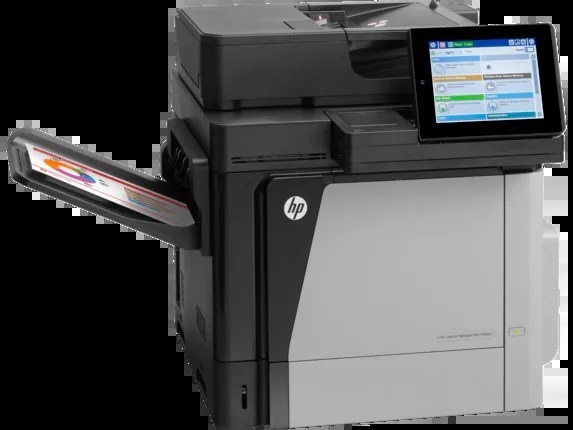
Fax capability joins the enterprise color platform in the M680F. Departments that still route documents over phone lines get a 2013-era color laser that prints and faxes from one machine.
HP 652A/653A toner feeds it: CF320A black (high-yield CF320X) with CF321A, CF322A, CF323A color. Genuine OEM and compatible cartridges are both stocked for the M680F.
Toner Cartridges for Color LaserJet Enterprise M680F
This printer works with the following toner cartridges:
- HP CF320A
- HP CF320X
- HP CF321A
- HP CF322A
- HP CF323A
More HP Printers
- Color LaserJet Enterprise Flow M680
- Color LaserJet Enterprise Flow M680Z
- Color LASERJET ENTERPRISE M675 MFP
- Color LASERJET ENTERPRISE M680 FLOW
- Color LASERJET ENTERPRISE M680 MFP
- Color LaserJet Enterprise M680DN
- Color LASERJET ENTERPRISE M680DN MFP
- Color LaserJet Enterprise M680Z
- Color LASERJET ENTERPRISE M680Z FLOW
- Color LASERJET ENTERPRISE M680Z MFP
- Color LaserJet Enterprise MFP M675
- Color LaserJet Enterprise MFP M680
- Color LaserJet Enterprise MFP M680DN
- Color LaserJet Enterprise MFP M680F
- Color LaserJet Enterprise MFP M680z
- Color LaserJet M675
- Color LaserJet M680
- Color LaserJet M680DN
- Color LaserJet M680F
- Color LaserJet M680Z
- LaserJet Enterprise 600 Flow M680
- LaserJet Enterprise 600 Flow M680Z
- LaserJet Enterprise 600 MFP Color M675
- LaserJet Enterprise 600 MFP Color M680
- LaserJet Enterprise 600 MFP Color M680DN
- LaserJet Enterprise 600 MFP Color M680F
Frequently Asked Questions
What toner does the Color LaserJet Enterprise M680F take?
The Color LaserJet Enterprise M680F needs all four of these cartridges installed: CF320A, CF320X, CF321A, CF322A, CF323A. Any cartridge set marketed as a replacement for these exact codes will work in the Color LaserJet Enterprise M680F.
What is the difference between CF320A and CF320X for the Color LaserJet Enterprise M680F?
Both cartridges fit the Color LaserJet Enterprise M680F, but CF320X is the high-yield version of the standard CF320A black cartridge, so it prints longer before running out. Choose CF320X for heavy printing on the Color LaserJet Enterprise M680F and CF320A if you print only occasionally.
Where can I download drivers for the Color LaserJet Enterprise M680F?
HP publishes drivers for the Color LaserJet Enterprise M680F on its official support site — search the model name there and pick the package for your operating system. For older models like the Color LaserJet Enterprise M680F, Windows and macOS often install a working driver automatically over USB or network.