




LaserJet Enterprise M651dn
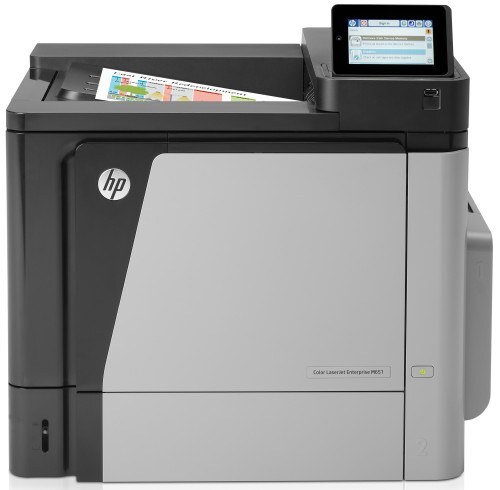
Two-sided color on the office network: the LaserJet Enterprise M651dn is the duplex-plus-Ethernet configuration — shared color documents, printed on both sides, for the whole department. It runs on the HP 652A/654A/654X family: CF320A black (or high-yield CF330X) with CF331A, CF332A, CF333A color.
We stock the full cartridge family for the M651dn in genuine OEM and compatible versions. The high-yield CF330X black stretches swap intervals on a shared duplex printer; fast Clever Supplies shipping covers the colors too.
Toner Cartridges for LaserJet Enterprise M651dn
This printer works with the following toner cartridges:
- HP CF320A
- HP CF330X
- HP CF331A
- HP CF332A
- HP CF333A
More HP Printers
- LaserJet ENTERPRISE 600 COLOR M651
- LaserJet ENTERPRISE 600 COLOR M651DN
- LaserJet ENTERPRISE 600 COLOR M651N
- LaserJet ENTERPRISE 600 COLOR M651XH
- LaserJet Enterprise M651n
- LaserJet Enterprise M651xh
Frequently Asked Questions
Which toner cartridges does the LaserJet Enterprise M651dn use?
The LaserJet Enterprise M651dn uses separate cartridges: CF320A (black), CF330X (black high-yield), CF331A (cyan), CF332A (yellow), and CF333A (magenta). Replace only the color that runs out — the LaserJet Enterprise M651dn tracks each one independently.
Can the LaserJet Enterprise M651dn print on both sides of the page automatically?
Yes — the LaserJet Enterprise M651dn includes automatic duplexing, so you can print double-sided without flipping pages by hand. Select two-sided printing in the LaserJet Enterprise M651dn's print dialog to cut paper use in half.
Can the LaserJet Enterprise M651dn be shared on an office network?
Yes — the LaserJet Enterprise M651dn has Ethernet connectivity, so plug it into your network and install the driver on each workstation. Every computer can then send jobs directly to the LaserJet Enterprise M651dn.