




LaserJet Enterprise 600 Flow M680Z
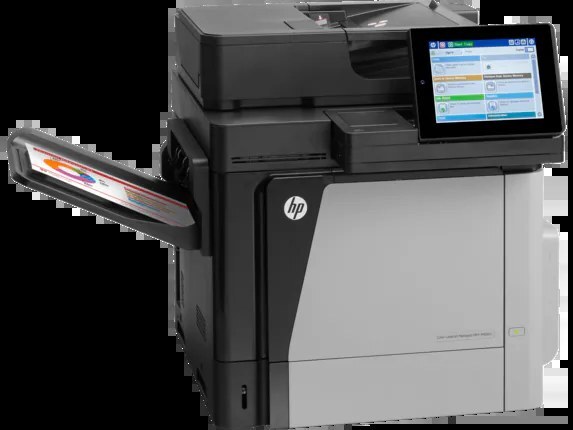
The top-spec Flow config — the M680Z combines HP's workflow MFP platform with the full feature load. For enterprise departments where document capture and routing are daily work, this is the 2013-era machine built for it.
HP 652A/653A cartridges (CF320A, CF320X; CF321A, CF322A, CF323A) feed the Flow M680Z. We stock genuine OEM and compatible toner for this model.
Toner Cartridges for LaserJet Enterprise 600 Flow M680Z
This printer works with the following toner cartridges:
- HP CF320A
- HP CF320X
- HP CF321A
- HP CF322A
- HP CF323A
More HP Printers
- Color LaserJet Enterprise Flow M680
- Color LaserJet Enterprise Flow M680Z
- Color LASERJET ENTERPRISE M675 MFP
- Color LASERJET ENTERPRISE M680 FLOW
- Color LASERJET ENTERPRISE M680 MFP
- Color LaserJet Enterprise M680DN
- Color LASERJET ENTERPRISE M680DN MFP
- Color LaserJet Enterprise M680F
- Color LaserJet Enterprise M680Z
- Color LASERJET ENTERPRISE M680Z FLOW
- Color LASERJET ENTERPRISE M680Z MFP
- Color LaserJet Enterprise MFP M675
- Color LaserJet Enterprise MFP M680
- Color LaserJet Enterprise MFP M680DN
- Color LaserJet Enterprise MFP M680F
- Color LaserJet Enterprise MFP M680z
- Color LaserJet M675
- Color LaserJet M680
- Color LaserJet M680DN
- Color LaserJet M680F
- Color LaserJet M680Z
- LaserJet Enterprise 600 Flow M680
- LaserJet Enterprise 600 MFP Color M675
- LaserJet Enterprise 600 MFP Color M680
- LaserJet Enterprise 600 MFP Color M680DN
- LaserJet Enterprise 600 MFP Color M680F
Frequently Asked Questions
What toner does the LaserJet Enterprise 600 Flow M680Z take?
The LaserJet Enterprise 600 Flow M680Z needs all four of these cartridges installed: CF320A, CF320X, CF321A, CF322A, CF323A. Any cartridge set marketed as a replacement for these exact codes will work in the LaserJet Enterprise 600 Flow M680Z.
What is the difference between CF320A and CF320X for the LaserJet Enterprise 600 Flow M680Z?
Both cartridges fit the LaserJet Enterprise 600 Flow M680Z, but CF320X is the high-yield version of the standard CF320A black cartridge, so it prints longer before running out. Choose CF320X for heavy printing on the LaserJet Enterprise 600 Flow M680Z and CF320A if you print only occasionally.
How do I clear a paper jam in the LaserJet Enterprise 600 Flow M680Z?
Turn the LaserJet Enterprise 600 Flow M680Z off, open the covers, and gently pull the jammed sheet in the direction it feeds — never yank it sideways. Also check the cartridge area of the LaserJet Enterprise 600 Flow M680Z, since a sheet can lodge behind one of the toner cartridges.