






 See Compatible Printers
 Read more about our ink!
Hewlett Packard
CS Compatible Replacement for HP CF320A Toner Cartridge Black/ HP 652A Toner

Amazon Price:

- Page Yield:
- 11,500 Pages
- Availability:
- In Stock
- Shipping:
- Free Shipping
- Compatible Printers
- Color LaserJet M651dn
- Color LaserJet M651n
- Color LaserJet M651xh
- Color LaserJet MFP M680dn
- Color LaserJet MFP M680f
- Color LaserJet MFP M680z
- Color LaserJet Enterprise M651dn
- Color LaserJet Enterprise M651n
- Color LaserJet Enterprise M651xh
- Color LaserJet Enterprise MFP M680dn
- Color LaserJet Enterprise MFP M680f
- Color LaserJet Enterprise MFP M680z
- Enterprise M651dn
- Enterprise M651n
- Enterprise M651xh
- Enterprise MFP M680dn
- Enterprise MFP M680f
- Enterprise MFP M680z
- LaserJet 600 Color MFP M675
- LaserJet M651dn
- LaserJet M651n
- LaserJet M651xh
- LaserJet MFP M680dn
- LaserJet MFP M680f
- LaserJet MFP M680z
- LaserJet Enterprise M651dn
- LaserJet Enterprise M651n
- LaserJet Enterprise M651xh
- LaserJet Enterprise MFP M680dn
- LaserJet Enterprise MFP M680f
- LaserJet Enterprise MFP M680z
- LaserJet Pro 600 Color MFP M675i>
- Color LASERJET ENTERPRISE M675 MFP
- Color LASERJET ENTERPRISE M680 FLOW
- Color LASERJET ENTERPRISE M680 MFP
- Color LASERJET ENTERPRISE M680DN MFP
- Color LASERJET ENTERPRISE M680Z FLOW
- Color LASERJET ENTERPRISE M680Z MFP
- Color LaserJet Enterprise Flow M680
- Color LaserJet Enterprise Flow M680Z
- Color LaserJet Enterprise M651
- Color LaserJet Enterprise M680DN
- Color LaserJet Enterprise M680F
- Color LaserJet Enterprise M680Z
- Color LaserJet Enterprise MFP M675
- Color LaserJet Enterprise MFP M680
- Color LaserJet M651
- Color LaserJet M675
- Color LaserJet M680
- Color LaserJet M680DN
- Color LaserJet M680F
- Color LaserJet M680Z
- HP 652A & 654A
- LaserJet ENTERPRISE 600 COLOR M651
- LaserJet ENTERPRISE 600 COLOR M651DN
- LaserJet ENTERPRISE 600 COLOR M651N
- LaserJet ENTERPRISE 600 COLOR M651XH
- LaserJet Enterprise 600 Color M651
- LaserJet Enterprise 600 Color M651DN
- LaserJet Enterprise 600 Color M651N
- LaserJet Enterprise 600 Color M651XH
- LaserJet Enterprise 600 Flow M680
- LaserJet Enterprise 600 Flow M680Z
- LaserJet Enterprise 600 MFP Color M675
- LaserJet Enterprise 600 MFP Color M680
- LaserJet Enterprise 600 MFP Color M680DN
- LaserJet Enterprise 600 MFP Color M680F
- Specifications
- SKU:
- HEWCF320A-COM
- Printer Brand:
- Hewlett Packard
- OEM Number:
- CF320A
- Ink Color:
- Black
- Page Yield:
- 11,500 Pages
- Printer Type:
- Laser Cartridge
- Condition:
- New Compatible
- Description
- Yields up to 11500 pages
- Manufactured specifically for HP printers Compatible HP toner cartridges offer fast hassle-free printing
- HP 652A (CF320A) Black Toner cartridges deliver consistent yields and provide high-quality results
- Streamline your printing needs with the time-saving reliability of original HP LaserJet toner cartridges
- Reviews

/> 

HP 652A Black Toner (CF320A) Cartridge produces superior quality and consistency for a wide array of printing needs
HP 652A Black Toner (CF320A) cartridge features latest laser print technology and provides fast reliable high-quality prints. Cartridge is compatible with HP color LaserJet MFP M680 M651 printers and yields up to 11500 pages.
Features:
Frequently Asked Questions
Which part number is printed on this black cartridge?
The cartridge in this box is the CF320A, sold under the HP 652A family name. If the empty unit you pulled from the printer shows CF320A on its label, this is the same black cartridge in a Clever Supplies compatible build, priced at $72.97.
Why does the black cartridge on a color printer run out first?
On an enterprise color machine, most everyday output is still black text — emails, invoices, reports and copied forms. The color cartridges sit nearly idle while the black unit does the daily work, so the CF320A is normally the first slot to call for a replacement.
How many pages does one CF320A cover?
It is rated at about 11,500 pages. Busy offices often translate that into reams: roughly 23 reams of paper at standard text coverage. Dense pages with logos, shaded tables or heavy graphics will use the toner faster than plain memos. For the full comparison of the 652 offers, including how this single compares with the four-color set, see the Best HP 652A (CF320A) Toner Cartridges buying guide.
What arrives in the box?
One black cartridge, sealed for storage with its protective strip in place. Nothing else is needed for the swap — the printer's own guides walk you through removing the empty unit and seating the new one until it clicks.
Text on our pages is coming out gray instead of black. Is the cartridge empty?
Usually, yes. A cartridge at the very end of its life lays down less toner, so solid black text turns washed out. Gently rocking the cartridge side to side can redistribute the remaining toner for a short run of pages, but treat that as a bridge until the new CF320A is installed.
How is this cartridge backed after purchase?
Every Clever Supplies cartridge carries a 1-year warranty, and returns are free within the first year — see our shipping and returns page for the details. Orders leave from warehouses in IL, PA, GA and CA, and our support team answers Monday through Friday, 9 AM to 5 PM CST.
What does one CF320A cost per page in everyday terms?
At $72.97 for a rating of about 11,500 pages, the math lands near six-tenths of a cent per page at standard text coverage — roughly twenty-three reams of ordinary office printing from a single cartridge. Dense pages with logos, shaded tables or heavy graphics draw the toner down faster, so a graphics-heavy office will see a somewhat higher real figure, but for text-led work the rated number is a dependable budget line.
How many spares should a text-heavy office keep for this slot?
One sealed CF320A on the shelf is the sensible minimum. The black slot on a color enterprise machine does nearly all the daily work and is normally the first to run out, so the reorder pattern that works is simple: when the shelf spare goes into the printer, order its replacement the same day. That way the machine never waits on a delivery for the one supply it consumes constantly.
How should the spare be stored so it is ready months from now?
Leave it sealed with its protective strip in place, lying flat in a dry cabinet away from heat and direct sunlight. The cartridge arrives packaged for storage, and nothing needs to be removed or prepared until the day of the swap itself. When that day comes, the printer's own guides walk through removing the empty unit and seating the new CF320A until it clicks — the stored spare needs no other preparation.
What should happen to the old cartridge once the new one is in?
Put the empty unit into the box and packaging the new CF320A arrived in, and route it out through your office's used-toner collection or local recycling program. Keeping the spent cartridge boxed keeps residual toner contained and makes it obvious at a glance which unit on the shelf is the fresh spare and which one has already given its 11,500 pages.
About This CF320A Black Cartridge
The CF320A is the standard black cartridge for the Color LaserJet Enterprise M675 and M680 family, including the Color LaserJet M651dn class of enterprise machines that share this supply line. It suits offices that reorder black on its own rhythm rather than as part of a full color change. Order by the part number rather than by the printer's marketing name and you will always land on the right black cartridge; browse the wider HP range if you also need the color cartridges for the same machine.
Related Items

Hewlett Packard
CS Compatible Replacement for HP 652A & 653A Toner Cartridge 4 Color Set (CF320A/ CF321A/ CF322A/ CF323A)
/>

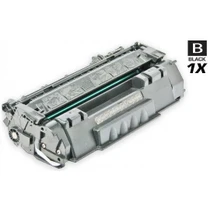
Hewlett Packard
CS Compatible Replacement for HP Q5949A Toner Cartridge Black/ HP 49A Toner
/>

Hewlett Packard
CS Compatible Replacement for HP CE264X Toner Cartridge Black/ HP 646X Toner
/>

Hewlett Packard
CS Compatible Replacement for HP CE310A Toner/ HP 126A Toner Cartridge Black
/>