




Color LaserJet M680
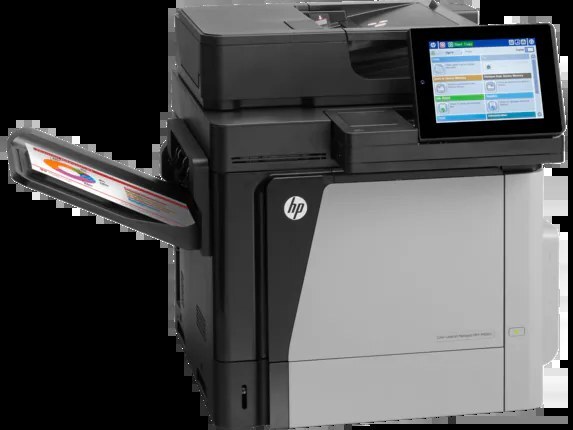
The Color LaserJet M680 arrived as a 2013-era color workgroup printer built for enterprise departments. The machine's reputation rests on consistent output rather than gimmicks. Powering it is the HP 652A/653A cartridge line (CF320A, CF320X).
Choose from genuine OEM CF320A, CF320X toner or quality compatible alternatives — both engineered to work cleanly in the Color LaserJet M680. Stocking up ahead of time beats a mid-week toner emergency.
Toner Cartridges for Color LaserJet M680
This printer works with the following toner cartridges:
- HP CF320A
- HP CF320X
- HP CF321A
- HP CF322A
- HP CF323A
More HP Printers
- Color LaserJet Enterprise Flow M680
- Color LaserJet Enterprise Flow M680Z
- Color LASERJET ENTERPRISE M675 MFP
- Color LASERJET ENTERPRISE M680 FLOW
- Color LASERJET ENTERPRISE M680 MFP
- Color LaserJet Enterprise M680DN
- Color LASERJET ENTERPRISE M680DN MFP
- Color LaserJet Enterprise M680F
- Color LaserJet Enterprise M680Z
- Color LASERJET ENTERPRISE M680Z FLOW
- Color LASERJET ENTERPRISE M680Z MFP
- Color LaserJet Enterprise MFP M675
- Color LaserJet Enterprise MFP M680
- Color LaserJet Enterprise MFP M680DN
- Color LaserJet Enterprise MFP M680F
- Color LaserJet Enterprise MFP M680z
- Color LaserJet M675
- Color LaserJet M680DN
- Color LaserJet M680F
- Color LaserJet M680Z
- LaserJet Enterprise 600 Flow M680
- LaserJet Enterprise 600 Flow M680Z
- LaserJet Enterprise 600 MFP Color M675
- LaserJet Enterprise 600 MFP Color M680
- LaserJet Enterprise 600 MFP Color M680DN
- LaserJet Enterprise 600 MFP Color M680F
Frequently Asked Questions
What toner cartridges does the Color LaserJet M680 use?
The Color LaserJet M680 is a color laser printer that takes four separate toner cartridges: CF320A, CF320X, CF321A, CF322A, CF323A. Match these exact codes when buying replacements for the Color LaserJet M680.
What does the X mean in CF320X for the Color LaserJet M680?
It marks the high-yield version of the black CF320A cartridge for the Color LaserJet M680. CF320X fits the same slot but holds more toner, so it needs replacing less often — useful if you print a lot.
Why does my Color LaserJet M680 not recognize a new toner cartridge?
Reseat the cartridge firmly in the Color LaserJet M680 and make sure the protective seal was fully removed, since leftover seal or dirty contacts are the usual cause. If the Color LaserJet M680 still rejects it, move the cartridge to a different slot to rule out a slot issue.