




LaserJet ENTERPRISE 600 COLOR M651XH
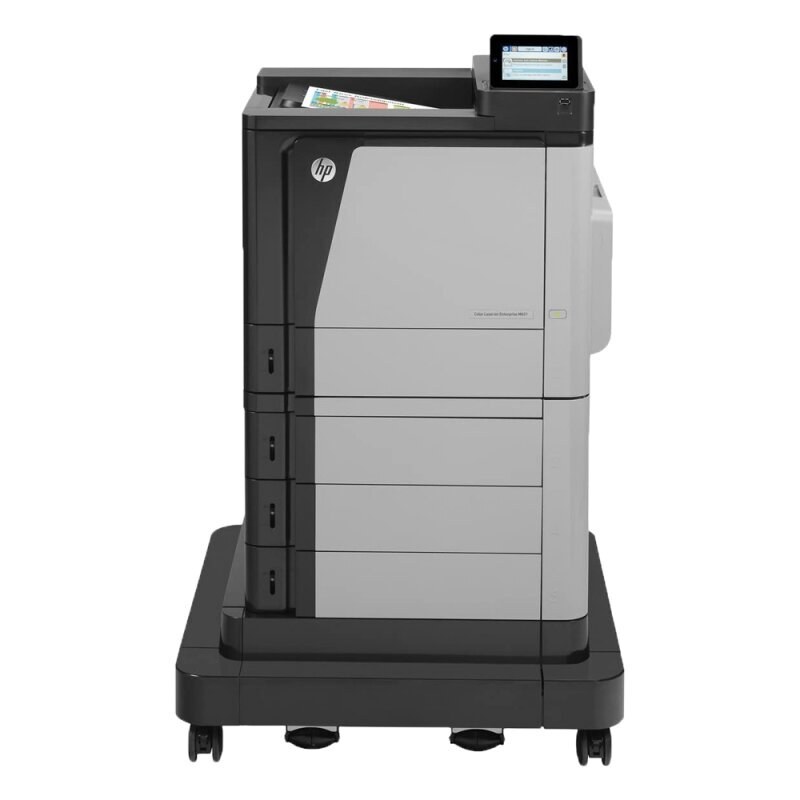
At the top of HP's enterprise 600 color range sits the LaserJet Enterprise 600 Color M651XH, a single-function color laser from the early 2010s that departments bought as their anchor machine. Its cyan cartridge is the 654A (CF331A) — the member of the family stocked on this page — and it sits in a four-cartridge set drawn from the HP 652A/654A/654X shelf: CF320A black, CF330X high-yield black, CF332A yellow and CF333A magenta. Four independent cartridges mean four independent replacement schedules; the printer reports each level on its own. The XH sits at the top of the M651 range — the configuration offices chose when the printer was expected to anchor a department's color output rather than supplement it.
Printers at this end of an enterprise line are bought once and then simply expected to work for a decade, and the M651XH's long service record is the point of it. What keeps a machine like this current is not features but supply discipline: the whole 600 color family drinks from the same cartridge shelf, so a department running several of these models stocks one family of toner instead of four. That shared shelf is why cartridges for a machine of this age remain easy to source.
Toner Cartridges for LaserJet Enterprise 600 Color M651XH
| Cartridge | Color | Page Yield |
|---|---|---|
| 654A (CF331A) | Cyan | See product page |
The black and remaining color positions of this family — CF320A, CF330X, CF332A and CF333A — belong to the same cartridge set but are not on this page's shelf; the full family is grouped under the HP 652A & 654A category in the list below.
Which cartridge should you buy?
One cartridge from the family is stocked on this page — the cyan — and on a four-position color machine that is a workable way to buy, because no two positions empty at the same rate. The printer reports each color's level individually on its panel and in the driver, so the standing rule is simple: read the levels before you order, and replace the position that is actually low. A department that prints branded material tends to exhaust one accent color first; if that is your pattern, hold a sealed spare of that color and let the others run their full course.
Chip, toner and everyday use
Each cartridge in this family carries a chip the printer reads for its level reporting, and the compatible cyan stocked here is built to be read the same way. Installation is the usual drill: strip the seal completely, rock the cartridge gently to loosen the toner, seat it until it clicks, and print a test page. Yield figures assume 5% coverage, so a department heavy on full-color pages should expect shorter cartridge life than the rating suggests. When output starts to fade near the end of a cartridge, a gentle shake redistributes what toner remains and usually restores clean print for a while longer.
Frequently Asked Questions
How do I tell which cartridge is low on the M651XH?
The control panel and the printer software both show a level for each of the four cartridges separately. Check the display before ordering — replacing the wrong color is the most common wasted purchase with this family.
Should all four cartridges be replaced together?
No. The four positions deplete at different rates depending on what you print, and each is changed only when the printer reports it low or empty. Replacing the set wholesale discards toner you already paid for.
Which cartridge is the cyan for this model?
The cyan position takes the CF331A from the 654A line. The compatible build stocked on this page is the 654A (CF331A) cyan, and it carries a 1-year warranty with 1-year returns.
Are cartridges for a printer this age still available?
Yes — because the M651XH shares its 652A/654A/654X family with the rest of the enterprise 600 color line, the shelf stays stocked. The family list below shows how many sibling models drink from the same supply.
More printers that use the same cartridges
The same 652A/654A cartridges serve the full enterprise 600 color family, MFP models included — every category in this list pulls from that one shelf: Color LaserJet Enterprise Flow M680, Color LaserJet Enterprise Flow M680Z, Color LaserJet Enterprise M651, Color LaserJet Enterprise M651DN, Color LaserJet Enterprise M651N, Color LaserJet Enterprise M651XH, Color LASERJET ENTERPRISE M675 MFP, Color LASERJET ENTERPRISE M680 FLOW, Color LASERJET ENTERPRISE M680 MFP, Color LaserJet Enterprise M680DN, Color LASERJET ENTERPRISE M680DN MFP, Color LaserJet Enterprise M680F, Color LaserJet Enterprise M680Z, Color LASERJET ENTERPRISE M680Z FLOW, Color LASERJET ENTERPRISE M680Z MFP, Color LaserJet Enterprise MFP M675, Color LaserJet Enterprise MFP M680, Color LaserJet Enterprise MFP M680DN, Color LaserJet Enterprise MFP M680F, Color LaserJet Enterprise MFP M680z, Color LaserJet M651, Color LaserJet M651DN, Color LaserJet M651N, Color LaserJet M651XH, Color LaserJet M675, Color LaserJet M680, Color LaserJet M680DN, Color LaserJet M680F, Color LaserJet M680Z, HP 652A & 654A, LaserJet ENTERPRISE 600 COLOR M651, LaserJet Enterprise 600 Color M651, LaserJet ENTERPRISE 600 COLOR M651DN, LaserJet Enterprise 600 Color M651DN, LaserJet ENTERPRISE 600 COLOR M651N, LaserJet Enterprise 600 Color M651N, LaserJet Enterprise 600 Color M651XH, LaserJet Enterprise 600 Flow M680, LaserJet Enterprise 600 Flow M680Z, LaserJet Enterprise 600 MFP Color M675, LaserJet Enterprise 600 MFP Color M680, LaserJet Enterprise 600 MFP Color M680DN, LaserJet Enterprise 600 MFP Color M680F, LaserJet Enterprise M651dn, LaserJet Enterprise M651n, LaserJet Enterprise M651xh.