




Color LaserJet M651DN
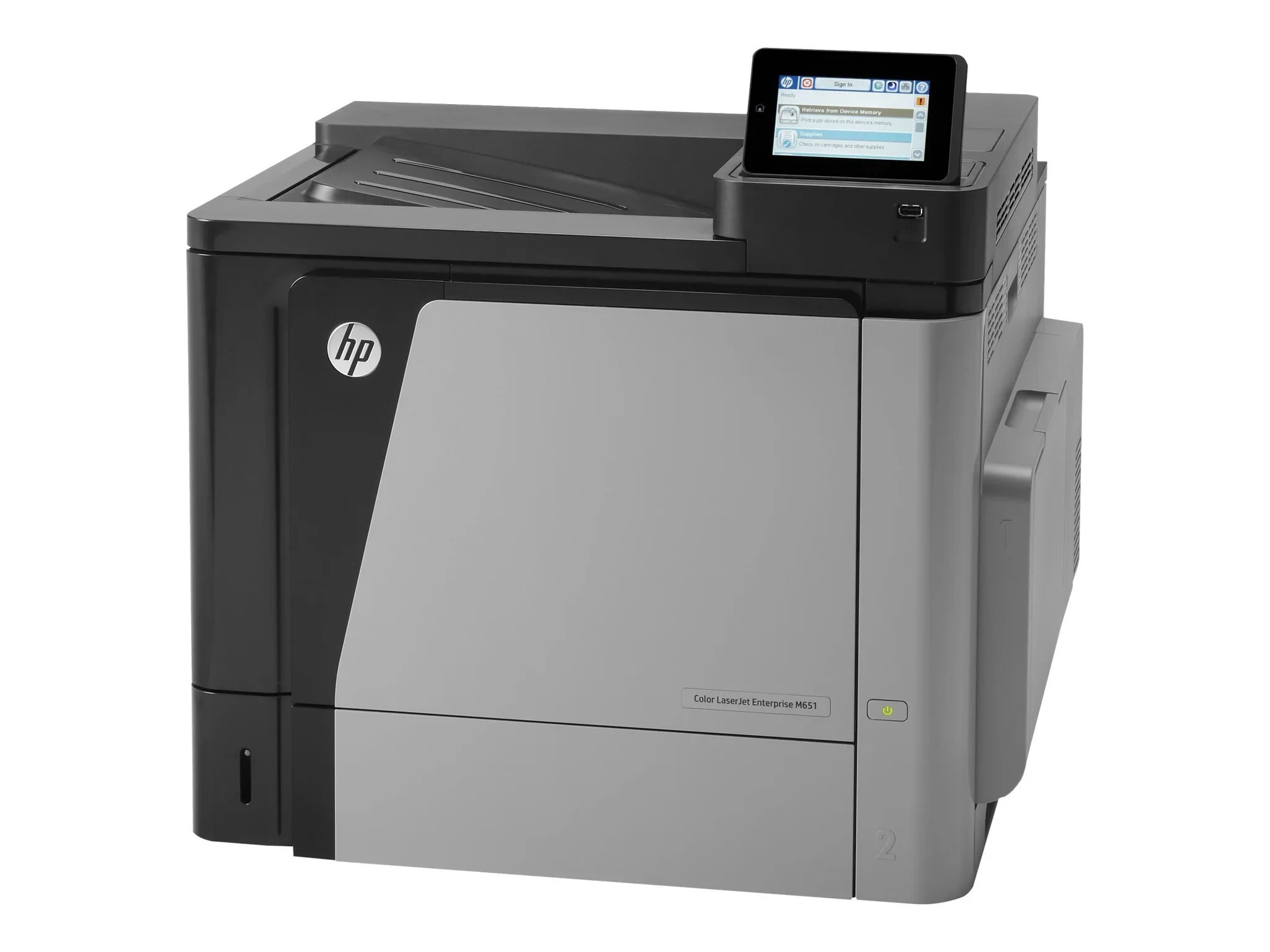
Two-sided, shared color printing for the mid-size team — the Color LaserJet M651DN combines duplex and networking in the 2013-era color workgroup platform. Its working black is the high-yield CF330X (654X), with the standard CF320A (652A) documented as the lower-capacity alternative in the same slot, and color comes from CF331A cyan (654A), CF332A yellow and CF333A magenta. Every listing here is a compatible cartridge built for those codes.
A DN machine earns its keep by being boring in the best way: it sits on the network, flips pages on its own, and produces the same clean output for the fifth user as for the first. One honest note on part numbers — HP's documentation for this engine also names a standard black called CF330A, but that cartridge is not stocked as a single on this page; the stocked blacks are the CF330X above and the CF320A alternative.
Toner Cartridges for Color LaserJet M651DN
| Cartridge | Color | Page Yield |
|---|---|---|
| CF330X — ColorSphere listing | Black (high yield) | See product page |
| CF330X | Black (high yield) | See product page |
| CF320A | Black (standard yield) | See product page |
| CF331A | Cyan | See product page |
| CF331A — alternate listing | Cyan | See product page |
| CF332A | Yellow | See product page |
| CF333A | Magenta | See product page |
| CF333A — alternate listing | Magenta | See product page |
Sets: HP 654A & 654X 4 Color Set (CF330X/ CF331A/ CF333A/ CF332A) covers all four slots in one box, M651dn 4 Color Set is the set carrying this model's name, and HP 652A & 654A 4 Color Set (CF320A/ CF331A/ CF333A/ CF332A) builds the four slots around the standard black instead of the high-yield one.
Which cartridge should you buy?
For a shared duplex printer, default to the high-yield black. The CF330X holds more toner than a standard cartridge, so a team that prints on both sides of the sheet all day changes it less often and pays less per page; two listings on this page carry it, and either fits the same slot. Keep the CF320A in mind for the opposite profile — a lightly used M651DN in a side office, where a standard cartridge is enough and a high-yield one would sit half-used for years. Colors are bought one at a time: CF331A, CF332A and CF333A each have their own slot and their own level reading, and there is no reason to retire a color that still has toner in it.
Chip, toner and everyday use
The chip on each cartridge identifies its code to the M651DN and carries its level estimate, so push a new cartridge in until it seats with a click and let the panel settle before printing. Automatic duplex is meant for plain paper in the main tray; labels, card stock and envelopes go through the manual feed, one side at a time, as the printer's own guidance has always said. Yield ratings assume about five percent coverage, and a duplexed report still consumes toner on both faces — sides are what the rating counts, not sheets. Keep the spare black sealed until the low warning appears.
Frequently Asked Questions
What toner cartridges does the Color LaserJet M651DN use?
Four slots: black, cyan, yellow and magenta. This page stocks the high-yield CF330X black, the standard CF320A black, and CF331A, CF332A and CF333A for color. HP's standard CF330A black is documented for the engine but is not sold here as a single.
Can it print double-sided on labels or card stock?
Automatic two-sided printing is designed for plain paper from the main tray. Labels, card stock and envelopes should be fed manually and printed one side at a time — the duplex path is not built for thick or adhesive media.
Do the high-yield and standard blacks fit the same slot?
Yes — the black slot accepts either cartridge with no adjustment. The difference is capacity: the X cartridge holds more toner, so the choice is about how much your team prints, not about fit.
Are these original HP cartridges?
No. They are Clever Supplies compatibles made to the same part-number specifications, and they carry a 1-year warranty with 1-year returns.
More printers that use the same cartridges
The multifunction members of this family are listed first, then the single-function models and the family code page:
Color LASERJET ENTERPRISE M675 MFP, Color LASERJET ENTERPRISE M680 FLOW, Color LASERJET ENTERPRISE M680 MFP, Color LASERJET ENTERPRISE M680DN MFP, Color LASERJET ENTERPRISE M680Z FLOW, Color LASERJET ENTERPRISE M680Z MFP, Color LaserJet Enterprise Flow M680, Color LaserJet Enterprise Flow M680Z, Color LaserJet Enterprise MFP M675, Color LaserJet Enterprise MFP M680, Color LaserJet Enterprise MFP M680DN, Color LaserJet Enterprise MFP M680F, Color LaserJet Enterprise MFP M680z, LaserJet Enterprise 600 Flow M680, LaserJet Enterprise 600 Flow M680Z, LaserJet Enterprise 600 MFP Color M675, LaserJet Enterprise 600 MFP Color M680, LaserJet Enterprise 600 MFP Color M680DN, LaserJet Enterprise 600 MFP Color M680F, Color LaserJet Enterprise M651, Color LaserJet Enterprise M651DN, Color LaserJet Enterprise M651N, Color LaserJet Enterprise M651XH, Color LaserJet Enterprise M680DN, Color LaserJet Enterprise M680F, Color LaserJet Enterprise M680Z, Color LaserJet M651, Color LaserJet M651N, Color LaserJet M651XH, Color LaserJet M675, Color LaserJet M680, Color LaserJet M680DN, Color LaserJet M680F, Color LaserJet M680Z, HP 652A & 654A, LaserJet ENTERPRISE 600 COLOR M651, LaserJet ENTERPRISE 600 COLOR M651DN, LaserJet ENTERPRISE 600 COLOR M651N, LaserJet ENTERPRISE 600 COLOR M651XH, LaserJet Enterprise 600 Color M651, LaserJet Enterprise 600 Color M651DN, LaserJet Enterprise 600 Color M651N, LaserJet Enterprise 600 Color M651XH, LaserJet Enterprise M651dn, LaserJet Enterprise M651n, LaserJet Enterprise M651xh