




Xpress M2826
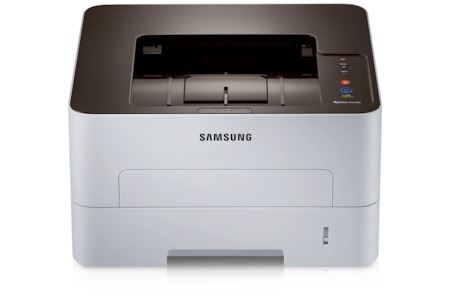
Samsung's Xpress M2826 is the Xpress-badged take on the fast 2826 workgroup mono laser, built for offices with real print volume. Single-function focus, workgroup stamina.
The MLT-D116S standard or MLT-D116L high-yield cartridge keeps it printing. Compatible or genuine OEM, both ship fast from Clever Supplies. Imaging on the Xpress M2826 runs through the MLT-R116 drum unit rather than the toner, and that drum lasts about 9,000 pages.
Toner Cartridges for Xpress M2826
This printer works with the following toner cartridges:
- Samsung MLT-D116S
- Samsung MLT-D116L
More Samsung Printers
- SL-M2625
- SL-M2625D
- SL-M2626
- SL-M2675
- SL-M2676
- SL-M2825
- SL-M2825DW
- SL-M2825ND
- SL-M2826
- SL-M2875
- SL-M2875FD
- SL-M2875FW
- SL-M2876
- SL-M2835
- SL-M2835DW
- SL-M2885FW
- SL-M2675F
- SL-M2885
- SL-M2625DW
- SL-M2675FN
- Xpress SL-M2625D
- Xpress SL-M2675F
- Xpress SL-M2825DW
- Xpress SL-M2875FD
- Xpress SL-M2875FW
- Xpress M2626
- Xpress M2676
- Xpress M2835 DW
- Xpress M2875
- Xpress M2875 DW
Frequently Asked Questions
Can I return used cartridges from the Xpress M2826 to Samsung?
The greenest choice for a spent MLT-D116S from the Xpress M2826 is remanufacturing, which reuses the cartridge shell with fresh toner. If that's not available, material recycling is the next best option. Landfill should be the last resort — toner powder and plastics don't belong there.
Should I let the Xpress M2826 sleep between jobs or leave it ready?
Leaving the Xpress M2826 on 24/7 doesn't drain the MLT-D116S while idle, but it does keep components warm and powered, adding wear over time. Sleep mode gives you nearly the same convenience with less stress on the hardware. For overnight and weekends, sleep or full off both beat 'ready' mode.
When does toner-save mode make sense for the Xpress M2826?
Leaving toner-save on permanently for the Xpress M2826 is fine if nearly everything you print is disposable — meeting agendas, rough drafts, web pages. The moment output quality matters, one settings change restores full density. There's no harm to the printer either way; it's purely a quality-versus-economy trade-off.