




SL-M2625
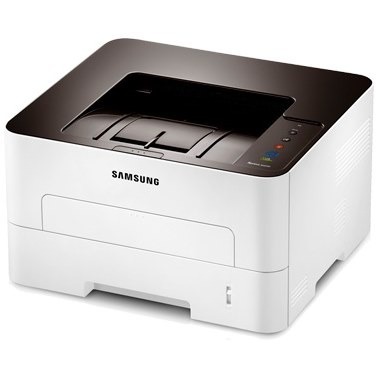
The Samsung SL-M2625 is the workgroup mono laser of the '5/6' Xpress generation, a sturdier single-function printer for small offices with steady volume. It uses a two-piece supplies system with a separate imaging unit for long-term economy.
It takes the MLT-D116S standard or MLT-D116L high-yield toner cartridge. Compatible and genuine Samsung OEM versions of both are stocked, shipping fast from Clever Supplies. The imaging side is handled by a separate MLT-R116 drum unit rated for roughly 9,000 pages, so drum wear never forces you to discard toner that still has life in it.
Toner Cartridges for SL-M2625
This printer works with the following toner cartridges:
- Samsung MLT-D116S
- Samsung MLT-D116L
More Samsung Printers
- SL-M2625D
- SL-M2626
- SL-M2675
- SL-M2676
- SL-M2825
- SL-M2825DW
- SL-M2825ND
- SL-M2826
- SL-M2875
- SL-M2875FD
- SL-M2875FW
- SL-M2876
- SL-M2835
- SL-M2835DW
- SL-M2885FW
- SL-M2675F
- SL-M2885
- SL-M2625DW
- SL-M2675FN
- Xpress SL-M2625D
- Xpress SL-M2675F
- Xpress SL-M2825DW
- Xpress SL-M2875FD
- Xpress SL-M2875FW
- Xpress M2626
- Xpress M2676
- Xpress M2826
- Xpress M2835 DW
- Xpress M2875
- Xpress M2875 DW
Frequently Asked Questions
Does the drum in the SL-M2625 outlast the toner cartridges, and what does a worn drum look like on the page before buying another cartridge?
Think of the drum as the long-life partner to the short-life MLT-D116S: it fades gradually while cartridges come and go. You can keep printing on a tired drum for a while, but quality degrades steadily and eventually every page shows it. Time the SL-M2625's drum replacement to the symptoms, not the calendar, and you will never replace it early.
Why does my SL-M2625 say the cartridge is incompatible — could I have bought the wrong code without forcing anything?
The SL-M2625 reads a small chip on the MLT-D116S, so anything blocking that contact — toner dust, a missed pull-tab — triggers an error. If the old cartridge is recognized when reinstalled, the new one's chip is the likely fault and a replacement is warranted. Most of these errors surrender to a calm, methodical reseat.
Why does my SL-M2625 print pages that look lighter than usual halfway through a cartridge's life?
Light prints are the classic sign that toner is running low, yet a worn drum on the SL-M2625 produces an almost identical look. Print a supplies status page from the SL-M2625 panel to see the remaining toner before spending money on a new cartridge. Diagnosing in this order keeps you from replacing the wrong part.