




SL-M2825DW
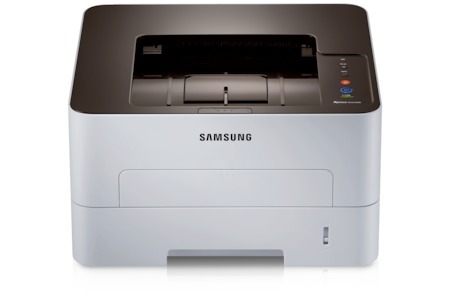
Wireless and duplexing combine in Samsung's SL-M2825DW, a fast workgroup mono laser the whole office can reach over Wi-Fi while printing two-sided by default. Shared, efficient, and cable-free.
It feeds on the MLT-D116S or the longer-running MLT-D116L. We carry compatible cartridges for economy and genuine OEM cartridges for factory-spec output, both shipping fast from Clever Supplies.
Toner Cartridges for SL-M2825DW
This printer works with the following toner cartridges:
- Samsung MLT-D116S
- Samsung MLT-D116L
More Samsung Printers
- SL-M2625
- SL-M2625D
- SL-M2626
- SL-M2675
- SL-M2676
- SL-M2825
- SL-M2825ND
- SL-M2826
- SL-M2875
- SL-M2875FD
- SL-M2875FW
- SL-M2876
- SL-M2835
- SL-M2835DW
- SL-M2885FW
- SL-M2675F
- SL-M2885
- SL-M2625DW
- SL-M2675FN
- Xpress SL-M2625D
- Xpress SL-M2675F
- Xpress SL-M2825DW
- Xpress SL-M2875FD
- Xpress SL-M2875FW
- Xpress M2626
- Xpress M2676
- Xpress M2826
- Xpress M2835 DW
- Xpress M2875
- Xpress M2875 DW
Frequently Asked Questions
What cartridge does the SL-M2825DW take — do color cartridges exist for it before I order?
Samsung built the SL-M2825DW around the MLT-D116S / MLT-D116L cartridge, so MLT-D116S or MLT-D116L is the code to shop for. Check the code on the cartridge you are replacing rather than going by printer looks alone, since similar Samsung models use different families. Buying by exact code is the single best way to avoid a return.
My SL-M2825DW offers two cartridge sizes, and does the bigger one change anything besides capacity if I print a lot?
Both cartridges in the MLT-D116S / MLT-D116L family work in the SL-M2825DW; the L-suffixed MLT-D116L just holds more toner than the S-suffixed MLT-D116S. Heavy users generally prefer the MLT-D116L because it stretches the interval between cartridge changes noticeably. Either choice prints the same sharp pages; capacity is the whole decision.
Can I see the remaining toner on the SL-M2825DW without printing anything, and how accurate is the reading before I run out mid-job?
The SL-M2825DW reports toner through its control panel supplies menu and through Samsung's printer software on your computer. If no warning shows, open the software gauge manually; warnings can be muted in driver settings without you realizing. Checking monthly takes seconds and prevents mid-job surprises.