




SL-M2676
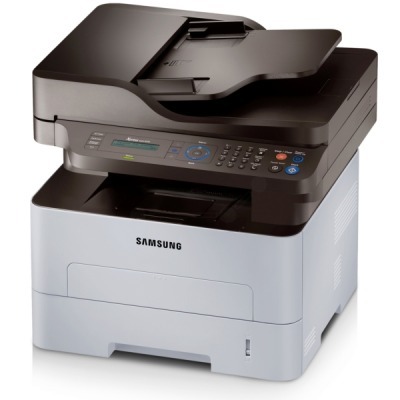
Samsung's SL-M2676 is the regional sibling of the SL-M2675 multifunction, with the same print-scan-copy abilities and workgroup-grade build. Offices that bought this badge get the same solid machine underneath.
It takes the MLT-D116S standard or MLT-D116L high-yield cartridge. Our compatible versions keep costs down; genuine OEM versions keep it all-original. Fast shipping from Clever Supplies.
Toner Cartridges for SL-M2676
This printer works with the following toner cartridges:
- Samsung MLT-D116S
- Samsung MLT-D116L
More Samsung Printers
- SL-M2625
- SL-M2625D
- SL-M2626
- SL-M2675
- SL-M2825
- SL-M2825DW
- SL-M2825ND
- SL-M2826
- SL-M2875
- SL-M2875FD
- SL-M2875FW
- SL-M2876
- SL-M2835
- SL-M2835DW
- SL-M2885FW
- SL-M2675F
- SL-M2885
- SL-M2625DW
- SL-M2675FN
- Xpress SL-M2625D
- Xpress SL-M2675F
- Xpress SL-M2825DW
- Xpress SL-M2875FD
- Xpress SL-M2875FW
- Xpress M2626
- Xpress M2676
- Xpress M2826
- Xpress M2835 DW
- Xpress M2875
- Xpress M2875 DW
Frequently Asked Questions
My SL-M2676 still prints light after a new MLT-D116S, and can I keep printing with a tired drum?
Yes, the drum in the SL-M2676 is designed to outlast several toner cartridges, so most of your purchases will just be the MLT-D116S or MLT-D116L. Visually, a worn drum often looks shiny or unevenly coated compared with a fresh one — inspect it under good light. Replace on evidence and the drum will serve you well for a long stretch.
Does a spare MLT-D116S for my SL-M2676 go bad sitting in a closet, and what conditions keep it fresh over several months?
Keep the spare MLT-D116S for your SL-M2676 sealed in its original packaging, stored upright in a cool, dry place away from direct sunlight. Direct sunlight degrades the cartridge over time, so an interior shelf or cabinet beats a sunny windowsill. Good storage means your backup is ready the moment the SL-M2676 needs it.
My SL-M2676 is producing prints that seem pale with thin-looking text?
A cartridge nearing empty is the most common cause, but drum wear on the SL-M2676 can mimic low toner exactly. Pull the cartridge out and give it a gentle side-to-side rock to redistribute the remaining toner, then print a test page to compare. Matching the symptom to the right consumable saves both time and money.