




SL-M2825ND
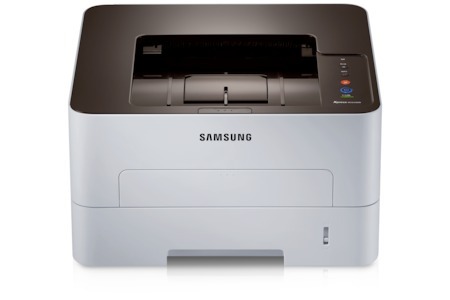
Samsung's SL-M2825ND pairs wired networking with automatic duplexing in a fast workgroup mono laser. It is the shared-printer configuration for offices that prefer Ethernet reliability and two-sided output.
Supply it with the MLT-D116S standard cartridge for normal use or the MLT-D116L high-yield when the queue is heavy. Both come in compatible and genuine Samsung OEM versions, shipping fast from Clever Supplies.
Toner Cartridges for SL-M2825ND
This printer works with the following toner cartridges:
- Samsung MLT-D116S
- Samsung MLT-D116L
More Samsung Printers
- SL-M2625
- SL-M2625D
- SL-M2626
- SL-M2675
- SL-M2676
- SL-M2825
- SL-M2825DW
- SL-M2826
- SL-M2875
- SL-M2875FD
- SL-M2875FW
- SL-M2876
- SL-M2835
- SL-M2835DW
- SL-M2885FW
- SL-M2675F
- SL-M2885
- SL-M2625DW
- SL-M2675FN
- Xpress SL-M2625D
- Xpress SL-M2675F
- Xpress SL-M2825DW
- Xpress SL-M2875FD
- Xpress SL-M2875FW
- Xpress M2626
- Xpress M2676
- Xpress M2826
- Xpress M2835 DW
- Xpress M2875
- Xpress M2875 DW
Frequently Asked Questions
Can I see the remaining toner on the SL-M2825ND without printing anything, and how accurate is the reading on this model?
The SL-M2825ND reports toner through its control panel supplies menu and through Samsung's printer software on your computer. Estimated levels are approximate by design, so keep a spare MLT-D116S once the gauge drops into the low zone. Two seconds of checking beats a stalled print run.
Why does my SL-M2825ND need both toner and a drum unit, and how does each one affect print quality for this model?
Your SL-M2825ND treats them as two independent consumables: the MLT-D116S runs out of powder, while the drum slowly loses its coating. Drums typically outlast several toner cartridges, so most replacements you buy will simply be the MLT-D116S or MLT-D116L. That distinction is the key to buying the right part the first time.
Why does my SL-M2825ND say the cartridge is incompatible — could I have bought the wrong code on this model?
A cartridge that 'will not print' right after a swap is usually a seating or seal problem, not a defective cartridge. After reinstalling, print a supplies status page to confirm the SL-M2825ND now sees the cartridge correctly. Most of these errors surrender to a calm, methodical reseat.