




SL-M2835
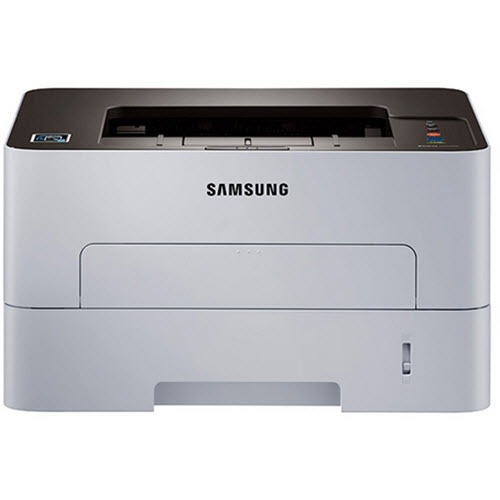
The Samsung SL-M2835 is a workgroup-grade single-function mono laser in the '5/6' Xpress generation, positioned for offices with serious daily volume. Fast, sturdy, and straightforward about its job.
It accepts the MLT-D116S standard or MLT-D116L high-yield toner cartridge. Our compatible cartridges keep high-volume printing affordable, while genuine OEM cartridges keep the machine on factory supplies; either ships fast from Clever Supplies.
Toner Cartridges for SL-M2835
This printer works with the following toner cartridges:
- Samsung MLT-D116S
- Samsung MLT-D116L
More Samsung Printers
- SL-M2625
- SL-M2625D
- SL-M2626
- SL-M2675
- SL-M2676
- SL-M2825
- SL-M2825DW
- SL-M2825ND
- SL-M2826
- SL-M2875
- SL-M2875FD
- SL-M2875FW
- SL-M2876
- SL-M2835DW
- SL-M2885FW
- SL-M2675F
- SL-M2885
- SL-M2625DW
- SL-M2675FN
- Xpress SL-M2625D
- Xpress SL-M2675F
- Xpress SL-M2825DW
- Xpress SL-M2875FD
- Xpress SL-M2875FW
- Xpress M2626
- Xpress M2676
- Xpress M2826
- Xpress M2835 DW
- Xpress M2875
- Xpress M2875 DW
Frequently Asked Questions
How should I store a spare MLT-D116S for my SL-M2835 — how long does it stay good in a home office?
Toner cartridges are happiest left alone: sealed, upright, and out of heat. When you finally install the stored cartridge in the SL-M2835, rock it gently side to side first to redistribute any settled toner. Store it right and the spare prints like new when its turn comes.
Why is the white paper coming out gray from my SL-M2835 — is that too much toner or something else that used to print clean white?
When the whole sheet picks up a faint gray veil, the drum in the SL-M2835 is typically no longer wiping itself clean between pages. Damp paper can exaggerate the effect, so test with a sheet straight from a fresh ream before buying parts. Backgrounding only gets worse with time, so plan the drum replacement rather than living with it.
How do I check how much toner is left in my SL-M2835 — does the panel show a percentage without opening it up?
The most reliable check is the supplies status page, which the SL-M2835 can print from its menu without a computer. The gauge reads in broad steps rather than exact percentages, which is normal for this class of printer. That habit keeps an empty cartridge from ever catching you off guard.