




SL-M2825
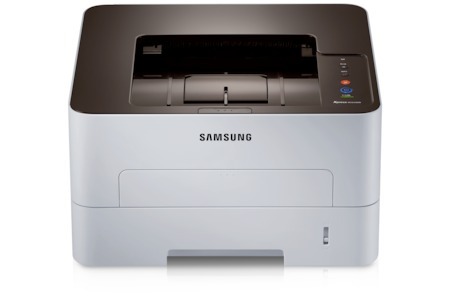
The Samsung SL-M2825 steps the workgroup mono engine up a gear for busier offices, delivering faster single-function printing in the '5/6' Xpress generation. When volume climbs, this is the tier that keeps pace.
Toner comes in two sizes for the SL-M2825: the MLT-D116S standard cartridge and the MLT-D116L high-yield. Both are available as wallet-friendly compatibles and as genuine Samsung OEM cartridges, with fast shipping from Clever Supplies.
Toner Cartridges for SL-M2825
This printer works with the following toner cartridges:
- Samsung MLT-D116S
- Samsung MLT-D116L
More Samsung Printers
- SL-M2625
- SL-M2625D
- SL-M2626
- SL-M2675
- SL-M2676
- SL-M2825DW
- SL-M2825ND
- SL-M2826
- SL-M2875
- SL-M2875FD
- SL-M2875FW
- SL-M2876
- SL-M2835
- SL-M2835DW
- SL-M2885FW
- SL-M2675F
- SL-M2885
- SL-M2625DW
- SL-M2675FN
- Xpress SL-M2625D
- Xpress SL-M2675F
- Xpress SL-M2825DW
- Xpress SL-M2875FD
- Xpress SL-M2875FW
- Xpress M2626
- Xpress M2676
- Xpress M2826
- Xpress M2835 DW
- Xpress M2875
- Xpress M2875 DW
Frequently Asked Questions
Is the high-yield version of the MLT-D116S family worth it for the SL-M2825, and will the printer accept both if I print a lot?
Samsung sells the MLT-D116S / MLT-D116L in two capacities for the SL-M2825: standard (MLT-D116S) and high yield (MLT-D116L). Match the cartridge to your volume — frequent printing favors the MLT-D116L, while a few pages a week favors the MLT-D116S. It is purely a capacity question, not a quality question.
Why does my SL-M2825 print pages that look pale with thin-looking text halfway through a cartridge's life?
Fading like that usually points to a cartridge running low, but on the SL-M2825 it can also mean the imaging drum is wearing out. Start by checking the toner level on the printer's display or in Samsung's printer software; if it reads low, replace the cartridge. That simple sequence usually pinpoints the culprit in a minute or two.
Prints from my SL-M2825 come out with toner that brushes right off — what should I check first even with a new MLT-D116S?
When toner from the SL-M2825's MLT-D116S cartridge smudges instead of melting into the fibers, the prime suspect is the fuser — the hot roller at the printer's output. Before suspecting hardware, check that the paper-type setting matches the loaded stock: heavy or glossy paper on a plain-paper setting under-fuses every time. Nine times out of ten this is a settings or media mismatch, not a broken part.