




Xpress SL-M2625D
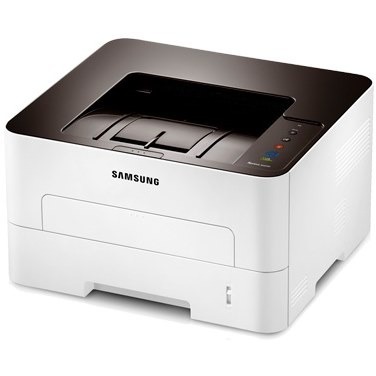
The Xpress SL-M2625D is the Xpress-badged, duplexing version of Samsung's 2625 workgroup mono laser — a sturdy single-function engine that prints two-sided. It runs on the MLT-D116S standard cartridge or the high-yield MLT-D116L, and imaging is a separate job: the MLT-R116 drum unit forms each page and lasts roughly 9,000 pages, far beyond a single toner cartridge. Both consumables are stocked below, as singles and in multi-packs.
That two-part design is this printer's economy in a nutshell. On a combined cartridge system, every toner swap also throws away a drum whether it is worn or not; here the drum keeps working through cartridge after cartridge, and you pay for toner and imaging on their own schedules. For a workgroup machine that prints two-sided documents all day, the pattern settles quickly: toner cartridges cycle on a rhythm of weeks or months, while the drum is a rare, planned purchase. Same workhorse as the rest of its family — the Xpress badge changes the nameplate, not the appetite.
Toner Cartridges for Xpress SL-M2625D
| Cartridge | Color | Page Yield |
|---|---|---|
| SL-M2625D Toner Cartridge Black (MLT-D116L) | Black | See product page |
| SL-M2625D Toner Cartridge, 2 Black (MLT-D116L) | Black | See product page |
| SL-M2625D Toner Cartridge, 3 Black (MLT-D116L) | Black | See product page |
| SL-M2625D Toner Cartridge, 5 Black (MLT-D116L) | Black | See product page |
| SL-M2625D Toner Cartridge, 10 Black (MLT-D116L) | Black | See product page |
| Xpress SL-M2625D Toner Cartridge Black (MLT-D116L) | Black | See product page |
The imaging side of the machine is a separate purchase, changed only when the drum itself wears:
- SL-M2625D Drum Cartridge Black (MLT-R116) — drum unit, rated for roughly 9,000 pages
- SL-M2625D Drum Cartridge, 2 Black (MLT-R116) — two drum units
- SL-M2625D Drum Cartridge, 3 Black (MLT-R116) — three drum units
- SL-M2625D Drum Cartridge, 5 Black (MLT-R116) — five drum units
- SL-M2625D Drum Cartridge, 10 Black (MLT-R116) — ten drum units
- Xpress SL-M2625D Drum Cartridge Black (MLT-R116) — drum unit under the Xpress name
Which cartridge should you buy?
Choose between the two toner codes by volume. The MLT-D116S is the standard cartridge; the MLT-D116L is the high-yield version of the same fit, and a workgroup that prints steadily will cycle the standard cartridge noticeably more often — the multi-packs of the L (two, three, five and ten) exist for desks that have already learned their burn rate. First-time buyers should start with the code already in the machine and watch how long it lasts in their own workflow. And keep the drum out of the toner decision entirely: the MLT-R116 is replaced on its own roughly 9,000-page schedule, signaled by its own warnings, not whenever toner runs out.
Chip, toner and everyday use
The printer tracks toner and drum separately, so read its messages carefully — a toner-empty warning and a drum warning ask for different boxes. Toner warnings arrive early by design: the machine keeps printing after the first alert, and a gentle shake of the cartridge redistributes what is left so output evens out until the replacement goes in. Judge the true end by the pages — fading and streaks mean the cartridge is done. Keep spare cartridges and a spare drum sealed and upright in a cool, dry cupboard; compatible consumables on this page carry a 1-year warranty and 1-year returns.
Frequently Asked Questions
Will using a compatible cartridge void the warranty on my Xpress SL-M2625D?
No — using a compatible cartridge does not automatically void the printer's warranty, which generally covers manufacturing defects rather than your choice of consumable. The honest caveat is damage: if a leaking third-party cartridge physically harms the printer, that specific damage may not be covered, so keep your receipt and the cartridge packaging in case you ever need to document what was fitted.
What cartridge does the Xpress SL-M2625D take?
Either of the two toner codes — MLT-D116S standard or MLT-D116L high-yield — plus the separate MLT-R116 drum unit on its own schedule. When shopping, search by cartridge code rather than printer model: listings organized by code are far less likely to send you the wrong toner.
The printer shows a toner-empty message, yet printing continues — is that normal?
Completely. The threshold is set conservatively so you are never surprised in the middle of a job. Redistribute the remaining toner with the shake trick, keep printing, and replace the cartridge when the output itself actually fades or streaks — that, not the message, is the real end.
More printers that use the same cartridges
This cartridge family serves a wide workgroup range: SL-M2625, SL-M2625D, SL-M2625DW, SL-M2626, SL-M2675, SL-M2675F, SL-M2675FN, SL-M2676, SL-M2825, SL-M2825DW, SL-M2825ND, SL-M2826, SL-M2835, SL-M2835DW, SL-M2875, SL-M2875FD, SL-M2875FW, SL-M2876, SL-M2885, SL-M2885FW, Samsung-MLTD116L, Xpress M2626, Xpress M2676, Xpress M2826, Xpress M2835 DW, Xpress M2875, Xpress M2875 DW, Xpress SL-M2675F, Xpress SL-M2825DW, Xpress SL-M2875FD, Xpress SL-M2875FW.