






 See Compatible Printers
 Read more about our ink!
Samsung
Compatible Samsung SL-M2625D-DRUM Drum Cartridge Black (MLT-R116-DRUM)

Amazon Price:

- Page Yield:
- Black:9000
- Availability:
- In Stock
- Shipping:
- Free Shipping
- Compatible Printers
- SL-M2835DW
- SL-M2885FW
- M2626
- M2676
- M2826
- M2835 DW
- M2875
- M2875 DW
- M3065FW
- SL-M2625D
- SL-M2675F
- SL-M2825DW
- SL-M2875DW
- SL-M2875FD
- SL-M2875FWi>
- SL-M2625
- SL-M2625DW
- SL-M2626
- SL-M2675
- SL-M2675FN
- SL-M2676
- SL-M2825
- SL-M2825ND
- SL-M2826
- SL-M2835
- SL-M2875
- SL-M2875FW
- SL-M2876
- SL-M2885
- Samsung-MLTD116L
- Xpress M2626
- Xpress M2676
- Xpress M2826
- Xpress M2835 DW
- Xpress M2875
- Xpress M2875 DW
- Xpress SL-M2625D
- Xpress SL-M2675F
- Xpress SL-M2825DW
- Xpress SL-M2875FD
- Xpress SL-M2875FW
- Specifications
- SKU:
- CS-Samsung-SL-M2625D-DRUM-BK
- Printer Brand:
- Samsung
- OEM Number:
- MLT-R116-DRUM
- Ink Color:
- Black
- Page Yield:
- Black:9000
- Printer Type:
- Laser Cartridge
- Description
- Reviews

/> 

Clever Supplies brand products are made in the USA! Why pay more for cheaper product with a high defective rate? You will end up having to send it back to the manufacturer. Get a quality product that you KNOW will work. Purchase the Clever Supplies Products Compatible for Samsung SL-M2625D-DRUM (MLT-R116-DRUM) Drum Cartridge Black and experience the difference! All Clever Supplies brand products are backed by '100% Quality Satisfaction' 1 year warranty against defects in materials and workmanship for all toner products. Free tech support for a Clever Supplies problems for all Clever Supplies brand products. The use of Clever Supplies brand replacement laser toner cartridges and supplies does not void printer warranty. Premium Quality Replacement Toner Cartridge is made by ISO9001 Certified Factory to Meet or Exceed OEM Standards. These units are manufactured 100% brand new with all new parts including OPC drums, wiper blades, a smart chip and other internal parts, they are an economical alternative to expensive OEM MLT-R116-DRUM, Compatible Toner Cartridges. This is a Compatible for Samsung SL-M2625D-DRUMDrum Cartridge Black guaranteed to perform with Samsung Laser Printers. It replaces the original Samsung SL-M2625D-DRUM toner cartridge MLT-R116-DRUM Black. The compatible replacement for MLT-R116-DRUM. We offer a 100% Quality Satisfaction Guarantee on our Compatible for MLT-R116-DRUM Laser Toner Cartridges and supplies. For use in the following printers: SL-M2625D, SL-M2675F, SL-M2825DW, SL-M2835DW, SL-M2875FD, SL-M2875FW, SL-M2885FW, Xpress SL-M2625D, Xpress SL-M2675F, Xpress SL-M2825DW, Xpress SL-M2875FD, Xpress SL-M2875FW, Xpress M2626, Xpress M2676, Xpress M2826, Xpress M2835 DW, Xpress M2875, Xpress M2875 DW
Frequently Asked Questions
My SL-M2625D has gone gray and streaky even with a fresh toner in it — what is wearing out?
Almost certainly the imaging surface, not the toner. The MLT-R116 is the drum unit your toner cartridge works against: it carries no toner of its own, but every page is formed on its surface before the toner is fixed to the paper. After thousands of pages that surface tires, and the symptoms are exactly the ones you describe — a gray film over the page, streaks that survive a toner change, text that looks washed out even though the cartridge is new. When a fresh toner fails to clean up the print, the drum is the part to look at.
Why does this printer have a drum at all, separate from the toner cartridge?
Because the two jobs wear at different speeds. The toner cartridge is a supply of powder; the MLT-R116 drum is the precision surface the image is written onto. Samsung split them so you only replace the surface when the surface is the problem. On this platform the toner — an MLT-D116L high-yield or the standard MLT-D116S — is changed several times across the life of a single drum, which keeps the cost of each individual change down.
How long does one MLT-R116 drum last?
It is rated for 9,000 pages of drum life. In toner terms that is roughly three high-yield MLT-D116L cartridges back to back. In calendar terms it depends entirely on volume: an SL-M2625D printing 300 pages a month asks for a new drum about every two and a half years, while one working through 1,000 a month reaches the same point in nine. The rating counts imaged pages, so it is a workload figure, not an expiry date.
Which printers does this drum unit fit?
This listing is built around the SL-M2625D, and the MLT-R116 is the shared imaging unit across that Xpress family: SL-M2835DW, SL-M2885FW, SL-M2675F, SL-M2825DW and SL-M2875FD all take the same drum. If the unit you slide out of your machine is marked MLT-R116, this is its replacement, whichever of those badges sits on the front panel.
Is there anything I should be careful about when fitting it?
Two things. The drum surface is light-sensitive, so unpack it when you are ready to fit it rather than leaving it sitting in a bright room, and once it is out of its wrapping avoid touching the smooth imaging surface — fingerprints and scratches print forever. Otherwise the swap is a slide-out, slide-in job: the old unit comes out, the MLT-R116 goes in, and your existing toner cartridge carries on working in front of it.
What guarantee comes with this drum?
The unit is covered by a one-year warranty, and returns are free throughout the first year if anything is wrong with it — the full mechanics are set out on the shipping and returns page. Support is staffed Monday to Friday, 9 AM to 5 PM CST, if you want a second opinion on whether your prints are pointing at the drum before you order.
How can I be sure the drum is the problem before I order this unit?
Rule the toner out first. If a fresh, known-good MLT-D116L is fitted and the gray film, streaks and washed-out text continue completely unchanged, the fault is no longer travelling with the cartridge — it lives on the imaging surface the toner works against. That is the point at which an MLT-R116, rather than another toner, is the part the evidence supports.
Where should this drum wait if I am not fitting it the day it arrives?
Sealed, in the dark. The MLT-R116's imaging surface is light-sensitive, so keep the unit in its packaging in a closed cupboard, stored flat and dry, until fitting day — a shelf in ordinary room light is fine for a boxed unit, but an unwrapped drum should never sit out. Open it when you are ready to fit it, not before.
The printer flags the drum's life but my pages still look acceptable — must I swap straight away?
Not that minute. The 9,000-page rating counts imaged pages, and the flag is the printer's prompt to look at your output rather than an order to stop. If pages are still clean, plan the MLT-R116 change soon and watch for background shading to creep in — once the surface starts to tire, the decline is steady rather than sudden.
How does this drum's cost sit alongside the toner it serves?
As a slow background cost. At $82.75 across a 9,000-page life — roughly three high-yield MLT-D116L cartridges — the MLT-R116 works out at about 0.92 cents a page, similar to the toner cost itself but spent once every few cartridge changes. Budgeting for it on that rhythm means the drum never arrives as a surprise expense.
About This MLT-R116 Drum Unit for the SL-M2625D
One compatible MLT-R116 imaging unit, $82.75 — about 0.92 cents of drum cost per rated page across its 9,000-page life, roughly three high-yield toners' worth of printing. It holds no toner; it is the surface that restores clean, dark, even prints to an SL-M2625D when a cartridge change no longer does. The same unit serves the wider Xpress family listed above, and the rest of the platform's supplies sit in the Samsung toner range.
Related Items
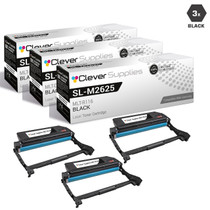
Samsung
Compatible Samsung SL-M2625D-DRUM Drum Cartridge 3 Black (MLT-R116-DRUM)
/>

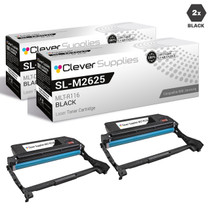
Samsung
Compatible Samsung SL-M2625D-DRUM Drum Cartridge 2 Black (MLT-R116-DRUM)
/>

Samsung
Compatible Samsung SL-M2625D-DRUM Drum Cartridge 10 Black (MLT-R116-DRUM)
/>

Samsung
Compatible Samsung SL-M2625D-DRUM Drum Cartridge 5 Black (MLT-R116-DRUM)
/>