






 See Compatible Printers
 Read more about our ink!
Samsung
Compatible Samsung SL-M2625D-DRUM Drum Cartridge 2 Black (MLT-R116-DRUM)

Amazon Price:

- Page Yield:
- Black:9000
- Availability:
- In Stock
- Shipping:
- Free Shipping
- Compatible Printers
- SL-M2835DW
- SL-M2885FW
- M2626
- M2676
- M2826
- M2835 DW
- M2875
- M2875 DW
- M3065FW
- SL-M2625D
- SL-M2675F
- SL-M2825DW
- SL-M2875DW
- SL-M2875FD
- SL-M2875FWi>
- SL-M2625
- SL-M2625DW
- SL-M2626
- SL-M2675
- SL-M2675FN
- SL-M2676
- SL-M2825
- SL-M2825ND
- SL-M2826
- SL-M2835
- SL-M2875
- SL-M2875FW
- SL-M2876
- SL-M2885
- Samsung-MLTD116L
- Xpress M2626
- Xpress M2676
- Xpress M2826
- Xpress M2835 DW
- Xpress M2875
- Xpress M2875 DW
- Xpress SL-M2625D
- Xpress SL-M2675F
- Xpress SL-M2825DW
- Xpress SL-M2875FD
- Xpress SL-M2875FW
- Specifications
- SKU:
- CS-Samsung-SL-M2625D-DRUM-2BK
- Printer Brand:
- Samsung
- OEM Number:
- MLT-R116-DRUM
- Ink Color:
- Black
- Page Yield:
- Black:9000
- Printer Type:
- Laser Cartridge
- Description
- Reviews

/> 

Clever Supplies brand products are made in the USA! Why pay more for cheaper product with a high defective rate? You will end up having to send it back to the manufacturer. Get a quality product that you KNOW will work. Purchase the Clever Supplies Products Compatible for Samsung SL-M2625D-DRUM (MLT-R116-DRUM) Drum Cartridge 2 Black and experience the difference! All Clever Supplies brand products are backed by '100% Quality Satisfaction' 1 year warranty against defects in materials and workmanship for all toner products. Free tech support for a Clever Supplies problems for all Clever Supplies brand products. The use of Clever Supplies brand replacement laser toner cartridges and supplies does not void printer warranty. Premium Quality Replacement Toner Cartridge is made by ISO9001 Certified Factory to Meet or Exceed OEM Standards. These units are manufactured 100% brand new with all new parts including OPC drums, wiper blades, a smart chip and other internal parts, they are an economical alternative to expensive OEM MLT-R116-DRUM, Compatible Toner Cartridges. This is a Compatible for Samsung SL-M2625D-DRUMDrum Cartridge 2 Black guaranteed to perform with Samsung Laser Printers. It replaces the original Samsung SL-M2625D-DRUM toner cartridge MLT-R116-DRUM 2 Black. The compatible replacement for MLT-R116-DRUM. We offer a 100% Quality Satisfaction Guarantee on our Compatible for MLT-R116-DRUM Laser Toner Cartridges and supplies. For use in the following printers: SL-M2625D, SL-M2675F, SL-M2825DW, SL-M2835DW, SL-M2875FD, SL-M2875FW, SL-M2885FW, Xpress SL-M2625D, Xpress SL-M2675F, Xpress SL-M2825DW, Xpress SL-M2875FD, Xpress SL-M2875FW, Xpress M2626, Xpress M2676, Xpress M2826, Xpress M2835 DW, Xpress M2875, Xpress M2875 DW
Frequently Asked Questions
Why would I keep a spare drum on the shelf at all?
Because a worn drum does not fail politely. Toner runs out on a predictable curve, but an imaging unit announces itself through ruined output — streaked invoices, gray-shaded letters, pages you have to reprint. With a second MLT-R116 boxed in the cupboard, that day costs you ten minutes and a unit swap. Without one, it costs the same ten minutes plus however long delivery takes, with the printer producing substandard pages in between. The two-pack exists for people who would rather hold the spare than wait for it.
What does each drum in this two-pack work out to?
$73.50 a unit. A single MLT-R116 is $82.75, so two bought together at $147.00 keep $18.50 in the budget against buying them one at a time. Between them the pair carries 18,000 pages of drum life — about 0.82 cents per page of imaging, down from roughly 0.92 cents at the single price. The units themselves are identical whichever way they are bought; only the price of acquiring them moves.
Does the spare drum age while it waits its turn?
Not in any way that should worry a normal stockroom. Keep the second MLT-R116 sealed in its packaging, stored flat somewhere dry and away from strong light — the imaging surface is light-sensitive, which is a storage instruction rather than a countdown. Fit the older unit first when the time comes and the rotation takes care of itself. There is no toner inside to settle or dry out; a drum is a mechanical surface, not a perishable.
How will I know the fitted drum has reached the end of its life?
Your printer tracks drum pages and will flag the imaging unit when its rated life is used up. Treat the message as a prompt to check the output rather than an emergency: the honest test is the page itself. Background shading that a new toner did not cure, marks repeating down the sheet, prints turning pale and gray — those are the surface telling you its 9,000 pages are spent, and that is when the shelf spare earns its place.
Which machines do these two units serve?
Both are MLT-R116 drums, the imaging unit for the Xpress family this listing is drawn from — the SL-M2625D at its center, alongside the SL-M2835DW, SL-M2885FW, SL-M2675F, SL-M2825DW and SL-M2875FD. One code covers all six, so a household or office running two different models from that list can hold this single spare for either machine.
What cover stands behind the pair?
Each MLT-R116 in the box carries the same protection as one bought alone: a year's warranty against defects, and returns free of charge across the first twelve months if a unit disappoints. Orders are dispatched from our warehouses in IL, PA, GA and CA, and the support line is open Monday to Friday, 9 AM to 5 PM CST for anything the swap raises.
We run two printers from this family — how should the pair of drums be allocated?
Hold both units centrally rather than assigning one to each machine in advance. A drum is fitted when a printer's output says so, not on a rota, so keep the MLT-R116 pair in one known place and take a unit to whichever machine — SL-M2625D or a sibling — shows the gray, streaked output first. Mark the remaining box with the date and machine when one is used.
After fitting the shelf spare, what proves the swap actually fixed the problem?
Reprint the page that condemned the old drum. Keep one badly printed sheet from before the change, fit the fresh MLT-R116, and run the identical document: if the gray shading and repeating marks are gone from the same content, the surface was the cause. If they persist identically, the fault lies elsewhere and you have learned that cleanly too.
The spare drum has just gone into the printer — what should be ordered, and when?
That same day. The moment the second MLT-R116 leaves the shelf, the cupboard is empty and the next drum problem — on either machine the pair covers — becomes a delivery wait again. Reordering while the newly fitted drum has its whole 9,000-page life ahead of it means the replacement spare arrives with no time pressure attached at all.
How long should the removed drum be kept before it is disposed of?
Until the replacement has printed cleanly through several days of real work. Box the old MLT-R116 and keep it somewhere dark in the meantime; if the new unit disappoints early, the removed one is your evidence of what the output looked like before. Once the swap is proven, the worn unit can go out through a local recycling route.
About This MLT-R116 Drum Two-Pack
Two compatible MLT-R116 imaging units for $147.00 — $73.50 each, 18,000 pages of combined drum life, and $18.50 saved against the single-unit price. One goes in the printer, one waits sealed against the day the prints turn gray; each serves the SL-M2625D and its Xpress relatives, working with the MLT-D116L and MLT-D116S toner cartridges those machines take. More of the platform's supplies are gathered in the Samsung toner range, and the returns detail lives on the shipping and returns page.
Related Items
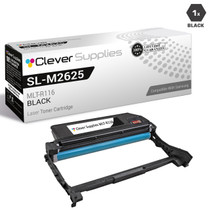
Samsung
Compatible Samsung SL-M2625D-DRUM Drum Cartridge Black (MLT-R116-DRUM)
/>

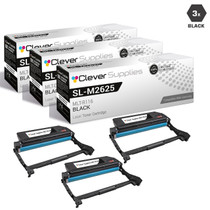
Samsung
Compatible Samsung SL-M2625D-DRUM Drum Cartridge 3 Black (MLT-R116-DRUM)
/>

Samsung
Compatible Samsung SL-M2625D-DRUM Drum Cartridge 10 Black (MLT-R116-DRUM)
/>

Samsung
Compatible Samsung SL-M2625D-DRUM Drum Cartridge 5 Black (MLT-R116-DRUM)
/>