




SL-M2675
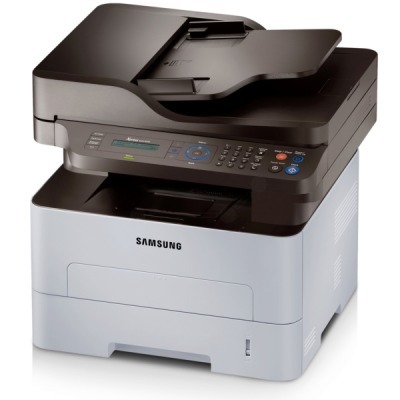
The Samsung SL-M2675 brings multifunction capability to the '5/6' workgroup platform: print, scan, and copy with the durability a shared office machine requires. Small teams get a true workhorse, not a stretched home printer.
The MLT-D116S standard cartridge covers everyday use; the MLT-D116L high-yield stretches further. We stock both in compatible and genuine Samsung OEM form, shipping fast from Clever Supplies.
Toner Cartridges for SL-M2675
This printer works with the following toner cartridges:
- Samsung MLT-D116S
- Samsung MLT-D116L
More Samsung Printers
- SL-M2625
- SL-M2625D
- SL-M2626
- SL-M2676
- SL-M2825
- SL-M2825DW
- SL-M2825ND
- SL-M2826
- SL-M2875
- SL-M2875FD
- SL-M2875FW
- SL-M2876
- SL-M2835
- SL-M2835DW
- SL-M2885FW
- SL-M2675F
- SL-M2885
- SL-M2625DW
- SL-M2675FN
- Xpress SL-M2625D
- Xpress SL-M2675F
- Xpress SL-M2825DW
- Xpress SL-M2875FD
- Xpress SL-M2875FW
- Xpress M2626
- Xpress M2676
- Xpress M2826
- Xpress M2835 DW
- Xpress M2875
- Xpress M2875 DW
Frequently Asked Questions
My SL-M2675 will not print after I changed the toner, and what steps reset the error on this model?
The SL-M2675 reads a small chip on the MLT-D116S, so anything blocking that contact — toner dust, a missed pull-tab — triggers an error. Power the printer off, remove the cartridge, check that all shipping seals and tabs are gone, wipe the chip contacts gently, and reinstall firmly. A careful reinstall beats a support call almost every time.
Which replacement cartridge is compatible with the SL-M2675 — is there just one cartridge type for everyday use?
The SL-M2675 takes the MLT-D116S / MLT-D116L cartridges — look for the MLT-D116S or MLT-D116L code printed on the box. If a listing does not show the exact MLT-D116S or MLT-D116L code, do not buy it for the SL-M2675 — close-looking codes are not interchangeable. One careful look at the code saves the hassle of a wrong-cartridge return.
My SL-M2675 is not warning me about low toner — is it in the driver or on the machine itself without opening it up?
The most reliable check is the supplies status page, which the SL-M2675 can print from its menu without a computer. Estimated levels are approximate by design, so keep a spare MLT-D116S once the gauge drops into the low zone. That habit keeps an empty cartridge from ever catching you off guard.