




SL-M2826
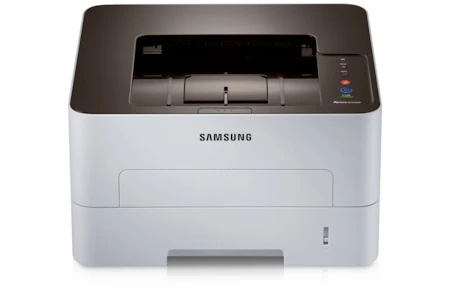
The Samsung SL-M2826 is a regional variant of the 2825-series workgroup mono laser, with the same fast single-function engine. Busy small offices get consistent, crisp output under a different model code.
It runs on the MLT-D116S standard cartridge or MLT-D116L high-yield. Our compatible versions save money; genuine OEM versions stay original. Fast shipping from Clever Supplies. For imaging, the SL-M2826 relies on the MLT-R116 drum unit, a separate long-life part rated near 9,000 pages.
Toner Cartridges for SL-M2826
This printer works with the following toner cartridges:
- Samsung MLT-D116S
- Samsung MLT-D116L
More Samsung Printers
- SL-M2625
- SL-M2625D
- SL-M2626
- SL-M2675
- SL-M2676
- SL-M2825
- SL-M2825DW
- SL-M2825ND
- SL-M2875
- SL-M2875FD
- SL-M2875FW
- SL-M2876
- SL-M2835
- SL-M2835DW
- SL-M2885FW
- SL-M2675F
- SL-M2885
- SL-M2625DW
- SL-M2675FN
- Xpress SL-M2625D
- Xpress SL-M2675F
- Xpress SL-M2825DW
- Xpress SL-M2875FD
- Xpress SL-M2875FW
- Xpress M2626
- Xpress M2676
- Xpress M2826
- Xpress M2835 DW
- Xpress M2875
- Xpress M2875 DW
Frequently Asked Questions
My SL-M2826 offers two cartridge sizes — what actually differs inside the cartridge if I print a lot?
The MLT-D116S is the standard-yield cartridge and the MLT-D116L is the high-yield version; both fit the SL-M2826 and print identically. There is no compatibility risk either way: the SL-M2826 accepts both yields without any settings change. Pick by volume and you will land on the right one.
My SL-M2826 leaves a faint gray film on every page — is it a drum issue or a toner issue?
That all-over gray film is the classic signature of a tired drum or a failing cleaning blade inside the SL-M2826. Try a new MLT-D116S if the current one is very old, since degraded toner can contribute — but if the haze survives a cartridge swap, the drum is the answer. Backgrounding only gets worse with time, so plan the drum replacement rather than living with it.
How should I handle the old cartridge when replacing toner in the SL-M2826, and where does the used cartridge go during the swap?
Toner spills are almost always caused by rushing, so give yourself a clear workspace and handle the old cartridge gently. Slide the new cartridge into the SL-M2826 along its rails until it clicks; forcing it means it is misaligned, not stuck. Done this way, a cartridge change leaves no trace behind.