




SL-M2625D
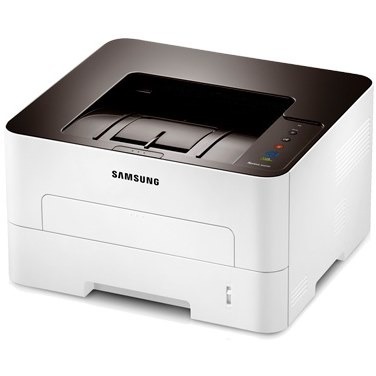
Automatic duplexing joins the workgroup formula in Samsung's SL-M2625D, halving paper consumption for offices that print double-sided by default. A practical upgrade with a direct impact on supply costs.
The cartridge is the MLT-D116S standard or MLT-D116L high-yield. Our compatible cartridges are the value route; genuine OEM cartridges are the factory route. Fast shipping from Clever Supplies.
Toner Cartridges for SL-M2625D
This printer works with the following toner cartridges:
- Samsung MLT-D116S
- Samsung MLT-D116L
More Samsung Printers
- SL-M2625
- SL-M2626
- SL-M2675
- SL-M2676
- SL-M2825
- SL-M2825DW
- SL-M2825ND
- SL-M2826
- SL-M2875
- SL-M2875FD
- SL-M2875FW
- SL-M2876
- SL-M2835
- SL-M2835DW
- SL-M2885FW
- SL-M2675F
- SL-M2885
- SL-M2625DW
- SL-M2675FN
- Xpress SL-M2625D
- Xpress SL-M2675F
- Xpress SL-M2825DW
- Xpress SL-M2875FD
- Xpress SL-M2875FW
- Xpress M2626
- Xpress M2676
- Xpress M2826
- Xpress M2835 DW
- Xpress M2875
- Xpress M2875 DW
Frequently Asked Questions
What makes text from the SL-M2625D come out lighter than usual?
A cartridge nearing empty is the most common cause, but drum wear on the SL-M2625D can mimic low toner exactly. When a new MLT-D116S does not solve it, inspect the drum surface for a worn, shiny look or visible scoring, which signals it is time for a fresh imaging unit. Either way, keep a spare MLT-D116S on hand so fading output never stalls your printing.
My SL-M2625D leaves a faint gray film on every page — is that too much toner or something else on text documents?
Background haze is a drum symptom far more often than a toner symptom; the MLT-D116S just supplies powder, the drum controls where it lands. First rule out the easy causes: print on fresh, dry paper and make sure the paper-type setting matches what is loaded. Fixing it at the drum level restores the crisp output the SL-M2625D is capable of.
How do I swap the toner in my SL-M2625D without making a mess, and how do I clean up if some escapes during the swap?
Keep the old cartridge upright as you remove it, because the waste chamber inside can dump powder if you flip it. Never touch the green drum surface or the metal contacts on the new cartridge — skin oils and scratches cause print defects. That routine keeps both your hands and your SL-M2625D clean.