






 See Compatible Printers
 Read more about our ink!
Samsung
Compatible Samsung Xpress SL-M2625D Drum Cartridge Black (MLT-R116-DRUM)

Amazon Price:

- Page Yield:
- Black:9000
- Availability:
- In Stock
- Shipping:
- Free Shipping
- Compatible Printers
- SL-M2835DW
- SL-M2885FW
- M2626
- M2676
- M2826
- M2835 DW
- M2875
- M2875 DW
- M3065FW
- SL-M2625D
- SL-M2675F
- SL-M2825DW
- SL-M2875DW
- SL-M2875FD
- SL-M2875FWi>
- SL-M2625
- SL-M2625DW
- SL-M2626
- SL-M2675
- SL-M2675FN
- SL-M2676
- SL-M2825
- SL-M2825ND
- SL-M2826
- SL-M2835
- SL-M2875
- SL-M2875FW
- SL-M2876
- SL-M2885
- Samsung-MLTD116L
- Xpress M2626
- Xpress M2676
- Xpress M2826
- Xpress M2835 DW
- Xpress M2875
- Xpress M2875 DW
- Xpress SL-M2625D
- Xpress SL-M2675F
- Xpress SL-M2825DW
- Xpress SL-M2875FD
- Xpress SL-M2875FW
- Specifications
- SKU:
- CS-Samsung-XpressSL-M2625D-DR-BK
- Printer Brand:
- Samsung
- OEM Number:
- MLT-R116-DRUM
- Ink Color:
- Black
- Page Yield:
- Black:9000
- Printer Type:
- Laser Cartridge
- Description
- Reviews

/> 

Clever Supplies brand products are made in the USA! Why pay more for cheaper product with a high defective rate? You will end up having to send it back to the manufacturer. Get a quality product that you KNOW will work. Purchase the Clever Supplies Products Compatible for Samsung SL-M2625D-DRUM (MLT-R116-DRUM) Drum Cartridge Black and experience the difference! All Clever Supplies brand products are backed by '100% Quality Satisfaction' 1 year warranty against defects in materials and workmanship for all toner products. Free tech support for a Clever Supplies problems for all Clever Supplies brand products. The use of Clever Supplies brand replacement laser toner cartridges and supplies does not void printer warranty. Premium Quality Replacement Toner Cartridge is made by ISO9001 Certified Factory to Meet or Exceed OEM Standards. These units are manufactured 100% brand new with all new parts including OPC drums, wiper blades, a smart chip and other internal parts, they are an economical alternative to expensive OEM MLT-R116-DRUM, Compatible Toner Cartridges. This is a Compatible for Samsung SL-M2625D-DRUMDrum Cartridge Black guaranteed to perform with Samsung Laser Printers. It replaces the original Samsung SL-M2625D-DRUM toner cartridge MLT-R116-DRUM Black. The compatible replacement for MLT-R116-DRUM. We offer a 100% Quality Satisfaction Guarantee on our Compatible for MLT-R116-DRUM Laser Toner Cartridges and supplies. For use in the following printers: SL-M2625D, SL-M2675F, SL-M2825DW, SL-M2835DW, SL-M2875FD, SL-M2875FW, SL-M2885FW, Xpress SL-M2625D, Xpress SL-M2675F, Xpress SL-M2825DW, Xpress SL-M2875FD, Xpress SL-M2875FW, Xpress M2626, Xpress M2676, Xpress M2826, Xpress M2835 DW, Xpress M2875, Xpress M2875 DW
Frequently Asked Questions
Why does my Xpress SL-M2625D need a second consumable at all?
Because Samsung built its imaging in two parts with two different lifespans. The toner cartridge holds the powder; the MLT-R116 drum is the light-sensitive surface each page is imaged onto. Powder runs out in thousands of pages, while the surface survives roughly three times as long — so instead of burying a fresh drum inside every cartridge and charging you for it each time, the design lets the drum stay in the machine across several toner changes and be replaced only when its surface is genuinely worn. This listing is that longer-lived half of the system.
What is the change rhythm between toner and drum on this printer?
About three to one. Fit an MLT-D116L high-yield toner and it images for some 3,000 pages; the MLT-R116 behind it is rated for 9,000, so expect toner, toner, toner, then drum. With the standard MLT-D116S the cartridges turn over faster and the drum outlasts more of them. The practical habit this creates: when you are fitting a third toner and the prints have started to streak or shade, order the drum alongside it rather than being surprised mid-cartridge.
Our prints have developed lines that a new toner did not remove — is this the cure?
That sequence — defect appears, toner is changed, defect stays — is the standard drum story. The MLT-R116's surface is what every page is formed on, so a scratch, a worn band or a tired coating prints its flaw onto sheet after sheet regardless of how fresh the powder in front of it is. Lines, repeating marks and gray background film that survive a cartridge swap are the surface reporting its age, and a new imaging unit is what answers them.
Which Xpress models take this drum?
This listing is titled for the Xpress SL-M2625D, and the MLT-R116 is the one imaging unit for the SL-M2835DW, SL-M2885FW, SL-M2675F, SL-M2825DW and SL-M2875FD too. Check the stamp on the unit you slide out: if it reads MLT-R116, this drum replaces it in any of those machines.
Is the swap something I can do at my desk?
Yes — it follows the same access path as a toner change and needs no tools. Two cautions are worth the ten seconds they take: the drum surface is light-sensitive, so unwrap the MLT-R116 when you are ready to fit it rather than leaving it open on a bright desk, and handle it by its frame so your fingers stay off the imaging surface. The toner cartridge you already own goes back in front of the new drum and finishes its own life there.
What warranty and returns apply to this unit?
A one-year warranty covers the drum, and returns are free of charge at any point in that first year — the details are on the shipping and returns page. It ships from the nearest of our IL, PA, GA and CA warehouses, with support available Monday to Friday, 9 AM to 5 PM CST.
I keep nearly ordering toner by mistake — how do I make sure I get the drum?
Read the code letter, not just the numbers. The drum is the MLT-R116; the toner cartridges are the MLT-D116L and MLT-D116S. That R-versus-D difference is the whole distinction between the imaging surface and the powder supply, and quoting the full MLT-R116 code when you order removes any chance of the wrong half of the system arriving.
Can I buy the drum ahead of time and keep it until the old one gives out?
Yes, and on a printer whose drum fault always seems to arrive mid-job, a shelf spare is sensible. Keep the MLT-R116 sealed in its box, stored flat and out of strong light — the surface is light-sensitive, so the wrapping stays on until the day you fit it. Handled that way, a drum bought months early fits and prints like one bought yesterday.
What should the first pages look like after the new drum goes in?
The faults that condemned the old unit should simply not be there: no repeating marks, no lines that survive from page to page, no gray film behind the text. Judge it over several ordinary pages rather than one, with your existing toner refitted in front of the new MLT-R116 finishing its own life as normal.
What do I do with the old imaging unit once it is out?
Treat it as recyclable electronic waste rather than household trash. The spent MLT-R116 holds no toner, but its coated surface belongs in a cartridge-recycling or e-waste stream, and most workplaces already have one for toner empties. Dropping the old drum into that same collection as you fit the new one keeps the swap a single tidy job.
About This MLT-R116 Drum Unit for the Xpress SL-M2625D
One compatible MLT-R116 imaging unit, $82.75 — 9,000 pages of rated drum life at roughly 0.92 cents a page, the long-lived half of the Xpress SL-M2625D's two-part imaging system. It contains no toner; it restores the clean surface your MLT-D116L or MLT-D116S cartridge images onto, and it is the same unit used by the five sibling models listed above. Their shared supplies are collected in the Samsung toner range.
Related Items
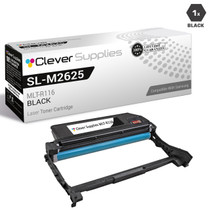
Samsung
Compatible Samsung SL-M2625D-DRUM Drum Cartridge Black (MLT-R116-DRUM)
/>

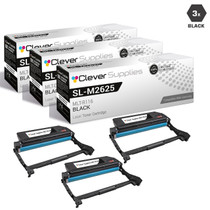
Samsung
Compatible Samsung SL-M2625D-DRUM Drum Cartridge 3 Black (MLT-R116-DRUM)
/>
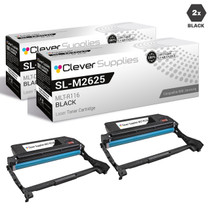
Samsung
Compatible Samsung SL-M2625D-DRUM Drum Cartridge 2 Black (MLT-R116-DRUM)
/>

Samsung
Compatible Samsung SL-M2625D-DRUM Drum Cartridge 10 Black (MLT-R116-DRUM)
/>