




SL-M2875FW
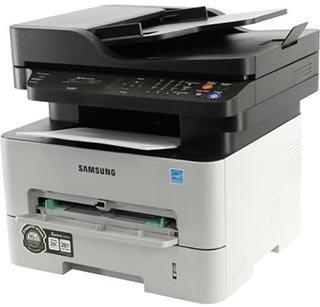
The SL-M2875FW is Samsung's fully connected workgroup multifunction: print, scan, copy, fax, and wireless in one durable mono unit. Every desk in the office can reach every function.
The MLT-D116S standard or MLT-D116L high-yield cartridge keeps it running. Compatible or genuine OEM, both ship fast from Clever Supplies.
Toner Cartridges for SL-M2875FW
This printer works with the following toner cartridges:
- Samsung MLT-D116S
- Samsung MLT-D116L
More Samsung Printers
- SL-M2625
- SL-M2625D
- SL-M2626
- SL-M2675
- SL-M2676
- SL-M2825
- SL-M2825DW
- SL-M2825ND
- SL-M2826
- SL-M2875
- SL-M2875FD
- SL-M2876
- SL-M2835
- SL-M2835DW
- SL-M2885FW
- SL-M2675F
- SL-M2885
- SL-M2625DW
- SL-M2675FN
- Xpress SL-M2625D
- Xpress SL-M2675F
- Xpress SL-M2825DW
- Xpress SL-M2875FD
- Xpress SL-M2875FW
- Xpress M2626
- Xpress M2676
- Xpress M2826
- Xpress M2835 DW
- Xpress M2875
- Xpress M2875 DW
Frequently Asked Questions
Which replacement cartridge is compatible with the SL-M2875FW — do color cartridges exist for it before I order?
Only the MLT-D116S or MLT-D116L codes are made for the SL-M2875FW; cartridges for other Samsung families will not seat correctly. Both yield options use the same slot and the same installation steps, so the choice comes down to how much you print. Buying by exact code is the single best way to avoid a return.
Text from my SL-M2875FW smudges when I rub it — is that a fuser problem or bad toner?
When toner sits on the surface instead of melting into the fibers, the fuser — the hot roller at the SL-M2875FW's output — is the prime suspect. If plain paper also smudges with a fresh MLT-D116S installed, the fuser itself is probably failing and needs service or replacement. Correct media settings make the whole problem vanish in most cases.
Why does my SL-M2875FW need both toner and a drum unit, and how does each one affect print quality when pages start looking bad?
Your SL-M2875FW treats them as two independent consumables: the MLT-D116S runs out of powder, while the drum slowly loses its coating. If print quality drops right after installing a new cartridge, the cartridge is the likely culprit; if it degrades slowly over months, look at the drum. Keep the two roles straight and troubleshooting gets much simpler.