






 See Compatible Printers
 Read more about our ink!
Samsung
Compatible Samsung SL-M2825DW DRUM Drum Cartridge Black (MLT-R116-DRUM)

Amazon Price:

- Page Yield:
- Black:9000
- Availability:
- In Stock
- Shipping:
- Free Shipping
- Compatible Printers
- SL-M2835DW
- SL-M2885FW
- M2626
- M2676
- M2826
- M2835 DW
- M2875
- M2875 DW
- M3065FW
- SL-M2625D
- SL-M2675F
- SL-M2825DW
- SL-M2875DW
- SL-M2875FD
- SL-M2875FWi>
- Specifications
- SKU:
- CS-Samsung-SL-M2825DW-DR-BK
- Printer Brand:
- Samsung
- OEM Number:
- MLT-R116-DRUM
- Ink Color:
- Black
- Page Yield:
- Black:9000
- Printer Type:
- Laser Cartridge
- Description
- Reviews

/> 
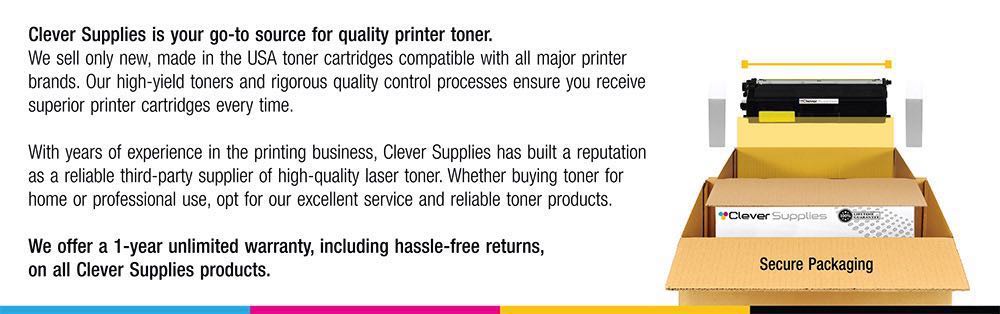
Clever Supplies brand products are made in the USA! Why pay more for cheaper product with a high defective rate? You will end up having to send it back to the manufacturer. Get a quality product that you KNOW will work. Purchase the Clever Supplies Products Compatible for Samsung SL-M2825DW-DRUM (MLT-R116-DRUM) Drum Cartridge Black and experience the difference! All Clever Supplies brand products are backed by '100% Quality Satisfaction' 1 year warranty against defects in materials and workmanship for all toner products. Free tech support for a Clever Supplies problems for all Clever Supplies brand products. The use of Clever Supplies brand replacement laser toner cartridges and supplies does not void printer warranty. Premium Quality Replacement Toner Cartridge is made by ISO9001 Certified Factory to Meet or Exceed OEM Standards. These units are manufactured 100% brand new with all new parts including OPC drums, wiper blades, a smart chip and other internal parts, they are an economical alternative to expensive OEM MLT-R116-DRUM, Compatible Toner Cartridges. This is a Compatible for Samsung SL-M2625D-DRUMDrum Cartridge Black guaranteed to perform with Samsung Laser Printers. It replaces the original Samsung SL-M2625D-DRUM toner cartridge MLT-R116-DRUM Black. The compatible replacement for MLT-R116-DRUM. We offer a 100% Quality Satisfaction Guarantee on our Compatible for MLT-R116-DRUM Laser Toner Cartridges and supplies. For use in the following printers: SL-M2625D, SL-M2675F, SL-M2825DW, SL-M2835DW, SL-M2875FD, SL-M2875FW, SL-M2885FW, Xpress SL-M2625D, Xpress SL-M2675F, Xpress SL-M2825DW, Xpress SL-M2875FD, Xpress SL-M2875FW, Xpress M2626, Xpress M2676, Xpress M2826, Xpress M2835 DW, Xpress M2875, Xpress M2875 DW
Frequently Asked Questions
My SL-M2825DW is showing an imaging unit message — what is it asking for?
A new drum. The printer counts the pages imaged on the MLT-R116 unit inside it, and when that count reaches the rated 9,000 pages it tells you the surface is at the end of its planned life. The message is about wear, not toner: the drum is the cylinder every page is formed on, and after that much work its surface no longer holds an image as cleanly as it did. This listing is that replacement unit — the toner cartridge is a separate part and is not what the message refers to.
Can I just keep printing through the message?
For a while, and many people do — but understand what you are accepting. The counter is an estimate, yet the wear behind it is real: output drifts greyer, background shading creeps in, marks start repeating down the page, and reprints quietly eat the saving. Clearing the message without changing the MLT-R116 does not restore the surface; it only silences the messenger. When the pages themselves start embarrassing you, the drum is the fix, and it is a ten-minute one.
How do the drum and the toner divide the work in this machine?
The toner cartridge — an MLT-D116L high-yield or the standard MLT-D116S — supplies the powder. The MLT-R116 drum supplies the precision surface the image is written onto before that powder is transferred and fused. They are consumed on different clocks: roughly three high-yield toners are used up inside one drum's life, which is why Samsung made them separate parts. You change the toner when pages fade evenly; you change the drum when the defects are structural — streaks, repeating spots, grey film.
Is fitting the replacement a job I can do myself?
Easily, and no tools are involved. The unit slides out and the new MLT-R116 slides in along the same path your toner changes already use. Two habits matter: keep the new drum in its wrapping until the moment of fitting, because the imaging surface is light-sensitive, and keep your fingers off that smooth green surface once it is unwrapped — a fingerprint there will print on everything. Your existing toner cartridge goes back in and carries on.
Does this drum fit anything beyond the SL-M2825DW?
The MLT-R116 is the shared imaging unit for this Xpress family: alongside the SL-M2825DW it serves the SL-M2835DW, SL-M2885FW, SL-M2625D, SL-M2675F and SL-M2875FD. If the unit that comes out of any of those machines is marked MLT-R116, this is the drum that replaces it.
What cover do I get with the unit?
A one-year warranty stands behind it, and returns run free for the whole of that first year — the terms are laid out on the shipping and returns page. Support answers Monday to Friday, 9 AM to 5 PM CST, and orders ship from the nearest of our warehouses in IL, PA, GA and CA.
About This MLT-R116 Drum Unit for the SL-M2825DW
A single compatible MLT-R116 imaging unit, $82.75 — 9,000 pages of rated drum life at about 0.92 cents a page, the surface an SL-M2825DW forms its images on. It arrives with no toner in it because it needs none: your MLT-D116L or MLT-D116S cartridge works in front of it, and fitting the fresh drum is what answers the imaging unit message and the grey, streaked pages behind it. Sibling models and their supplies are gathered in the Samsung toner range.
Related Items

Samsung
Compatible Samsung SL-M2835DW DRUM Drum Cartridge Black (MLT-R116-DRUM)
/>


Samsung
Compatible Samsung SL-M2885FW DRUM Drum Cartridge Black (MLT-R116-DRUM)
/>

Samsung
Compatible Samsung SL-M2875FD DRUM Drum Cartridge Black (MLT-R116-DRUM)
/>

Samsung
Compatible Samsung SL-M2875FW DRUM Drum Cartridge Black (MLT-R116-DRUM)
/>