




LaserJet Enterprise MFP M630f
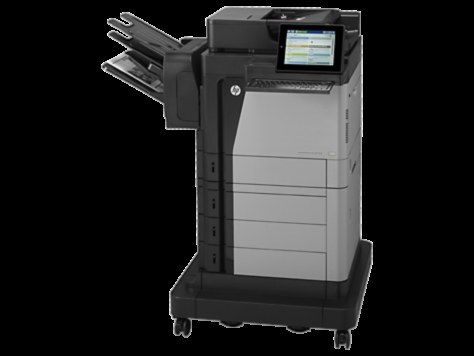
The LaserJet Enterprise MFP M630f is HP's mono multifunction for everyday office document printing — a machine whose staying power comes from simple mechanics and consistently clean output rather than novelty. Its cartridge is from HP's 81A family: the CF281A as the standard fill, with the high-yield CF281X (81X) for offices that print in real volume. MICR versions of the standard cartridge and listings named for the M604, M605 and M606 family members round out this page.
Most M630f machines live unglamorous, useful lives: the shared MFP at the end of the corridor that prints the packing slips, scans the signed forms and copies the agendas. That role rewards a printer whose supplies are boring — one black cartridge family, shared with the department's single-function printers, so the stockroom never has to guess. When the whole floor's document work flows through one machine, the cartridge conversation is really about uptime: keeping a spare within arm's reach.
Toner Cartridges for LaserJet Enterprise MFP M630f
Standard cartridges:
High-yield cartridges:
MICR cartridges for check printing:
- CF281A MICR single cartridge
- CF281A MICR 2 Pack
- CF281A MICR 3 Pack
- CF281A MICR 5 Pack
- CF281A MICR 10 Pack
Listings named for individual printers in this family:
- CF281A MICR — M630z listing
- CF281A MICR — M630f listing
- CF281A MICR — M630dn listing
- CF281A MICR — M630h listing
- CF281A MICR — M604dn listing
- CF281A MICR — M604n listing
- CF281A MICR — M605dn listing
- CF281A MICR — M605n listing
- CF281A MICR — M605x listing
- CF281A MICR — M606dn listing
- CF281A MICR — M606x listing
- CF281X — M630z listing
- CF281X — M630f listing
- CF281X — M630dn listing
- CF281X — M630h listing
- CF281X — M604dn listing
- CF281X — M604n listing
- CF281X — M605dn listing
- CF281X — M605n listing
- CF281X — M605x listing
- CF281X — M606dn listing
- CF281X — M606x listing
Which cartridge should you buy?
Volume decides. An M630f handling a modest daily trickle is well served by the standard CF281A, bought as a 2 pack so the spare is already in the building. Where the machine anchors a department, the high-yield CF281X stretches the interval between changes and brings the cost per page down — that trade matters more the more you print. Facilities teams often standardize on the 10 packs of whichever capacity they choose, because a shared MFP that stops for toner stops everyone. The MICR listings are a separate, specialist line for check runs; order them only if your office prints checks.
Chip, toner and everyday use
Watch the warnings in sequence: the first toner-low message is a planning signal, not a verdict — there is still useful printing left, and pages fade only near the very end. Swap the cartridge when output actually lightens, not at the first alert, and you will get the full life out of every unit. Pull the sealing tape completely, seat the new cartridge firmly so the chip reads, and print a test page before sending the queue through. Spares belong sealed and flat in a cool cupboard; a cartridge stored upright against a hot wall will not thank you for it.
Frequently Asked Questions
What toner does the LaserJet Enterprise MFP M630f take?
The CF281A as its standard cartridge, with the high-yield CF281X as the bigger option — both from the same family, both made for this machine. Codes from other HP families will not fit.
When should I replace the toner — at the warning or when pages fade?
When pages fade. The low warning on the CF281A arrives early and still leaves room to print, so use it to order the spare, then run the old cartridge until quality visibly drops before changing it.
Can I switch between the standard and high-yield cartridges freely?
Yes. Both capacities belong to this printer's family, so you can run a CF281X after a standard cartridge — or the reverse — with no settings to change. Pick per order based on how busy the machine has been.
Is there a separate drum unit to replace on the M630f?
Nothing on this page's shelf is a drum for the M630f — the cartridge is the only supply this machine asks you to change. When output finally fades for good, a fresh cartridge is the whole fix.
More printers that use the same cartridges
Every model in this family takes the same two cartridges:
- LaserJet MFP M630z
- LaserJet MFP M630z
- LaserJet MFP M630h
- LaserJet MFP M630f
- LaserJet MFP LaserJet M630dn
- LaserJet M630h
- LaserJet M630f MFP
- LaserJet M630dn MFP
- LaserJet M630dn
- LaserJet M606x MFP
- LaserJet M606x
- LaserJet M606dn
- LaserJet M605x
- LaserJet M605n
- LaserJet M605dn
- LaserJet M605dh
- LaserJet M604n
- LaserJet M604dn
- LaserJet Enterprise M605dn
- LaserJet Enterprise M604dn
- LaserJet Enterprise Flow MFP M630z