




LaserJet M604n
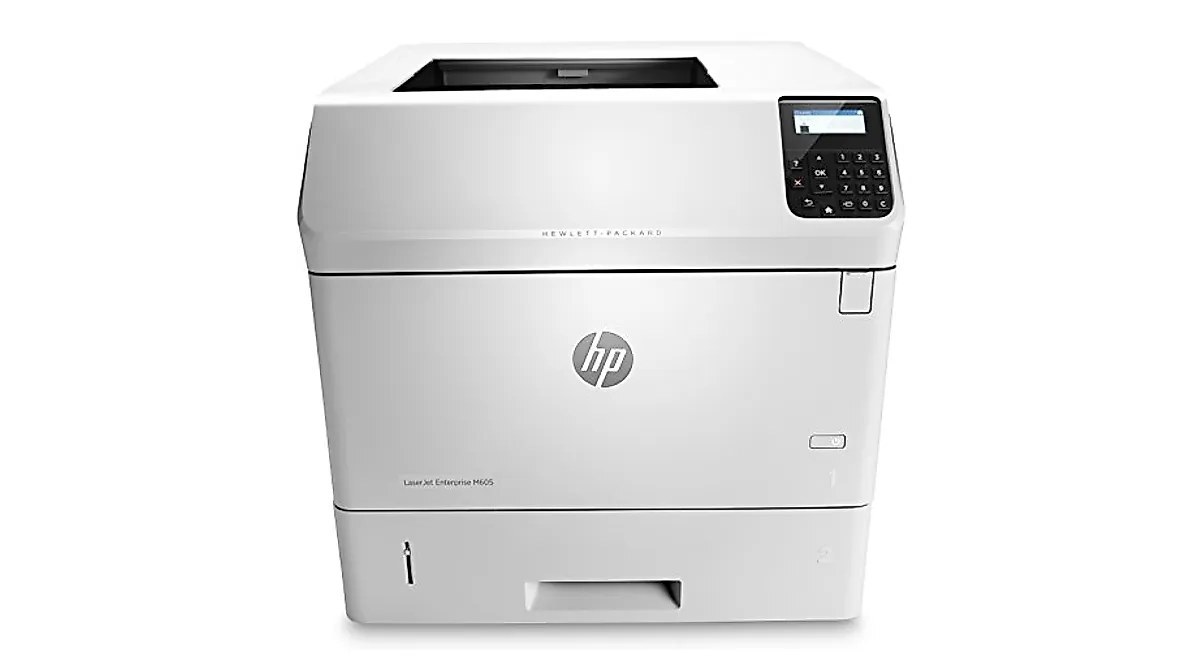
The LaserJet M604n is the networked workhorse configuration of HP's Enterprise 600 line: fast monochrome printing, shared over Ethernet by a whole workgroup. It runs on the standard-yield CF281A black cartridge, stocked on this page as an 81A single and in multi-packs up to a 10-pack, with MICR versions of the same cartridge for check printing. HP also rates this printer for the high-yield CF281X, but that cartridge is not stocked on this page — every listing below is the standard cartridge or its MICR twin.
A shared departmental printer lives or dies by uptime, and toner is the one consumable that can stop it cold. Because the M604n sits on the network rather than on one desk, its cartridge is best treated as a stocked supply item: one in the machine, one sealed on the shelf. The whole Enterprise 600 and M630 family runs on this same cartridge, so a single shelf stock can cover several different machines in the same fleet.
Toner Cartridges for LaserJet M604n
| Cartridge | Color | Page Yield |
|---|---|---|
| CF281A single cartridge | Black | See product page |
| CF281A 2-pack | Black | See product page |
| CF281A 3-pack | Black | See product page |
| CF281A 5-pack | Black | See product page |
| CF281A 10-pack | Black | See product page |
| CF281A 4-pack, alternate listing | Black | See product page |
The MICR range below uses magnetic toner for printing checks and other bank-read documents; it is the same cartridge fit, loaded with MICR toner:
| Cartridge | Color | Page Yield |
|---|---|---|
| CF281A MICR single cartridge | Black | See product page |
| CF281A MICR 2-pack | Black | See product page |
| CF281A MICR 3-pack | Black | See product page |
| CF281A MICR 5-pack | Black | See product page |
| CF281A MICR 10-pack | Black | See product page |
| CF281A MICR, M604n listing | Black | See product page |
This page also carries MICR listings named for the sibling machines that share this cartridge: M630z-MICR listing, M630f-MICR listing, M630dn-MICR listing, M630h-MICR listing, M604dn-MICR listing, M605dn-MICR listing, M605n-MICR listing, M605x-MICR listing, M606dn-MICR listing, M606x-MICR listing.
Which cartridge should you buy?
On this page the choice is about pack size rather than yield tier. A single cartridge suits a lightly used M604n, but a networked machine that serves a whole group is better matched to the 3-, 5- or 10-packs, which keep a spare within reach and cut down repeat ordering. If your volumes regularly outgrow the standard cartridge, the high-yield CF281X fits this printer as well, though it is not part of this page's range. Choose the MICR listings only when the printer produces checks; for everyday documents the standard cartridge is the right fill. Every compatible cartridge sold here carries a 1-year warranty and 1-year returns.
Chip, toner and everyday use
Compatible cartridges for this printer carry a chip that reports toner levels to the machine. If a new cartridge is not recognized, pull it out and reseat it firmly, and check that every seal and pull tab was removed before it went in. When output starts to fade, rock the cartridge gently from side to side to level the toner inside — that often recovers even coverage for a while. Keep spares sealed, flat and away from heat and direct light, and rotate stock so the oldest cartridge goes in first.
Frequently Asked Questions
Which toner cartridge does the LaserJet M604n use?
It takes the CF281A standard cartridge, and HP also rates it for the high-yield CF281X. This page stocks the standard cartridge only, in singles, multi-packs and MICR versions.
Do I need to replace a separate drum unit in the M604n?
No. The imaging drum is built into each cartridge, so fitting a fresh cartridge renews the drum at the same time. Nothing else on the toner side needs scheduled replacement.
What are the MICR versions of the cartridge for?
The MICR listings use magnetic toner so the printer can produce checks whose routing lines scanners can read. They fit and install exactly like the standard cartridge.
Why is output from my M604n faded or streaky?
That usually points to a cartridge that is running low or whose toner has settled unevenly. Level the toner with a gentle side-to-side rock; if the pages stay faded, the cartridge is ready to replace.
More printers that use the same cartridges
The same cartridge family serves the whole Enterprise 600 range and the M630 multifunctions, so toner bought for the M604n also fits these machines:
LaserJet Enterprise Flow MFP M630z, LaserJet Enterprise M604dn, LaserJet Enterprise M605dn, LaserJet Enterprise MFP M630f, LaserJet M604dn, LaserJet M605dh, LaserJet M605dn, LaserJet M605n, LaserJet M605x, LaserJet M606dn, LaserJet M606x, LaserJet M606x MFP, LaserJet M630dn, LaserJet M630dn MFP, LaserJet M630f MFP, LaserJet M630h, LaserJet MFP LaserJet M630dn, LaserJet MFP M630f, LaserJet MFP M630h, LaserJet MFP M630z, LaserJet MFP M630z.