




LaserJet M605dh
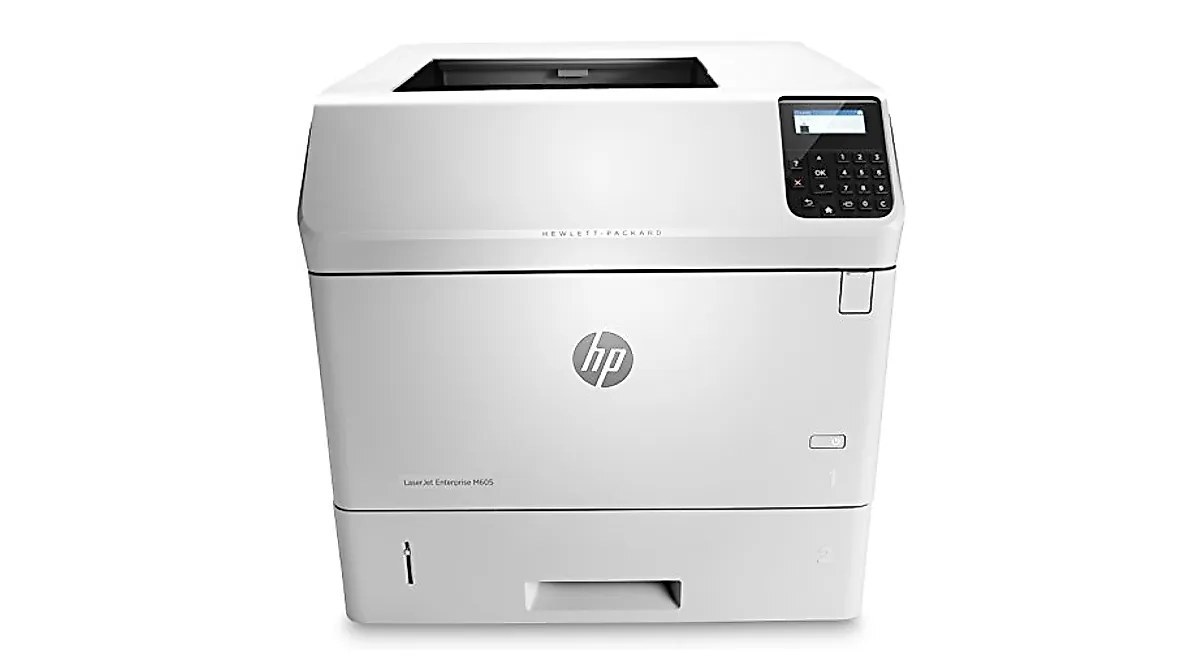
The LaserJet M605dh pairs a fast monochrome print engine with the security and manageability extras the H in its name points to — a configuration aimed squarely at IT-managed offices. Its cartridges come from the HP 81 lineup: the standard black HP 81A (CF281A) or the longer-running HP 81X (CF281X), and this page stocks both yields as 4-packs, so a managed fleet can standardize its supply run on a single visit.
Managed environments value predictability above almost everything. When a printer sits under IT's wing, its supplies get ordered on a cycle, its changeovers get logged, and surprises are treated as process failures. The M605dh fits that world: a departmental engine whose two cartridge codes are few, stable and easy to stock centrally, so the help desk spends its time on real problems instead of toner runs.
Toner Cartridges for LaserJet M605dh
| Cartridge | Color | Page Yield |
|---|---|---|
| HP 81A (CF281A) Toner Cartridge — 4 Black | Black | See product page |
| HP 81X (CF281X) Toner Cartridge — 4 Black | Black | See product page |
Which cartridge should you buy?
For a managed floor, standardize deliberately. The standard 81A covers ordinary departmental traffic perfectly well, and a 4-pack aligns neatly with a scheduled supply cycle — order, shelve, draw down, reorder. Where one printer absorbs a disproportionate share of the floor's volume, that is the unit to feed with the high-yield 81X: the CF281X runs longer between changes, which means fewer service touches on the busiest machine. Both codes fit the same slot and install identically, and both are stocked above as 4-packs, so a mixed strategy costs nothing in complexity — the shelf simply holds a pack of each, labeled by code, and each printer draws the tier its workload justifies.
Chip, toner and everyday use
Before a new cartridge goes in, give it a gentle side-to-side rock so the toner inside is evenly distributed, keeping the unit level and your fingers off the roller. Seat it firmly, and if the printer does not recognize it, check first that every protective seal and pull tab actually came off, then power the machine off and back on so it re-detects the cartridge. Remaining units from a pack stay sealed in their boxes, stored flat somewhere cool and dry. In a managed office it also pays to note the changeover date on the box end — a simple habit that makes consumption patterns visible when the next supply order is planned.
Frequently Asked Questions
What toner cartridge does the LaserJet M605dh use?
It takes the CF281A or the high-yield CF281X — the HP 81A and 81X. Match either code when ordering; both cartridges fit this printer and install the same way, differing only in how much toner they carry.
Should I shake a new toner cartridge before putting it in the LaserJet M605dh?
A gentle rock, yes — tip the new cartridge slowly from side to side a few times so the toner is spread evenly before installation. Keep it level, and avoid touching the roller surface, which is sensitive to fingerprints and light.
Why doesn't my LaserJet M605dh recognize the new CF281A cartridge?
Reseat the cartridge firmly and confirm that every protective seal and pull tab was removed before installation. If the message stays on screen, switch the printer off and on again so it re-reads the cartridge chip — that clears the majority of recognition complaints.
Do the other M605 and M606 models use this same cartridge family?
Yes — the models in the family list below run on the same 81 family, which is what makes central stocking practical for a managed fleet. One shelf of 81A and 81X cartridges can serve several different machines on the floor.
More printers that use the same cartridges
A managed fleet usually mixes several of these 81-family models, all fed from the same cartridge shelf: LaserJet Enterprise Flow MFP M630z, LaserJet Enterprise M604dn, LaserJet Enterprise M605dn, LaserJet Enterprise MFP M630f, LaserJet M604dn, LaserJet M604n, LaserJet M605dn, LaserJet M605n, LaserJet M605x, LaserJet M606dn, LaserJet M606x, LaserJet M606x MFP, LaserJet M630dn, LaserJet M630dn MFP, LaserJet M630f MFP, LaserJet M630h, LaserJet MFP LaserJet M630dn, LaserJet MFP M630f, LaserJet MFP M630h, LaserJet MFP M630z, LaserJet MFP M630z.