




LaserJet Enterprise Flow MFP M630z
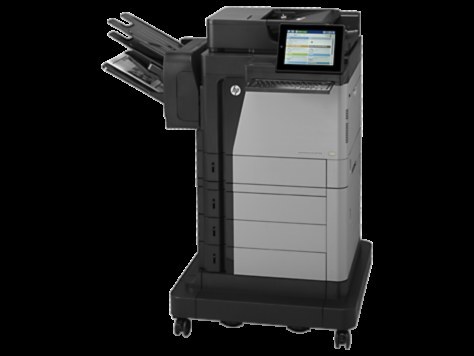
HP's mono range of the late-2010s included the LaserJet Enterprise Flow MFP M630z, a multifunction printer aimed at everyday office document printing rather than spec-sheet bragging rights. The LaserJet Enterprise Flow MFP M630z treats everyday office document printing as its whole job description, and does it well.
The LaserJet Enterprise Flow MFP M630z runs on the HP 81A family — the CF281A cartridge — shared with the M604, M605 and M606 printers, so supplies stay easy to find. Busy LaserJet Enterprise Flow MFP M630z owners often grab the high-yield CF281X, while the standard CF281A is plenty for steady everyday office document printing.
Toner Cartridges for LaserJet Enterprise Flow MFP M630z
This printer works with the following toner cartridges:
- HP CF281A
- HP CF281X
More HP Printers
- LaserJet Enterprise M607
- LaserJet Enterprise M608dn
- LaserJet Enterprise M608n
- LaserJet Enterprise M608x
- LaserJet Enterprise M609 x
- LaserJet Enterprise M609dh
- LaserJet Enterprise M609dn
- LaserJet Enterprise M609x MFP
- LaserJet Enterprise M631 dn
- LaserJet Enterprise MFP M630f
- LaserJet Enterprise MFP M631 h
- LaserJet Enterprise MFP M631dn
- LaserJet Enterprise MFP M631z
- LaserJet Enterprise MFP M632fht
- LaserJet Enterprise MFP M632h
- LaserJet Enterprise MFP M633 fh
- LaserJet Enterprise MFP M633 z
- LaserJet M607dn
- LaserJet M608
- LaserJet M608 n
- LaserJet M608dn
- LaserJet M608x
- LaserJet M609
- LaserJet M609 dh
- LaserJet M609 dn
- LaserJet M609 x
- LaserJet M609x MFP
- LaserJet M631
- LaserJet M631 dn MFP
- LaserJet M631 h MFP
- LaserJet M631dn MFP
- LaserJet M631z MFP
- LaserJet M632
- LaserJet M632 fht MFP
- LaserJet M632 h MFP
- LaserJet M632z MFP
- LaserJet M633
- LaserJet M633 fh MFP
- LaserJet M633 z
Frequently Asked Questions
How do I know I'm buying the right toner for my LaserJet Enterprise Flow MFP M630z?
Compare the code on the box with the LaserJet Enterprise Flow MFP M630z's list: CF237A, CF237X, CF237Y. HP makes look-alike cartridges for different printer families, so a code match is your guarantee.
How do I install a new toner cartridge in my LaserJet Enterprise Flow MFP M630z?
Open the cartridge door on the LaserJet Enterprise Flow MFP M630z and slide the old CF237A out by its handle — set it aside for recycling. Unpack the new CF237A, pull off its protective seal, and slide it straight in until it clicks. Close the door and print a test page from the LaserJet Enterprise Flow MFP M630z to confirm.
How do I clear a paper jam in the LaserJet Enterprise Flow MFP M630z?
Power off the LaserJet Enterprise Flow MFP M630z, open its doors, and pull the jammed paper out slowly in the direction of the paper path — never against it. Check that the tray guides sit snug against the paper stack, since loose guides cause repeat jams. Fan the paper and avoid overfilling the tray.