




LaserJet MFP M630z
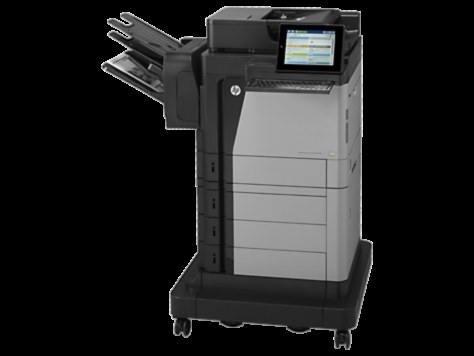
At the top of the M630 range, the HP LaserJet MFP M630z combined maximum features with enterprise-speed mono multifunction output for demanding offices.
The cartridge is the HP 81A family: black CF281A, with a high-yield CF281X option.
Toner Cartridges for LaserJet MFP M630z
This printer works with the following toner cartridges:
- HP CF281A
- HP CF281X
More HP Printers
- LaserJet Enterprise M604dn
- LaserJet Enterprise M605dn
- LaserJet M604n
- LaserJet M605dh
- LaserJet M605dn
- LaserJet M605n
- LaserJet M605x
- LaserJet M606dn
- LaserJet M606x
- LaserJet M606x MFP
- LaserJet M630dn
- LaserJet M630dn MFP
- LaserJet M630f MFP
- LaserJet M630h
- LaserJet MFP LaserJet M630dn
- LaserJet MFP M630f
- LaserJet MFP M630h
Frequently Asked Questions
What toner cartridge does the LaserJet MFP M630z use?
The LaserJet MFP M630z takes the CF281A or the high-yield CF281X toner cartridge. Always match the cartridge code to your exact model number before ordering.
How do I clear a paper jam in the LaserJet MFP M630z?
Switch the LaserJet MFP M630z off, open the paper-path covers, and pull the jammed sheet out slowly in the direction of the paper path so it does not tear. Reload with fresh, fanned paper before resuming.
Should I shake a new toner cartridge before putting it in the LaserJet MFP M630z?
Give the new CF281A cartridge a gentle side-to-side rock before installing it in the LaserJet MFP M630z so the toner is evenly distributed. Keep it level and avoid touching the roller.