




LaserJet M605n
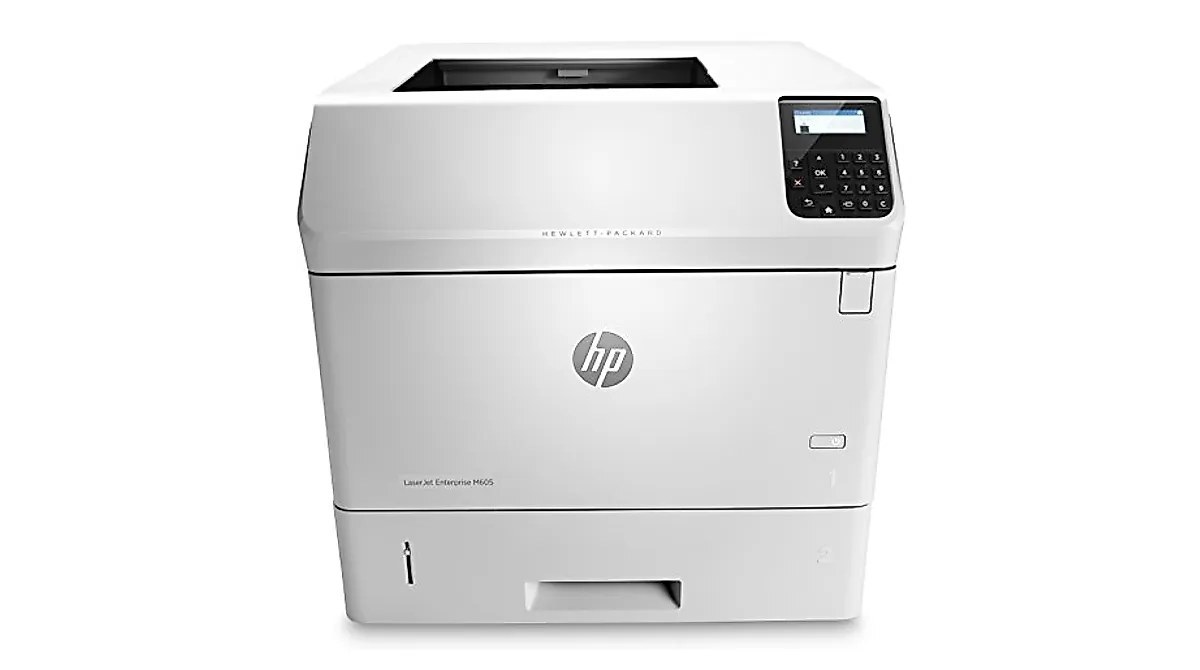
The LaserJet M605n kept the speed of the M605 on shared networks and left out the duplexer — a machine for departments that print fast and single-sided. It takes the standard CF281A or the high-yield CF281X. Below, the 81A shelf spans singles through 10-packs plus MICR versions, and the 81X line adds its own singles and packs, including a cartridge listing named for this printer.
Single-sided work sounds like a limitation until you watch the jobs this model usually carries: forms, labels and short-run documents that were never going on the back of a sheet anyway. For those queues the M605n trades duplex hardware for pace, and its toner story stays simple — the same two cartridges as its duplex siblings, so a mixed fleet still stocks one cartridge family.
Toner Cartridges for LaserJet M605n
| Cartridge | Color | Page Yield |
|---|---|---|
| CF281A single cartridge | Black | See product page |
| CF281A 2-pack | Black | See product page |
| CF281A 3-pack | Black | See product page |
| CF281A 5-pack | Black | See product page |
| CF281A 10-pack | Black | See product page |
| CF281A 4-pack, alternate listing | Black | See product page |
| CF281X single cartridge | Black | See product page |
| CF281X 2-pack | Black | See product page |
| CF281X 3-pack | Black | See product page |
| CF281X 5-pack | Black | See product page |
| CF281X 10-pack | Black | See product page |
| CF281X 4-pack, alternate listing | Black | See product page |
| CF281X single, M605n listing | Black | See product page |
MICR versions of the standard cartridge, for check printing, are listed here:
- CF281A MICR single cartridge
- CF281A MICR 2-pack
- CF281A MICR 3-pack
- CF281A MICR 5-pack
- CF281A MICR 10-pack
- CF281A MICR, M605n listing
Also stocked here are listings named for sibling machines in the same cartridge family, in both MICR and high-yield form: M630z-MICR listing, M630f-MICR listing, M630dn-MICR listing, M630h-MICR listing, M604dn-MICR listing, M604n-MICR listing, M605dn-MICR listing, M605x-MICR listing, M606dn-MICR listing, M606x-MICR listing, M630z listing, M630f listing, M630dn listing, M630h listing, M604dn listing, M604n listing, M605dn listing, M605x listing, M606dn listing, M606x listing.
Which cartridge should you buy?
Both yields fit, so the decision is how often you want to open the cartridge door. The high-yield cartridge carries more toner and suits an M605n that prints in long daily runs; the standard cartridge costs less commitment up front and is fine where volume comes in bursts. Multi-packs in either yield make sense on a shared machine — a toner-empty stop idles everyone queued behind it. MICR cartridges belong only to check printing.
Chip, toner and everyday use
Fit a new cartridge by opening the front door, sliding the old one out by its handle and pushing the replacement in until it seats with a click. Pull the sealing tape fully out first; a torn remnant is a classic cause of blank streaks. The chip on a compatible cartridge identifies it to the printer — if a warning appears, reseating and a power cycle clear most cases. Keep the next cartridge boxed and stored flat so it is ready the moment the current one fades.
Frequently Asked Questions
What toner does the LaserJet M605n take?
The CF281A standard cartridge or the high-yield CF281X. Both are stocked on this page, along with MICR versions of the standard cartridge.
Can the M605n print double-sided?
Not automatically — this configuration has no duplexer, which its existing description states plainly. Two-sided output means turning pages by hand; the cartridge choice is unaffected.
When should I replace the cartridge?
When pages stay faded or streaked after you have rocked the cartridge to level its toner, or when the toner-low alert will not clear. There is no need to swap early at the first warning.
Does this printer use a separate drum unit?
No. The drum is built into the cartridge itself, so a cartridge change is the only toner-side maintenance this printer asks for.
More printers that use the same cartridges
The models below share the M605n's cartridges, so toner moves freely between them:
LaserJet MFP M630z, LaserJet MFP M630z, LaserJet MFP M630h, LaserJet MFP M630f, LaserJet MFP LaserJet M630dn, LaserJet M630h, LaserJet M630f MFP, LaserJet M630dn MFP, LaserJet M630dn, LaserJet M606x MFP, LaserJet M606x, LaserJet M606dn, LaserJet M605x, LaserJet M605dn, LaserJet M605dh, LaserJet M604n, LaserJet M604dn, LaserJet Enterprise MFP M630f, LaserJet Enterprise M605dn, LaserJet Enterprise M604dn, LaserJet Enterprise Flow MFP M630z.