




LaserJet Enterprise M604dn
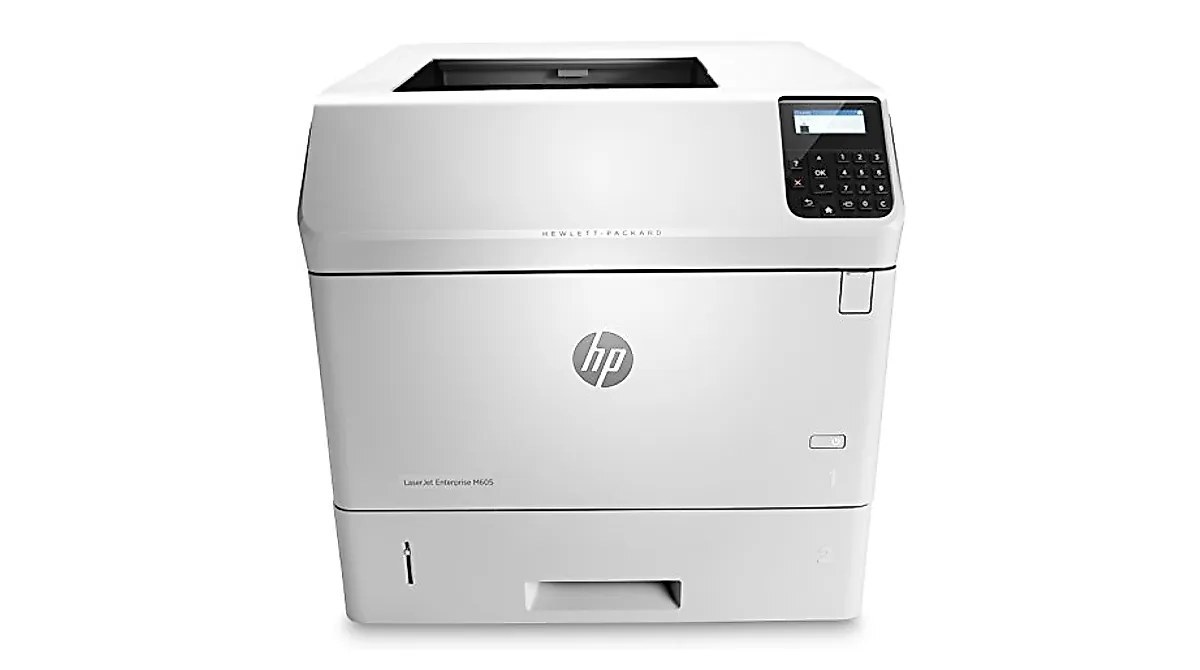
The LaserJet Enterprise M604dn brought high-speed mono printing to enterprise workgroups in 2015, with duplex and networking built for demanding letter-size output. It is the print-only sibling of the M630 multifunctions, and it runs on HP's 81A cartridge — the CF281A — stocked here as singles and multi-packs, in MICR form for check printing, and in listings named for the M630 and M605 family members that use the same cartridge.
A single-function printer in an enterprise lineup has one job and no excuses: long documents, out fast, on both sides of the page, for a whole workgroup. The M604dn's owners tend to be offices that already have scanning covered elsewhere and want a dedicated print engine on the network. Its cartridge being shared with the M630 MFPs down the hall is a practical bonus — one supply shelf, one cartridge code to remember, and spares that can move between machines when a queue backs up.
Toner Cartridges for LaserJet Enterprise M604dn
| Cartridge | Color | Page Yield |
|---|---|---|
| CF281A single cartridge | Black | See product page |
| CF281A 2 Pack | Black | See product page |
| CF281A 3 Pack | Black | See product page |
| CF281A 5 Pack | Black | See product page |
| CF281A 10 Pack | Black | See product page |
| CF281A MICR single cartridge | Black (MICR) | See product page |
| CF281A MICR 2 Pack | Black (MICR) | See product page |
| CF281A MICR 3 Pack | Black (MICR) | See product page |
| CF281A MICR 5 Pack | Black (MICR) | See product page |
| CF281A MICR 10 Pack | Black (MICR) | See product page |
The standard cartridge is also sold under listings named for this family's printers:
- CF281A MICR — M630z listing
- CF281A MICR — M630f listing
- CF281A MICR — M630dn listing
- CF281A MICR — M630h listing
- CF281A MICR — M604dn listing
- CF281A MICR — M604n listing
- CF281A MICR — M605dn listing
- CF281A MICR — M605n listing
- CF281A MICR — M605x listing
- CF281A MICR — M606dn listing
- CF281A MICR — M606x listing
Which cartridge should you buy?
Everything on this page is the one cartridge — the CF281A — so the decision is quantity and type. Workgroup printers eat toner steadily, and the 5 and 10 packs keep a shared machine fed without a purchase order every fortnight; smaller teams do fine on 2 and 3 packs. HP also makes a high-yield CF281X for this printer, but it is not stocked on this page — every listing here is the standard cartridge or its MICR version. Choose MICR only for printing checks; for documents, the regular cartridge is the correct and cheaper fill.
Chip, toner and everyday use
When the M604dn shows a toner-low warning, the cartridge is nearly empty but not finished — you can usually keep printing for a while, so use the warning as the signal to order rather than to stop. If a newly installed cartridge is not recognized, reseat it firmly and confirm every protective seal and pull tab was removed; a power cycle then lets the printer re-detect the chip. Yield figures are quoted at about 5% coverage, and a workgroup's real documents run denser than that, so expect real life to land under the estimate and keep a sealed spare in reserve.
Frequently Asked Questions
What toner cartridge does the LaserJet Enterprise M604dn use?
The CF281A — one black cartridge, in standard or MICR form. Match the code to your exact model number before ordering; cartridges from other HP families will not fit this printer.
Why doesn't my M604dn recognize the new cartridge?
Almost always a seating or seal issue: reseat the CF281A firmly, check that every protective seal and pull tab was removed, and if the message stays, switch the printer off and on so it re-detects the cartridge.
What should I do when the toner-low warning appears?
Keep printing for now — the alert arrives with toner still in the cartridge — but order the replacement the same day. On a workgroup printer, the gap between warning and empty closes faster than anyone expects.
Is the high-yield version of this cartridge sold here?
Not on this page. The high-yield sibling exists in HP's lineup, but every listing here is the standard cartridge — as a single, in multi-packs, as CF281A MICR for checks, or under a family model's name.
More printers that use the same cartridges
These family members draw on the same cartridge shelf:
- LaserJet Enterprise Flow MFP M630z
- LaserJet Enterprise M605dn
- LaserJet Enterprise MFP M630f
- LaserJet M604dn
- LaserJet M604n
- LaserJet M605dh
- LaserJet M605dn
- LaserJet M605n
- LaserJet M605x
- LaserJet M606dn
- LaserJet M606x
- LaserJet M606x MFP
- LaserJet M630dn
- LaserJet M630dn MFP
- LaserJet M630f MFP
- LaserJet M630h
- LaserJet MFP LaserJet M630dn
- LaserJet MFP M630f
- LaserJet MFP M630h
- LaserJet MFP M630z
- LaserJet MFP M630z