




LaserJet M605x
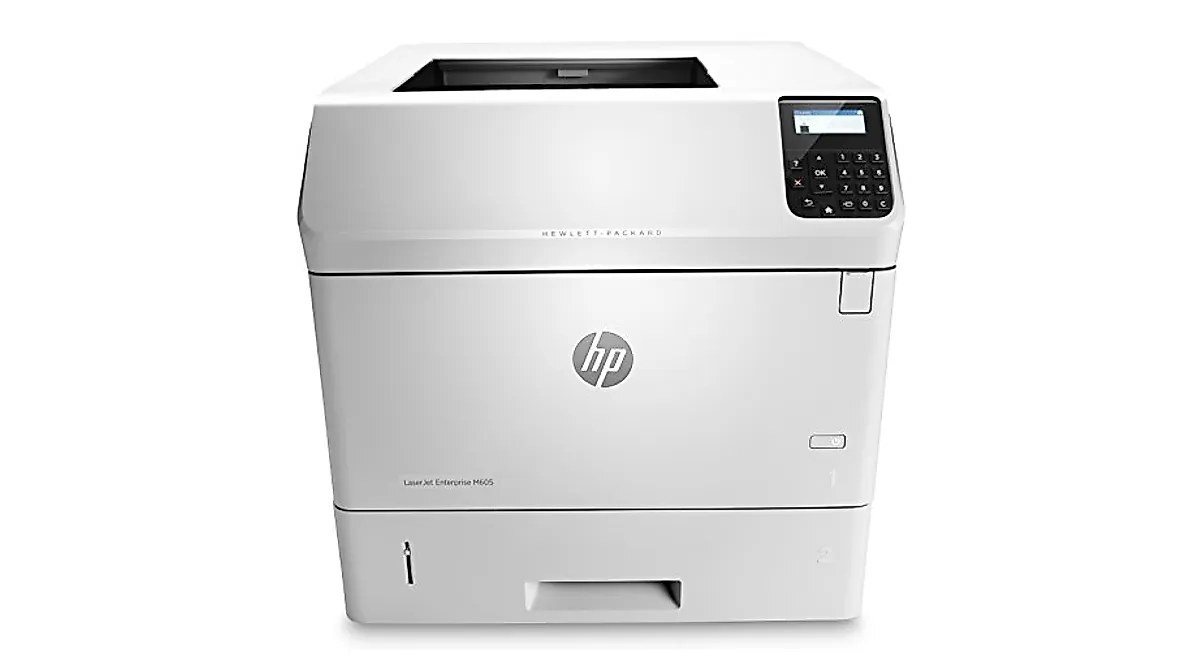
Extra capacity and features set the LaserJet M605x apart — the extended M605 for departments whose print volumes test lesser machines. It runs on the standard CF281A, with the high-yield CF281X for longer intervals between changes. The 81A below comes as singles and multi-packs with MICR options, and the 81X range mirrors it, down to a listing named for this model.
A high-capacity machine earns its place by rarely stopping, which flips the usual toner logic: the cost of an empty cartridge is measured in stalled work, not just in the cartridge itself. Owners of the x configuration tend to stock deep — a working cartridge, a spare, and another behind it — and to favor the high-yield fill so interventions come less often.
Toner Cartridges for LaserJet M605x
| Cartridge | Color | Page Yield |
|---|---|---|
| CF281A 10-pack | Black | See product page |
| CF281A 5-pack | Black | See product page |
| CF281A 3-pack | Black | See product page |
| CF281A 2-pack | Black | See product page |
| CF281A single cartridge | Black | See product page |
| CF281A 4-pack, alternate listing | Black | See product page |
| CF281X 10-pack | Black | See product page |
| CF281X 5-pack | Black | See product page |
| CF281X 3-pack | Black | See product page |
| CF281X 2-pack | Black | See product page |
| CF281X single cartridge | Black | See product page |
| CF281X 4-pack, alternate listing | Black | See product page |
| CF281X single, M605x listing | Black | See product page |
The MICR line below covers check printing on the same fit:
| Cartridge | Color | Page Yield |
|---|---|---|
| CF281A MICR single cartridge | Black | See product page |
| CF281A MICR 2-pack | Black | See product page |
| CF281A MICR 3-pack | Black | See product page |
| CF281A MICR 5-pack | Black | See product page |
| CF281A MICR 10-pack | Black | See product page |
| CF281A MICR, M605x listing | Black | See product page |
Listings named for the other models in this cartridge family are also carried on this page: M630z-MICR listing, M630f-MICR listing, M630dn-MICR listing, M630h-MICR listing, M604dn-MICR listing, M604n-MICR listing, M605dn-MICR listing, M605n-MICR listing, M606dn-MICR listing, M606x-MICR listing, M630z listing, M630f listing, M630dn listing, M630h listing, M604dn listing, M604n listing, M605dn listing, M605n listing, M606dn listing, M606x listing.
Which cartridge should you buy?
For this model the high-yield cartridge is the natural default: it carries more toner, so a machine built for volume spends more time printing and less time open. Where the standard cartridge still makes sense is lighter satellite use, or as the emergency spare behind a high-yield working cartridge. The 10-packs in both yields suit stockroom buying for a fleet. Pick MICR only for checks — magnetic toner brings nothing to ordinary documents.
Chip, toner and everyday use
Deep stock only helps if it stays usable: keep cartridges in their sealed packaging, stored flat in a cool, dry cupboard, and use the oldest first. Before fitting, rock the cartridge gently to loosen toner that has settled in storage. The chip should register as soon as the cartridge clicks home; if the printer hesitates, reseat it and restart the machine rather than forcing the door. Never leave a fitted cartridge half-seated — print quality and the drum surface both suffer.
Frequently Asked Questions
Which cartridges does the LaserJet M605x use?
The standard CF281A and the high-yield CF281X, both stocked here from singles to 10-packs, plus MICR versions of the standard cartridge.
What makes the x configuration different for toner buying?
Nothing about the fit — it takes the same two cartridges as the rest of the M605 line. The difference is volume: a capacity model empties cartridges faster, so high-yield fills and deeper pack sizes fit its working pattern.
How should I store spare cartridges for a high-volume machine?
Sealed, flat, cool and out of direct light, rotated so the oldest stock is fitted first. A spare kept this way is ready the moment the working cartridge fades.
Is the drum a separate part on the M605x?
No — the drum lives inside the cartridge. There is no separate drum unit to buy or schedule for this printer.
More printers that use the same cartridges
Toner for the M605x is shared across the Enterprise 600 and M630 models listed here:
LaserJet Enterprise Flow MFP M630z, LaserJet Enterprise M604dn, LaserJet Enterprise M605dn, LaserJet Enterprise MFP M630f, LaserJet M604dn, LaserJet M604n, LaserJet M605dh, LaserJet M605dn, LaserJet M605n, LaserJet M606dn.
LaserJet M606x, LaserJet M606x MFP, LaserJet M630dn, LaserJet M630dn MFP, LaserJet M630f MFP, LaserJet M630h, LaserJet MFP LaserJet M630dn, LaserJet MFP M630f, LaserJet MFP M630h, LaserJet MFP M630z, LaserJet MFP M630z.