




LaserJet MFP M630f
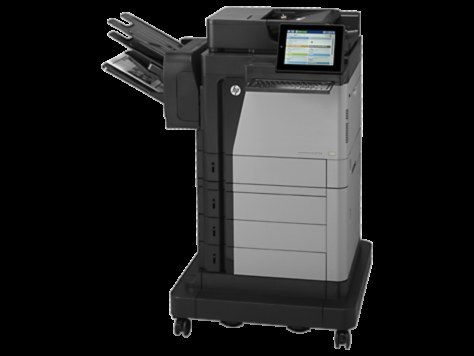
The LaserJet MFP M630f packs fax into the fast M630 multifunction, completing a four-function machine — print, scan, copy, fax — for departments running at enterprise pace. Its cartridges are the HP 81 family, and the one stocked on this page is the black HP 81A (CF281A), sold as a 4-pack. The high-yield CF281X belongs to this printer's family as well, but it is not listed among the products below.
Departments that still fax tend to run on paper deadlines: signed forms, orders and records that move between organizations on a schedule nobody controls. A machine carrying that traffic cannot afford to sit empty, and its received faxes print whether or not anyone is watching. That is the practical case for stocking this MFP's cartridge in fours — the supply is in the room, in quantity, before the machine ever asks for it.
Toner Cartridges for LaserJet MFP M630f
| Cartridge | Color | Page Yield |
|---|---|---|
| HP 81A (CF281A) Toner Cartridge — 4 Black | Black | See product page |
Which cartridge should you buy?
On this shelf the cartridge decision has already been narrowed for you: the stocked product is the 81A 4-pack, and for a fax-carrying departmental MFP that is a sensible default. Four standard cartridges cover a long run of mixed traffic — prints, copies and incoming faxes alike — with each changeover taking about a minute. Departments whose volume is extreme should know the printer also accepts the high-yield CF281X, which holds more toner per unit; it simply is not listed on this page, so confirm the code on a box before treating any cartridge as this machine's. Within what is stocked here, the guidance is straightforward: keep at least one sealed unit from the pack in reserve at all times, because fax traffic does not wait for a delivery.
Chip, toner and everyday use
The most reliable identification habit costs three seconds: read the number off the cartridge you are removing before ordering or opening its replacement. When the new unit goes in, slide it home until it clicks and print a test page to confirm it is seated and recognized — on a machine that receives faxes unattended, a quietly mis-seated cartridge announces itself as a pile of unprinted pages. Store the remaining cartridges of the pack sealed, flat, and away from heat and bright light, and rotate stock so the oldest sealed unit is used first.
Frequently Asked Questions
How do I identify the right replacement toner for the LaserJet MFP M630f?
Read the code on your old cartridge: this MFP takes the CF281A or the high-yield CF281X, the HP 81A family. Order that exact code and the new cartridge drops straight in — guessing by appearance alone is how wrong cartridges end up in supply rooms.
Can the LaserJet MFP M630f use the high-yield CF281X cartridge?
Yes — the CF281X fits this MFP just like the standard CF281A and needs replacing less often, which suits heavy printing. Note that this page stocks the CF281A 4-pack; the high-yield code is not among the listings above.
What is the difference between the CF281A and the CF281X for this machine?
Capacity. Both cartridges fit the same slot and work identically once installed; the CF281X is filled with more toner, so it prints more pages before running out, while the CF281A is the standard-fill version of the same cartridge.
Do received faxes use up the toner cartridge?
They do. A received fax is printed on paper the moment it arrives, so fax traffic draws on the same CF281A cartridge as prints and copies. Departments with busy fax lines should keep a sealed spare ready — the machine cannot hold a fax in memory forever while it waits for toner.
More printers that use the same cartridges
These related enterprise models run on the same 81 cartridge family as the M630f: LaserJet M605dn, LaserJet M605n, LaserJet M605x, LaserJet M606dn, LaserJet M606x, LaserJet M606x MFP, LaserJet M630dn, LaserJet M630dn MFP, LaserJet M630f MFP, LaserJet M630h, LaserJet MFP LaserJet M630dn, LaserJet MFP M630h, LaserJet MFP M630z, LaserJet MFP M630z, LaserJet Enterprise Flow MFP M630z, LaserJet Enterprise M604dn, LaserJet Enterprise M605dn, LaserJet Enterprise MFP M630f, LaserJet M604dn, LaserJet M604n, LaserJet M605dh.