




LaserJet M630dn MFP
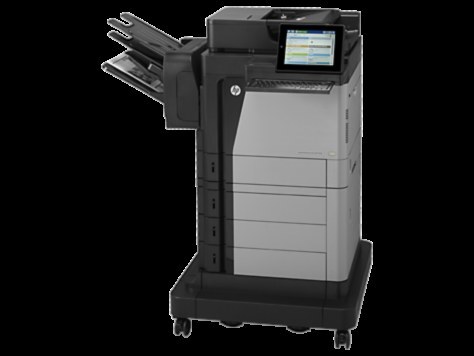
HP's LaserJet M630dn MFP combined high-speed mono output with full multifunction capability — the duplex-and-network M630 for busy office floors.
Cartridges come from the HP 81A lineup: black CF281A, or the longer-lasting CF281X.
Toner Cartridges for LaserJet M630dn MFP
This printer works with the following toner cartridges:
- HP CF281A
- HP CF281X
More HP Printers
- LaserJet Enterprise M604dn
- LaserJet Enterprise M605dn
- LaserJet M604n
- LaserJet M605dh
- LaserJet M605dn
- LaserJet M605n
- LaserJet M605x
- LaserJet M606dn
- LaserJet M606x
- LaserJet M606x MFP
- LaserJet M630dn
- LaserJet M630f MFP
- LaserJet M630h
- LaserJet MFP LaserJet M630dn
- LaserJet MFP M630f
- LaserJet MFP M630h
- LaserJet MFP M630z
Frequently Asked Questions
Is there a longer-lasting cartridge option for the LaserJet M630dn MFP?
Yes — the CF281X is the high-yield version of the standard CF281A and fits the same slot in the LaserJet M630dn MFP. If the LaserJet M630dn MFP prints a lot, the CF281X cuts down on how often you swap cartridges.
When is it time to replace the cartridge in the LaserJet M630dn MFP?
Replace the CF281A in the LaserJet M630dn MFP when pages stay faded or streaked even after redistributing the toner, or when the toner-low alert will not clear. There is no need to swap a cartridge early just because the first warning appears.
Where do I download drivers for the LaserJet M630dn MFP?
Download the latest drivers for the LaserJet M630dn MFP from HP's official support website by searching the exact model name. The full software package includes the utilities for checking toner levels and managing the printer.