




SF-760P
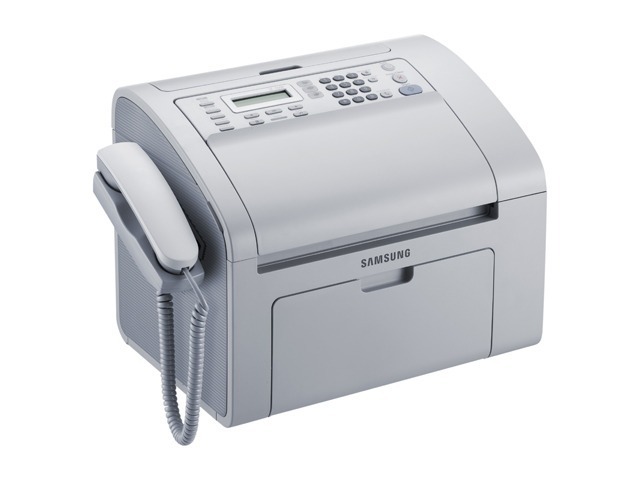
Samsung's SF-760P is a compact laser fax unit built for the front counter or back office, where incoming faxes need to land on paper quickly and legibly. It doubles as a small copier, but faxing is the job it was hired for.
It runs on the MLT-D101S toner cartridge. We carry both the compatible version and the genuine Samsung OEM version, and either one ships fast from Clever Supplies to keep the fax line productive.
Toner Cartridges for SF-760P
This printer works with the following toner cartridges:
- Samsung MLT-D101S
More Samsung Printers
- ML-2160
- ML-2161
- ML-2164
- ML-2164W
- ML-2165
- ML-2165W
- SCX-3400
- SCX-3400F
- SCX-3401
- SCX-3401FH
- SCX-3405
- SCX-3405F
- SCX-3405FW
- SCX-3405W
- SCX-3406HW
- SCX-3406W
- SCX-3407
- SF-761
- SF-761P
- SCX-3406
- SF-760
- ML-2160W
- SCX-3400FW
Frequently Asked Questions
When swapping toner in the SF-760P, does the printer need to be on or off?
During a cartridge change on the SF-760P, do not touch the green drum roller or the chip contacts of the new MLT-D101S; oil and scratches from your fingers will show up on prints. Keep the cartridge out of bright light as well — prolonged exposure damages the drum. Lay a sheet of paper down first, since a little toner can escape while you work.
Is it possible for a fresh MLT-D101S to be behind the blank pages coming out of the SF-760P?
If the SF-760P outputs blank pages with a full MLT-D101S installed, a corrupted or wrong driver is a very real possibility. Print a test page using the printer's own panel — this bypasses the computer — and reinstall the correct Samsung driver for the model. When the panel page prints fine, you know the computer side is at fault.
Is there a way to shrink or magnify a document when copying on the SF-760P?
A copy on the SF-760P passes through both the scanner and the print engine, so a smudge on the glass or a low MLT-D101S will both appear in the result. Start with the simple checks: clean the scanner glass and confirm toner levels. If pages printed from the computer look perfect while copies do not, the scanner side is the culprit.