




ML-2160W
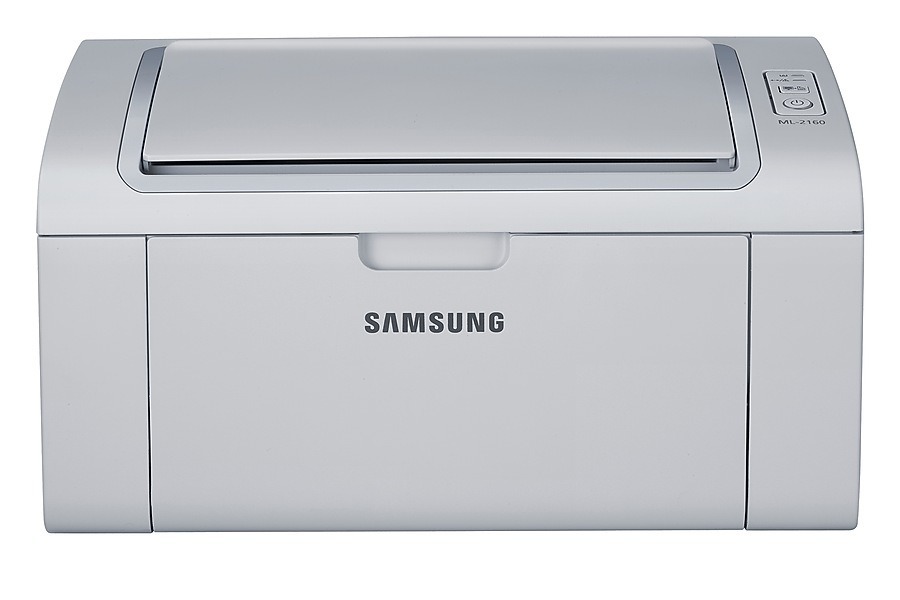
If you like the ML-2160 but want it off the cable, the ML-2160W is the answer. Same compact monochrome laser, same simple operation, plus Wi-Fi so every device in the house can print without a USB shuffle.
The ML-2160W feeds on the MLT-D101S cartridge. Our compatible version keeps cost-per-page friendly; the genuine OEM version keeps everything factory-original. Pick your lane, and Clever Supplies gets it to your door fast.
Toner Cartridges for ML-2160W
This printer works with the following toner cartridges:
- Samsung MLT-D101S
More Samsung Printers
- ML-2160
- ML-2161
- ML-2164
- ML-2164W
- ML-2165
- ML-2165W
- SCX-3400
- SCX-3400F
- SCX-3401
- SCX-3401FH
- SCX-3405
- SCX-3405F
- SCX-3405FW
- SCX-3405W
- SCX-3406HW
- SCX-3406W
- SCX-3407
- SF-760P
- SF-761
- SF-761P
- SCX-3406
- SF-760
- SCX-3400FW
Frequently Asked Questions
Installed the ML-2160W and the pages come out as unreadable characters — is a bad driver to blame?
Get the ML-2160W driver from the official or HP support page for your OS — third-party downloads may carry outdated bundles. A full driver package gives fuller feature access than a universal driver. Post-install, make sure the correct model name appears in your printer list; the MLT-D101S cartridge is unaffected.
Why is the toner light on my ML-2160W blinking, and what should I do about it?
Start with the simple fixes when the ML-2160W flags a newly installed MLT-D101S as unrecognized: remove it, wipe the chip contacts with a dry cloth, and reinstall firmly. Firmware updates sometimes tighten chip checks, so a cartridge that worked before the update may need a chip update itself. Your supplier can confirm whether a compatible replacement is the answer.
My ML-2160W prints pages that are completely blank — what is wrong?
When the ML-2160W prints blank pages right after a new MLT-D101S goes in, the protective seal is the prime suspect — no toner can pass until it is removed. Shut the printer down, remove the cartridge, pull the seal tab all the way out, and put the cartridge back. Already pulled? Then confirm the cartridge is pushed in until it clicks.