




SF-761
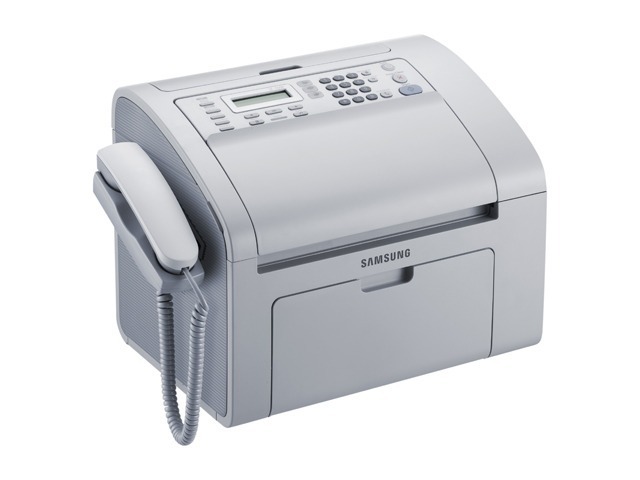
The SF-761 carries Samsung's laser-fax tradition forward in a compact desktop unit, giving small businesses sharp fax reception plus basic print and copy functions. For industries still tied to fax, it is a workhorse, not a relic.
Cartridge needs are simple: the MLT-D101S. Choose compatible for value or genuine OEM for originality, and rely on fast shipping from Clever Supplies.
Toner Cartridges for SF-761
This printer works with the following toner cartridges:
- Samsung MLT-D101S
More Samsung Printers
- ML-2160
- ML-2161
- ML-2164
- ML-2164W
- ML-2165
- ML-2165W
- SCX-3400
- SCX-3400F
- SCX-3401
- SCX-3401FH
- SCX-3405
- SCX-3405F
- SCX-3405FW
- SCX-3405W
- SCX-3406HW
- SCX-3406W
- SCX-3407
- SF-760P
- SF-761P
- SCX-3406
- SF-760
- ML-2160W
- SCX-3400FW
Frequently Asked Questions
Why does the MLT-D101S cartridge for the SF-761 come with an orange tab attached?
On the MLT-D101S, avoid the green drum shutter and the metal chip contacts; handle the cartridge by its ends or handle. Drum fingerprints become permanent defects on SF-761 output. Keep it out of direct sunlight while you install it.
What settings will darken the copies coming out of my SF-761?
Cut-off edges on SF-761 copies come from the original sitting outside the scan area or a wrong reduce setting. Align the page to the corner mark and check the copy size. This is purely a placement issue — the MLT-D101S cartridge is not involved.
New cartridge installed in the SF-761 but the printer says it isn't recognized — what should I do?
If the SF-761 shows a toner error right after a new MLT-D101S goes in, the cartridge is likely not seated fully or its protective seal remains. Turn the machine off, extract the cartridge, check for leftover tape or seals, and reinstall. On power-up, the printer should recognize it.