




SF-761P
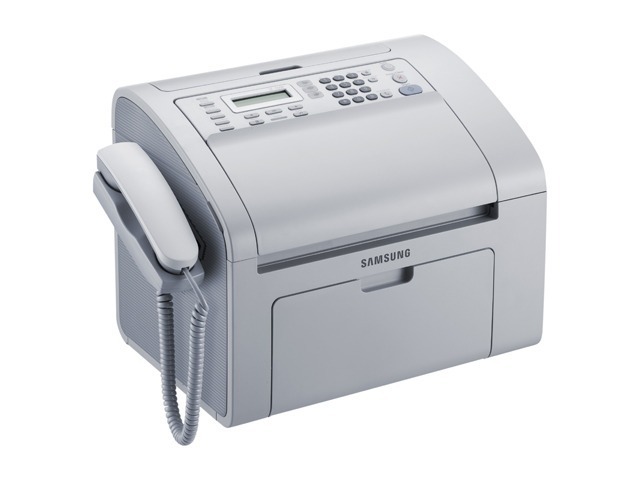
Samsung's SF-761P rounds out the SF-760/761 fax family as a compact laser fax with copy and print support, sized for a desk corner rather than a machine room. It suits medical offices, legal practices, and anyone whose workflow still runs on fax.
The MLT-D101S is its cartridge. Compatible and genuine OEM options are both stocked here, with fast shipping from Clever Supplies.
Toner Cartridges for SF-761P
This printer works with the following toner cartridges:
- Samsung MLT-D101S
More Samsung Printers
- ML-2160
- ML-2161
- ML-2164
- ML-2164W
- ML-2165
- ML-2165W
- SCX-3400
- SCX-3400F
- SCX-3401
- SCX-3401FH
- SCX-3405
- SCX-3405F
- SCX-3405FW
- SCX-3405W
- SCX-3406HW
- SCX-3406W
- SCX-3407
- SF-760P
- SF-761
- SCX-3406
- SF-760
- ML-2160W
- SCX-3400FW
Frequently Asked Questions
My SF-761P worked fine yesterday and today the driver says unavailable — any explanation?
Each PC needs its own driver, yet the SF-761P itself — cartridge MLT-D101S included — takes no changes when new machines join. Install the same driver package everywhere and point network installations at the printer's IP address. Consistency across the workgroup follows.
The SF-761P says my cartridge is not genuine — should I worry?
The non-genuine message on the SF-761P flags a mismatch between the MLT-D101S's chip and what the printer expects, often from a compatible cartridge or a chip that shifted during installation. Take the cartridge out and reinstall it firmly so the contacts align. If it still appears, the chip itself may be bad — sellers usually replace the cartridge in that case.
My SF-761P occasionally produces blank pages but other times prints fine — any idea why?
Occasional blank pages from the SF-761P suggest the MLT-D101S is not fully seated or the driver is misbehaving; empty toner fades bit by bit, not suddenly. Reseat the cartridge and restart the print spooler on your computer. Notice any pattern, such as blanks limited to the first page after waking from sleep.