




SF-760
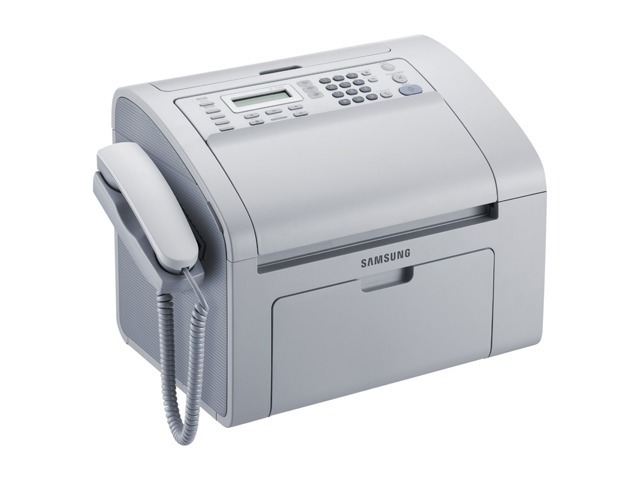
The Samsung SF-760 is a dedicated laser fax machine for offices that live on faxed orders, confirmations, and signed forms. It prints and copies too, but faxing is its reason for being, with the crisp output only a laser can give a transmitted page.
Its toner is the MLT-D101S cartridge, shared with Samsung's 2160/3400 printer family. Compatible cartridges keep a fax-heavy office affordable; genuine OEM cartridges keep everything factory-spec. Fast shipping from Clever Supplies.
Toner Cartridges for SF-760
This printer works with the following toner cartridges:
- Samsung MLT-D101S
More Samsung Printers
- ML-2160
- ML-2161
- ML-2164
- ML-2164W
- ML-2165
- ML-2165W
- SCX-3400
- SCX-3400F
- SCX-3401
- SCX-3401FH
- SCX-3405
- SCX-3405F
- SCX-3405FW
- SCX-3405W
- SCX-3406HW
- SCX-3406W
- SCX-3407
- SF-760P
- SF-761
- SF-761P
- SCX-3406
- ML-2160W
- SCX-3400FW
Frequently Asked Questions
What makes the SF-760 fail to recognize a cartridge that was just taken out of the box?
Five or six gentle side-to-side rocks get the toner settled in a new MLT-D101S before it goes into the SF-760. Unpack it over a sheet of paper, remove all seals and the orange protective tab, then guide the cartridge along the rails until it clicks into place. Close the cover and print a test page to verify the coverage is full and even.
My SF-760 keeps misfeeding from the document feeder when copying. Does that point to the feeder rather than the copy function?
Copy-only streaks on the SF-760 point to the scanner glass, because the MLT-D101S would mark computer prints too. Give the thin feeder glass strip a careful cleaning: a single speck there leaves a line down every feeder copy. When computer prints come out clean, the cartridge is not the cause.
Why would a brand-new MLT-D101S trigger a toner error message on the SF-760?
On the SF-760, a blinking toner light means low toner, a loosely installed MLT-D101S, or a cartridge the printer cannot read. Reseat the cartridge and check for seals or tabs left from packaging. If the light stays on with a known-good MLT-D101S, try another cartridge to separate a cartridge problem from a printer problem.