




ML-1865W
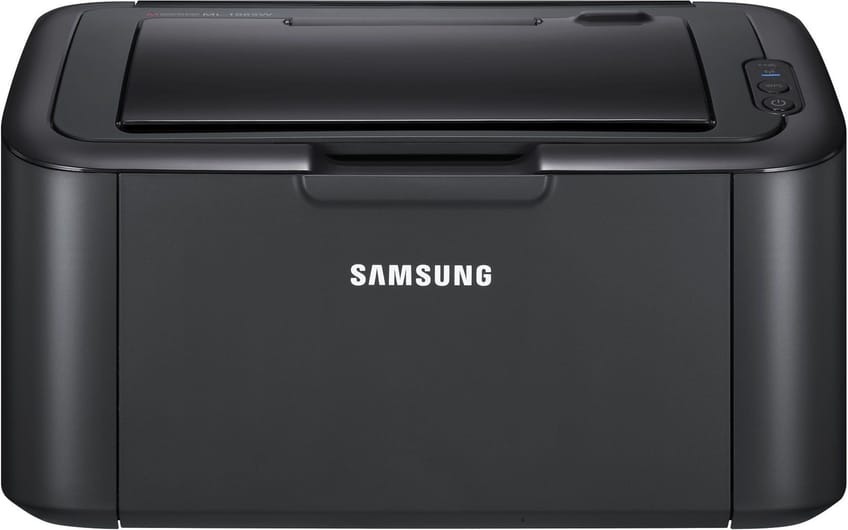
Wireless printing meets the ultra-compact 1865 in Samsung's ML-1865W, so the tiny mono laser can live on a shelf while laptops print over Wi-Fi. Small printer, zero cables, clean pages.
The cartridge is the MLT-D104S. Compatible or genuine OEM, both are stocked here with fast shipping from Clever Supplies.
Toner Cartridges for ML-1865W
This printer works with the following toner cartridges:
- Samsung MLT-D104S
More Samsung Printers
- ML-1660
- ML-1661
- ML-1665
- ML-1666
- ML-1675
- ML-1860
- ML-1861
- ML-1864
- ML-1865
- SCX-3200
- SCX-3201
- SCX-3205
- SCX-3206
- SCX-3210
- SCX-3217
- SCX-3218
- ML-1660K
- ML-1660N
- ML-1661K
- ML-1665K
- ML-1667
- ML-1670
- SCX-3200K
- SCX-3200W
- SCX-3205W
- SCX-3205WK
- SCX-3210K
- SCX-3201G
- SCX-3205K
- ML-1676
- ML-1866
- SCX-3206W
Frequently Asked Questions
What is the cleanest way to replace the MLT-D104S in the ML-1865W — should I shake the new cartridge first during the swap?
Lay newspaper under the ML-1865W first, then remove the old MLT-D104S slowly and keep it level — most spills happen from tilting a used cartridge. If toner escapes, vacuum it with a toner-rated filter or wipe with a dry cloth; never use a damp cloth or regular vacuum on a big spill. A calm two-minute swap beats a twenty-minute cleanup every time.
Why are there vertical streaks on every print from the ML-1865W — is that a toner problem or something else before I buy replacement parts?
Streaks that survive a paper-path cleaning are telling you the problem lives on a roller surface, not in the paper. Measure the distance between repeating marks and compare it with the drum circumference noted in the ML-1865W manual; a match confirms the drum. Knowing which roller is guilty turns a confusing defect into a one-part repair.
How do I know whether my ML-1865W needs a new drum or just toner — which one actually creates the image for this model?
Your ML-1865W treats them as two independent consumables: the MLT-D104S runs out of powder, while the drum slowly loses its coating. If print quality drops right after installing a new cartridge, the cartridge is the likely culprit; if it degrades slowly over months, look at the drum. It is a small detail that saves real money over the life of the printer.