




ML-1666
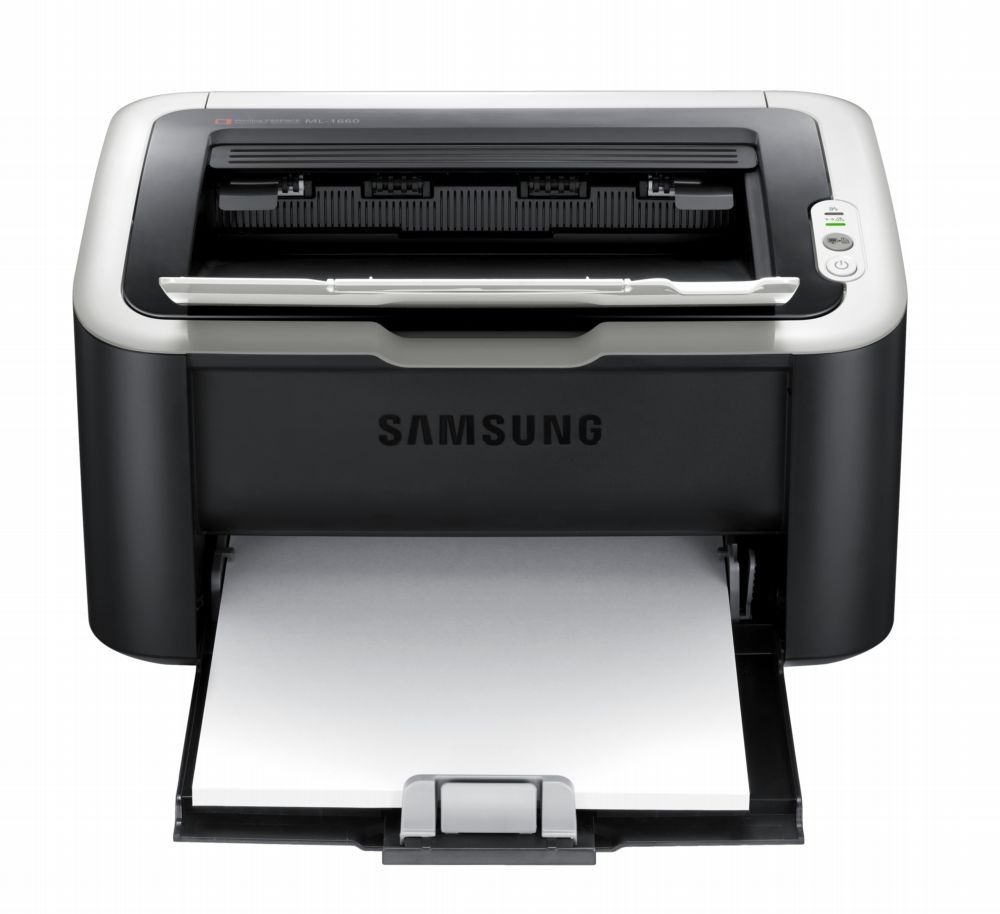
Samsung's ML-1666 is another compact mono laser in the 1660 family line, built around the same space-saving engine as the ML-1660. Homes, dorm rooms and studio apartments are its natural habitat. Supplies could not be simpler: the MLT-D104S is its one and only cartridge, and we carry that cartridge in compatible and genuine OEM versions, shipping fast whenever the toner light comes on.
In a small living space a printer earns its place by disappearing — onto a bookshelf, under a desk, beside the router. The ML-1666 was shaped for that life: one function, one cartridge, a footprint that does not demand its own furniture. What it asks in return is minimal: paper that is kept dry, and a new cartridge now and then.
Toner Cartridges for ML-1666
| Cartridge | Color | Page Yield |
|---|---|---|
| MLT-D104S cartridge, single | Black | See product page |
| ML-1666 cartridge, single | Black | See product page |
| ML-1666 cartridge (MLT-D104S), single | Black | See product page |
| MLT-D104S cartridges, 2 pack | Black | See product page |
| MLT-D104S cartridges, 4 pack | Black | See product page |
| MLT-D104S premium cartridges, 5 pack | Black | See product page |
| ML-1666 cartridges, 5 pack | Black | See product page |
Which cartridge should you buy?
A solo user in a studio or dorm will rarely need more than a single MLT-D104S at a time, with a sealed spare if a deadline printer cannot afford downtime. Shared flats and family homes print more and less predictably, so the 2 Pack and 4 Pack listings trim the per-cartridge cost and keep the shelf stocked. The compatible cartridge is the economical default and is covered by a 1-year warranty and 1-year returns; choose OEM if you want the Samsung-manufactured original.
Chip, toner and everyday use
The oldest trick in laser printing genuinely works on this machine: when the ML-1666 says toner is low but you need a few more pages, remove the cartridge and rock it gently side to side. Toner settles and clumps as the cartridge empties, and redistributing it restores even flow for a while. Do it over a sheet of newspaper, slowly, in case a little powder escapes, and treat the trick as a bridge — a fresh cartridge should follow soon. The most reliable level check is the supplies status page the printer can print from its own menu, no computer needed.
Frequently Asked Questions
What makes toner not stick to the paper in the ML-1666?
When toner sits on the surface instead of melting into the fibers, the fuser — the hot roller near the output — is the prime suspect, often because the driver's media type does not match the loaded paper. Correct the setting first; if plain paper still smudges with a fresh MLT-D104S fitted, the fuser itself is likely failing and needs service.
How do I check the toner level without opening the printer up?
Print the supplies status page from the ML-1666's menu. It reports the remaining level directly, and the first low-toner warning still leaves a useful number of pages — enough time to order a replacement calmly.
Does shaking a low cartridge really help, or does it just make a mess?
It helps, done properly. A slow, gentle rock redistributes settled toner and can restore even printing for a short run of pages. Keep the motion easy, work over newspaper, and do not treat it as a refill — the cartridge is still nearly empty.
More printers that use the same cartridges
All of these Samsung models run on the very same cartridge as the ML-1666: ML-1866, SCX-3200, SCX-3200K, SCX-3200W, SCX-3201, SCX-3201G, SCX-3205, SCX-3205K, SCX-3205W, SCX-3205WK, SCX-3206, SCX-3206W, SCX-3210, SCX-3210K, SCX-3217, SCX-3218, Samsung-MLTD104S, ML-1660, ML-1660K, ML-1660N, ML-1661, ML-1661K, ML-1665, ML-1665K, ML-1667, ML-1670, ML-1675, ML-1676, ML-1860, ML-1861, ML-1864, ML-1865, ML-1865W.