




ML-1861
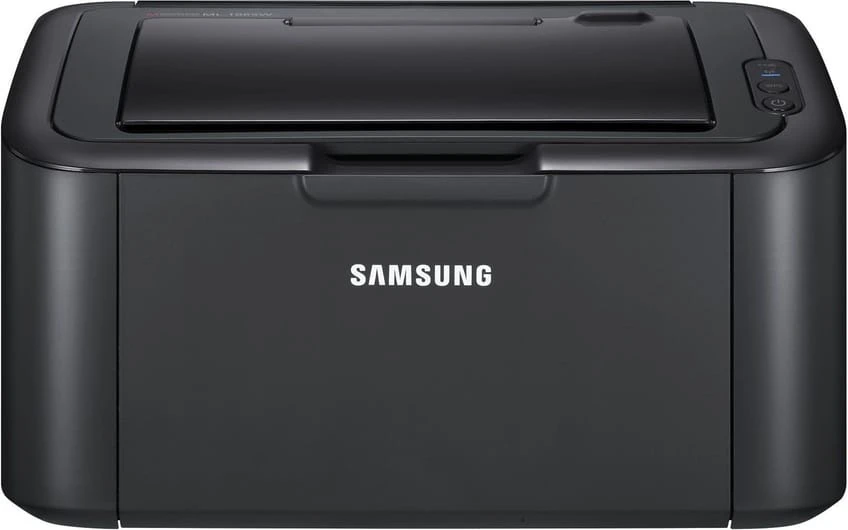
The ML-1861 is Samsung's regional variant of the compact ML-1860 mono laser, sharing the same diminutive engine under a badge sold in different markets. Small desk, small printer, clean pages — that is the entire proposition — and it is kept running by the MLT-D104S cartridge, exactly like its better-known sibling.
A regional badge creates a particular kind of doubt: the ML-1861 owner searches for supplies under an unfamiliar model number and finds a shelf labeled for the ML-1860 instead. The doubt is unnecessary. The two machines share an engine and a cartridge, so the supply question is settled by the cartridge code rather than the badge — if the box says MLT-D104S, it belongs in this printer.
Toner Cartridges for ML-1861
| Cartridge | Color | Page Yield |
|---|---|---|
| Samsung ML-1861 — Black Laser Toner Cartridge | Black | See product page |
| Samsung MLT-D104S — Black Laser Toner Cartridge | Black | See product page |
| Samsung MLT-D104S — Black, 4 Pack | Black | See product page |
| Samsung MLT-D104S — Black, 2 Pack | Black | See product page |
| Samsung ML-1861 — Black, 5 Pack | Black | See product page |
| Samsung MLT-D104S Premium — Black, 5 Pack | Black | See product page |
Which cartridge should you buy?
Buy by code, not by badge, and this page becomes simple. The code-labeled MLT-D104S single and its 2 Pack and 4 Pack siblings are the cartridge in its plainest form; the listings named for the ML-1861 — a single and a 5 Pack — are the same unit wearing the model's name. For one printer in a home, a single plus a sealed spare is the comfortable pattern; the Premium Quality 5 Pack suits a machine that prints every day or a shelf shared with an ML-1860 or an SCX model from the same family.
Chip, toner and everyday use
A printer that refuses to print right after a cartridge change is usually reporting a contact problem, not a failure. This machine reads a small chip on the cartridge, and anything blocking that contact — toner dust on the contacts, a pull-tab remnant left behind — triggers an error. Lift the cartridge out, check that the seal came away completely, and reseat it until it clicks. Also verify the box code against the MLT-D104S family before blaming the chip: a close-but-wrong code is a classic cause of incompatible-cartridge messages. Patience with the reinstall usually pays off immediately.
Frequently Asked Questions
What are the signs the drum — not the toner — is finished on the ML-1861?
Print defects that survive a fresh MLT-D104S are the drum's signature: repeating marks, persistent streaks or a gray background that no new cartridge cures. You can keep printing on a tired drum for a while, but quality degrades steadily until every page shows it. Replace the imaging unit on symptoms, not on a calendar, and you will never change it early.
Will a spare MLT-D104S for my ML-1861 go bad sitting in a closet?
A closet shelf at room temperature is close to ideal storage — no special equipment needed. Damp basements are the poor choice, since moisture can reach even sealed packaging over long periods, and heat is nearly as unkind. Stored cool, dry and sealed, a backup stays ready for the moment the printer needs it.
My ML-1861 will not print after I changed the toner. Is it seating or the chip?
Start with seating. The printer reads the cartridge's chip, so a blocked contact — dust, or a missed pull-tab — reads as a cartridge error. Reseat the MLT-D104S firmly, confirm the box code matches the MLT-D104S family, and most errors clear on the next attempt.
More printers that use the same cartridges
The regional badge changes nothing underneath — the whole family below shares this cartridge: Samsung-MLTD104S, SCX-3218, SCX-3217, SCX-3210K, SCX-3210, SCX-3206W, SCX-3206, SCX-3205WK, SCX-3205W, SCX-3205K, SCX-3205, SCX-3201G, SCX-3201, SCX-3200W, SCX-3200K, SCX-3200, ML-1866, ML-1865W, ML-1865, ML-1864, ML-1860, ML-1676, ML-1675, ML-1670, ML-1667, ML-1666, ML-1665K, ML-1665, ML-1661K, ML-1661, ML-1660N, ML-1660K, ML-1660.